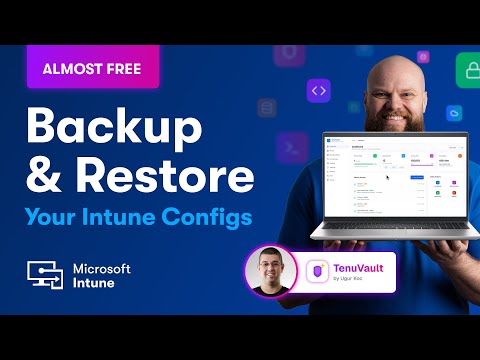
Intune: Almost-Free Backup & Restore
No-Faffing Managed IT Support & Cyber Security Support. Made in Yorkshire, built for the UK.
Microsoft expert shows TenuVault to backup and restore Intune in Azure tenant and protect OneDrive SharePoint Teams
Key insights
- TenuVault: The video introduces TenuVault, a lightweight Intune backup tool created by MVP Ugur Kuc.
TenuVault runs inside your own Azure tenant so backups stay under your control and costs stay very low. - Backup scope: TenuVault captures key Intune objects such as device compliance policies, configuration profiles, app protection and app configuration policies, and enrollment restrictions.
It also preserves assignments and related metadata to make restoration accurate. - How it works: The solution uses Azure automation patterns—app registration, permissions, and an ARM template—to export Intune configuration into secure storage in your subscription.
You can run manual backups, schedule automatic runs, and enable drift detection to spot changes over time. - Benefits: Using a tenant-hosted backup reduces risk from accidental deletions, misconfigurations, or attacks and speeds recovery.
It keeps data sovereign, is cost-effective compared with commercial options, and supports compliance and audit needs. - Restore process: Restores can be full or selective, rebuilding policies and assignments to their prior state and cutting hours of manual work.
Administrators trigger on-demand restores to recover quickly after a problem. - Getting started: The video walks through onboarding the tenant, setting permissions and app registration, deploying with an ARM template, running the first backup, and scheduling regular backups.
Test restores regularly and validate permissions to ensure your recovery plan works when needed.
Video Overview: Jonathan Edwards Explains an “Almost Free” Backup
In a recent YouTube video, author Jonathan Edwards highlights a community-built tool that offers an inexpensive way to back up Microsoft Intune configurations. Specifically, the video showcases TenuVault, a lightweight solution created by MVP Ugur Kuc that runs inside an organization’s own Azure subscription. Consequently, Edwards frames the approach as “almost free” because it only requires minimal Azure storage and automation costs while keeping data inside the tenant. Moreover, he stresses the practical reality that few administrators think about backing up their Intune settings until something breaks.
How TenuVault Works in Practice
Edwards walks viewers through how TenuVault automates exports of configuration objects on a schedule, saving them into secure storage within the same Azure tenant. For example, the tool can capture items such as device compliance policies, configuration profiles, app protection and app configuration policies, and enrollment restrictions, among others. Then, when needed, administrators can restore entire configurations or selective items, including assignments, which helps preserve operational continuity. As a result, the video demonstrates both the backup and restore flows and explains the underlying use of Microsoft Graph APIs and automation resources.
Benefits and Cost Tradeoffs
Edwards emphasizes several clear benefits, starting with reduced recovery time after accidental deletions or harmful edits. In addition, because backups remain inside the organization’s cloud tenant, teams retain data sovereignty and full control over security and compliance. However, the tradeoff lies in operational responsibility: although the tool minimizes direct costs, organizations must maintain the automation environment, monitor runs, and secure access to stored backups. Therefore, while TenuVault lowers monetary barriers, it shifts some maintenance and governance effort onto internal teams.
Challenges and Implementation Considerations
While the video is positive about community tools, Edwards also points out the practical challenges of deploying this approach at scale. First, setting up correct permissions and app registrations requires careful attention to least-privilege principles; otherwise, backups could expose sensitive configuration details. Second, administrators must plan for long-term retention, encryption, and access controls so that backups remain both accessible and protected over time. Finally, because these solutions rely on APIs and automation scripts, they require testing and validation to ensure restores execute reliably under different failure scenarios.
Balancing Automation, Security, and Cost
Edwards discusses how organizations must weigh automation convenience against security and compliance responsibilities. On one hand, scheduling automated exports reduces human error and shortens recovery windows, and on the other hand, it opens a small operational surface that administrators must secure. Consequently, teams should implement role separation, auditing, and encrypted storage to reduce risk while still benefiting from frequent backups. Furthermore, administrators need to consider frequency and retention policies that balance restore needs with storage costs and governance rules.
Practical Steps and Final Thoughts
Finally, the video offers a practical onboarding sequence: granting permissions, deploying templates or ARM artifacts, running an initial backup, and then scheduling regular runs with drift detection and restore testing. Edwards recommends that teams perform a mock restore periodically to validate their processes and to avoid unpleasant surprises during a real incident. In conclusion, while community tools like TenuVault do not replace a full enterprise backup strategy, they fill a meaningful gap by offering an affordable, tenant-contained way to protect critical Intune configurations. Consequently, administrators should consider this approach as a pragmatic layer in a larger disaster recovery and operations plan.

Keywords
Intune backup and restore, Microsoft Intune backup, Export Intune configurations, Restore Intune policies, Free Intune backup solution, Automate Intune backup, Backup Intune device configurations, Restore Intune profiles