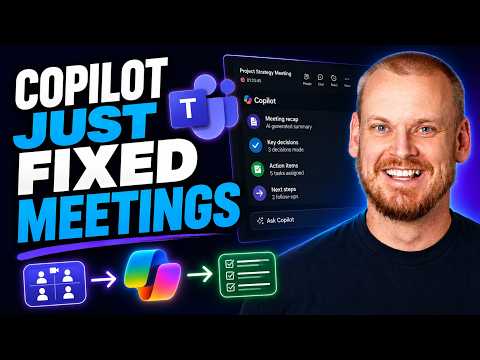
Teams Premium vs Copilot: Which Fits You
Software Development Redmond, Washington
Microsoft expert: Teams Copilot with Facilitator, Intelligent Recap and Microsoft Loop turn meetings into searchable action
Key insights
- Episode summary:
Based on a Demystifying Microsoft episode, the video explains how Teams features and Copilot turn meeting talk into useful work outputs.
It shows real examples of saving time and improving follow-up without manual note taking. - Core difference:
Teams Premium focuses on meeting enhancements, branding, and security for organizations.
Microsoft 365 Copilot provides a personal AI across meetings, chats, and documents that can analyze and answer questions in real time or after a meeting. - Intelligent Recap & transcription:
Intelligent Recap creates searchable meeting summaries, chapters, speaker navigation, and AI-generated notes when meetings are recorded or transcribed.
This helps users catch up fast and jump to important parts of a recording. - Teams Facilitator & Microsoft Loop:
Teams Facilitator captures decisions, action items, and follow-ups during meetings and teams can store that intelligence in Microsoft Loop for collaborative, living notes.
Loop keeps meeting outputs organized and easy to reuse across Microsoft 365 apps. - Work IQ & automation:
Work IQ improves AI context by analyzing meeting signals and behavior, while automation can run recording, transcription, and Facilitator for recurring meetings.
This reduces repetitive setup and ensures consistent capture of meeting outcomes. - Who should choose which:
Choose Teams Premium when you need enhanced meeting controls, branding, and broader attendee access without full Copilot licenses.
Choose Microsoft 365 Copilot when individuals need a deeper AI assistant that works across meetings, documents, and chats to answer questions and create tasks.
Overview of the video
The YouTube video presented by Microsoft and featured in the Demystifying Microsoft series walks viewers through how modern Teams features turn meeting dialogue into searchable, actionable knowledge. The episode, led by Nathan Taylor, explains how tools such as Microsoft 365 Copilot, Teams Facilitator, Intelligent Recap, and Microsoft Loop collaborate to capture summaries, tasks, and insights. In addition, the video shows timestamps and demonstrations that illustrate automation for recurring meetings and how meeting intelligence is stored and reused. As a result, the presentation frames the technology as a way to reduce manual note taking and improve follow-up across organizations.
How meeting intelligence works
First, the video describes basic meeting recap capabilities that collect recordings, transcripts, files, notes, and agendas into a single recap view. Then it highlights the AI-enhanced Intelligent Recap, which can generate AI notes and create chapters and speaker-based navigation so users can jump to the most relevant segments of a recording. Furthermore, the episode demonstrates how the Teams Facilitator can create structured meeting notes and capture decisions and action items in real time. These features together make meetings easier to review and help teams preserve institutional knowledge across projects.
Connecting notes to work with Loop and Work IQ
Next, the video shows how captured meeting intelligence moves into shared workspaces such as Microsoft Loop, which stores contextual notes and can surface them across Microsoft 365 tools. In addition, the episode explains how Work IQ improves AI context by providing signals about meeting activity and team patterns, which helps the AI generate more relevant insights. Consequently, meeting notes can become Planner tasks or other follow-up items, creating a clearer path from discussion to action. This flow reduces friction in handoffs and makes it easier to track progress after meetings.
Comparing Teams Premium and Microsoft 365 Copilot
Importantly, the video clarifies the difference between the meeting-focused add-on Teams Premium and the broader AI assistant Microsoft 365 Copilot. While both provide intelligent meeting recap and AI-generated notes, the video explains that Teams Premium emphasizes meeting enhancements, governance, templates, branding, and advanced meeting protection. By contrast, Microsoft 365 Copilot acts as a personal AI that can analyze meetings, answer detailed questions, and work across documents, chats, and other Microsoft 365 apps. Therefore, the choice between them depends on whether an organization needs enhanced meeting control at scale or individual, cross-workspace AI assistance.
Tradeoffs and practical challenges
However, the episode also outlines tradeoffs and challenges that organizations must weigh when adopting these tools. For example, automated summaries and task capture can save time, but they rely on accurate transcriptions and clear meeting audio, so noisy environments or strong accents may reduce effectiveness. In addition, there are privacy and governance considerations; organizations must balance productivity gains against data sensitivity, consent, and storage policies. Finally, the video points out that users still need to validate outputs from AI and maintain human oversight, since tools can miss nuance or misassign responsibilities.
Licensing, adoption, and organizational fit
Moreover, the video discusses licensing complexities and where each product fits in a real organization’s technology stack. For instance, the presentation notes that Teams Premium can extend meeting capabilities for a wide set of attendees without granting full Copilot access to every user, which may be more cost-effective for some organizations. Conversely, teams or individuals who need deep AI assistance across documents and chats should consider Microsoft 365 Copilot and evaluate the required Microsoft 365 Copilot for Business licensing. As a result, leaders must weigh budget, the scale of deployment, and which workflows will most benefit from AI support.
What the video implies for users
In conclusion, the video framed by Microsoft offers a practical walkthrough that helps organizations decide how to use meeting intelligence in Teams. It shows that while technology can reduce manual effort and improve follow-up, success depends on good meeting practices, clear audio, proper governance, and sensible licensing choices. Therefore, teams should pilot features, measure real-world productivity benefits, and plan for training to ensure people trust and verify AI-generated outputs. Overall, the presentation provides a clear, balanced view of how meeting recap tools can become a productive part of modern work when paired with careful implementation and oversight.
Keywords
Teams Premium vs Copilot, Microsoft Teams Copilot features, Teams Premium meeting recap, Copilot meeting recap, Teams Premium vs Copilot comparison, Who should use Teams Premium, AI meeting recap Teams, Copilot for Microsoft Teams pricing