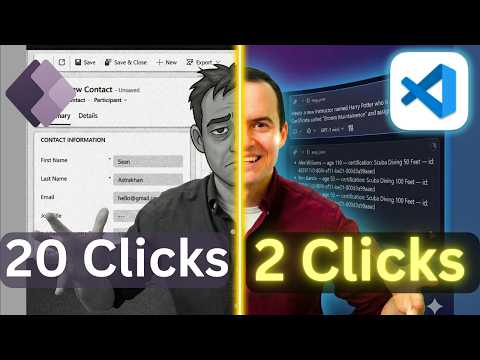
Dataverse MCP in VS Code - Fewer Clicks
Solutions Architect, YouTuber, Team Lead
Accelerate Dataverse with fewer clicks in VS Code using MCP and Copilot for model driven apps and natural language LLMOps
Key insights
- Dataverse + MCP in VS Code lets developers use natural language to access Dataverse records directly from the editor, reducing clicks and speeding common tasks.
Video demos show how AI agents handle queries, record creation, and joins without switching to the model-driven UI. - Key actions supported: query records, list tables, create/update/delete records, and modify table schemas.
These actions run from VS Code so you can prototype and debug faster than using the Power Apps UI. - Setup essentials: enable the MCP client for your environment, install VS Code and the Copilot extension, then add your server with the MCP: Add Server command and open the Copilot chat to start prompting.
Follow the prompts to enter your instance URL and choose HTTP or Server-Sent Events. - How it works day-to-day: type natural-language prompts like "list instructors by age and certification" and the MCP server returns schema-aware results and handles joins automatically.
Use the tool to create records and then verify them in Dataverse without leaving VS Code. - Admin and security controls: organizations can disable MCP via environment settings and advanced connector policies if needed.
Confirm governance and access policies before enabling MCP in production environments. - Practical benefits and next steps: expect fewer clicks, less context switching, and faster development cycles when using AI-driven MCP workflows in VS Code.
Try the demo steps in a safe test environment to learn the prompts and validate results before using on live data.
Sean Astrakhan (Untethered 365) published a recent YouTube video that demonstrates how developers can use a Dataverse instance as an MCP server and interact with it from VS Code. In the clip, Astrakhan walks through setup steps, shows natural language queries, and creates records without switching back to model-driven UIs. Consequently, the demo promises to reduce repetitive clicks and speed common development tasks for Power Platform makers. This article summarizes the video and examines the practical tradeoffs and challenges teams should consider before adopting the approach.
Overview of the Approach
The video frames the core idea clearly: connect a local or remote Dataverse instance to VS Code so that an LLM-based assistant can perform data operations via the MCP protocol. Astrakhan highlights that this lets users list tables, query records with joins and filters, create new data, and verify results from the editor. Moreover, the demo emphasizes natural language prompts—using tools like Copilot or Claude—so developers type conversational commands instead of navigating model-driven apps. As a result, the workflow aims to reduce context switching and accelerate prototyping.
At the same time, the setup remains grounded in familiar admin steps, and Astrakhan shows where to enable the MCP client and how to provide the correct server endpoint inside VS Code. The video includes clear chapter markers for quick reference to setup and testing moments, which helps teams replicate the demo. Importantly, Astrakhan stresses that MCP capability can be turned off in the Power Platform admin center if required. Therefore, organizations retain control over environment-level access during pilot rollouts.
Setting Up MCP in VS Code
Astrakhan demonstrates the setup starting with the GitHub Copilot MCP client in the Power Platform environment and installing the Copilot extension in VS Code. He then uses the command to add an MCP server, selects the transport (HTTP or Server Sent Events), and supplies the instance API endpoint that exposes MCP. After establishing the connection, the demo opens the Copilot chat in agent mode and issues natural language prompts to query and create records. The video thus provides a stepwise path for developers to follow in their own sandbox environments.
While the steps look straightforward, Astrakhan points out prerequisites such as proper permissions, an MCP-enabled Dataverse endpoint, and the right extension versions in the editor. He also suggests running the process in a non-production environment first in order to validate prompts and expected outputs. In addition, the presenter mentions available labs and community repositories that can help teams practice the workflow. Consequently, the initial setup requires modest technical effort but benefits from careful testing.
Demonstration Highlights
Several practical examples illustrate the value proposition: Astrakhan queries custom tables, lists records by natural language criteria, filters instructors by age and certification, and then creates new entries via the assistant. He shows how complex joins and filters can be described conversationally and executed without writing explicit fetch logic. Then, he verifies that newly created rows appear in Dataverse, which underlines that the toolchain supports round-trip validation. Thus, the demo highlights both productivity gains and immediate feedback in the data store.
Furthermore, Astrakhan showcases integrations with other LLMs, naming tools like Claude alongside Copilot, to stress interoperability with different agents. He also emphasizes that this becomes a faster way to prototype Power Platform scenarios compared with repetitive UI work. Nevertheless, the examples are intentionally scoped; they focus on common operations and do not attempt to demonstrate enterprise-scale migrations. Hence, viewers should see the demo as a productivity aid rather than a complete replacement for established engineering practices.
Tradeoffs and Challenges
Although this approach reduces clicks and speeds simple tasks, it introduces tradeoffs around governance, security, and model behavior that organizations must manage. For example, administrators may need to balance rapid developer productivity with data access controls, as LLM-assisted prompts can interact directly with production or sensitive data if not constrained. In addition, model hallucination remains a risk: natural language queries might produce unexpected results if prompts are ambiguous or incomplete. Therefore, teams should pair MCP-enabled workflows with strong policies and testing routines.
Latency and reliability are further considerations when using a remote MCP server, particularly in distributed teams or larger deployments. While the demo shows real-time interactions, production use may surface performance bottlenecks that require tuning or architectural changes. Another challenge is auditability: teams must ensure that operations initiated by agents are logged and traceable for compliance needs. As a result, the benefits of speed and convenience need to be weighed against governance and operational overhead.
Recommendations and Next Steps
To adopt this workflow, start with a constrained pilot in a sandbox environment and document the prompts and outcomes that your team uses most often. Next, involve admins early to set policies that limit MCP to safe environments and configure advanced connector policies where available. Additionally, add monitoring and logging so that actions taken via LLMs are auditable, and require explicit verification steps before modifying production data. These precautions preserve control while enabling the productivity gains shown in the video.
Finally, continue training users on prompt design and error handling, and integrate the MCP approach into CI/CD or testing pipelines where appropriate. Over time, the balance between developer speed and governance can shift as confidence and guardrails improve. In summary, Sean Astrakhan’s demonstration offers a compelling way to bring conversational data access into VS Code, but success depends on thoughtful rollout and ongoing controls.
In closing, the video by Sean Astrakhan (Untethered 365) provides a useful, practical walkthrough for teams exploring LLM-driven interactions with Dataverse via MCP in VS Code. Although the approach promises significant time savings and a smoother workflow, organizations should assess the tradeoffs and implement governance before full adoption. With careful planning, the technique can enhance productivity while maintaining security and compliance. Overall, the demo is a good starting point for teams that want to experiment with conversational data operations in their Power Platform toolchain.

Keywords
Dataverse MCP VS Code, VS Code Dataverse extension, Dataverse development tips, Dataverse developer productivity, Power Platform MCP tooling, Automate Dataverse tasks in VS Code, Reduce clicks Dataverse workflow, Dataverse low-code developer tools