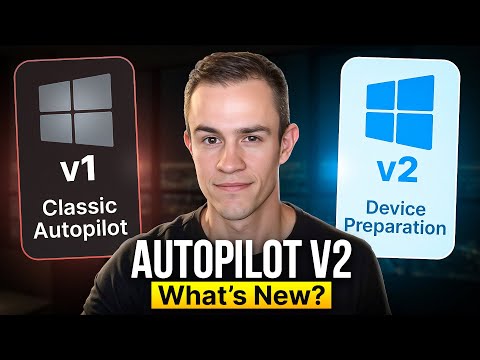
Autopilot Device Prep: Better Than v1?
Microsoft expert: Windows Autopilot device prep vs classic Autopilot, Intune and Endpoint Manager for modern management
Key insights
- Autopilot V2 (Device Preparation) is a re-architected Autopilot that keeps the familiar admin and user flow but changes how devices are prepared.
It aims to be faster and simpler than Autopilot V1, but you should compare features and test before switching production workloads. - OEM-optimized Windows lets Autopilot V2 transform the preinstalled OS into a business-ready state instead of reimaging devices.
This removes the need for maintaining custom images and reduces driver and image management overhead. - Dynamic enrollment reduces reliance on hardware hashes for many scenarios and streamlines device registration.
Devices join Microsoft Entra ID and enroll in Intune automatically, establishing a secure management baseline. - Policy and app delivery happen during setup: you can preselect essential policies, up to ten apps, and up to ten PowerShell scripts to install during the device preparation flow.
Devices are provisioned as standard (non-admin) users by default for improved security. - Reporting and troubleshooting have improved with a built-in deployment report that gives clearer visibility into failures and progress.
Some reporting gaps still exist, so plan for additional monitoring and logs during early rollouts. - End-user experience and readiness include a clearer OOBE with a progress indicator and both user-driven and automatic modes (useful for Windows 365 Frontline).
Recommendation: pilot Autopilot V2 in your environment, validate app/policy behavior, and assess quirks before a full migration.
Video Snapshot and Context
The editorial team reviewed a recent YouTube tutorial by Nick Ross [MVP] (T-Minus365) that compares classic Autopilot V1 with the newer Autopilot V2 implementation, also marketed as Windows Autopilot Device Preparation. The video walks through a side-by-side demo, live end-user flows, and a step-by-step build of the new Device Preparation setup. Consequently, the piece serves as a practical field test rather than an abstract product overview, showing both strengths and quirks in real time. For newsroom readers, the video offers operational signals about readiness to adopt the new flow in production environments.
Side-by-Side: What Changed and Why It Matters
First, the presenter highlights that Autopilot V2 re-architects deployment by transforming the preinstalled OEM Windows into a business-ready state rather than fully reimaging devices. This reduces the need for custom images and drivers, which in turn can simplify supply chain and imaging processes for IT teams. However, while the setup appears cleaner, the video also notes that not all legacy workflows map directly to the new model, so migration planning remains necessary. Thus IT pros must weigh immediate convenience against migration complexity.
Second, the tutorial emphasizes the new deployment flows: user-driven and automatic modes that support both single-user setups and scale-ready scenarios like Windows 365 Frontline. Moreover, the video shows how devices automatically join Microsoft Entra ID and enroll in Intune, which improves security posture by defaulting users to non-administrator accounts. Yet, Nick points out that dynamic enrollment behaviors and the elimination of hardware hashes introduce both benefits and new troubleshooting vectors. Therefore administrators should test specific device models and policies before broad rollout.
Deployment Mechanics and End-User Experience
The author demonstrates the end-user out-of-box experience (OOBE) with a progress indicator and integrated app/install sequence, giving a clearer picture of what employees actually see. In practice, the video reveals faster perceived setup for many scenarios, particularly when only a small set of core apps or scripts are required during provisioning. Nevertheless, the presenter also documents quirks: timing issues for larger app installs, and occasional policy timing mismatches that can delay access to expected resources. Consequently, organizations should pilot for typical user personas to measure real-world time-to-productivity.
Additionally, Nick dissects how app delivery is limited to a fixed number of essential apps and scripts during Device Preparation, which simplifies choices but can force tradeoffs when environments require many preinstalled tools. While this limits complexity up front, it may shift configuration steps to post-enrollment phases or to other management systems. Therefore teams will need to balance the benefits of a clean, quick OOBE against the operational overhead of deferred installs and conditional policies.
Reporting, Troubleshooting, and Real-World Quirks
The video shows that reporting in Autopilot V2 is improved compared with the original flow, with a built-in deployment report that helps surface failures and durations more clearly. Moreover, these reports reduce the time IT spend hunting for root causes and provide better telemetry for change control. Yet, Nick documents where reporting still falls short, such as limited detail for some app-install failures and occasional gaps in event timing. As a result, teams should augment logs with additional telemetry during early adoption.
Troubleshooting examples in the demo highlight intermittent issues: dynamic enrollment callbacks, policy application order, and edge-case behaviors that surface only under specific hardware or network conditions. Although many issues have straightforward mitigations, the video reinforces that a blanket migration without adequate pilots could create helpdesk spikes. Consequently, the recommended approach is phased implementation with clear rollback plans and runbooks for common failure scenarios.
Tradeoffs, Readiness, and Practical Recommendations
The presenter concludes that Autopilot V2 addresses many of the most persistent frustrations from Autopilot V1, such as heavy reimaging and complicated image maintenance, and therefore represents a meaningful evolution for modern device management. However, the video is candid about the tradeoffs: reduced imaging complexity comes with new constraints around app counts, enrollment dynamics, and the need to adapt existing policies and scripts. Therefore organizations must evaluate whether immediate operational gains outweigh the migration effort and temporary instability risks.
For practical rollout, the video recommends staged pilots that cover common device models and user profiles, validating app delivery, policy timing, and reporting completeness. Moreover, teams should document deployment metrics and maintain fallback procedures for devices that require traditional imaging or specific customizations. In short, while Device Preparation shows promise and is ready for many production scenarios, success depends on careful planning, empirical testing, and acceptance of tradeoffs during transition.
Keywords
autopilot device preparation tutorial, autopilot v2 vs v1 comparison, how to prepare autopilot device, autopilot installation guide, autopilot setup and calibration, autopilot hardware upgrade tutorial, autopilot performance improvements v2, autopilot troubleshooting tips