- All of Microsoft
Azure Ultra Disk: Instant Snapshots
Azure Instant Access Snapshots: near instant restores for Ultra Disk and Premium SSD next gen, accelerating recovery
Key insights
- Instant Access Snapshots for Ultra Disk and Premium SSD v2 let you create a usable disk immediately after snapshot creation.
Azure attaches the restored disk right away while data continues to hydrate in the background. - Incremental snapshot architecture separates snapshot usability from copy completion.
This lets recovery start before the full snapshot copy finishes, reducing wait times and operational steps. - Faster recovery and lower recovery time objective (RTO) for mission-critical systems.
Applications can restart as soon as the attached disk is available instead of waiting for full hydration. - High performance from first use and reduced read-latency impact during hydration; Microsoft reports up to 10x faster hydration in some cases.
This supports workloads that need consistent IOPS, throughput, and low latency. - Configurable InstantAccessDurationMins (60–300 minutes) controls how long a snapshot stays in the InstantAccess state.
Note: Instant Access snapshots count toward the three in-progress snapshots limit per disk and only work with the supported disk types. - Ideal use cases include databases, analytics, and enterprise apps that require quick restores and predictable performance.
The feature is available in Azure regions that support Ultra Disk and Premium SSD v2.
Overview of the demo
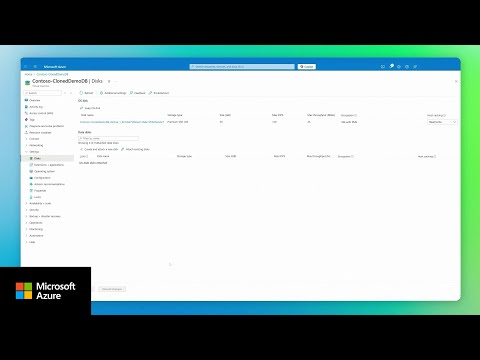
The YouTube video published by Microsoft Azure demonstrates the public preview of Instant Access Snapshots for Azure Ultra Disk and Premium SSD v2. In the clip, Microsoft shows a live demo that highlights near-instant restores, background data hydration, and scaled disk operations for performance-critical workloads. The feature targets enterprise scenarios where recovery speed and predictable performance are essential, and the video frames the capability as part of Azure's managed disk improvements.
Moreover, the presentation emphasizes that this capability removes the traditional wait for a full snapshot copy before use, thereby enabling faster recovery flows. The demo also notes that the preview supports configuring a short-lived InstantAccess state for snapshots. Consequently, viewers can see how a restored disk becomes attachable and usable while remaining hydrated in the background.
How the feature works
First, the video explains that Azure normally makes a background copy when creating snapshots, and that process can delay restores for large disks. By contrast, Instant Access Snapshots let you create and attach a disk immediately after snapshot creation, while Azure completes the remaining data movement behind the scenes. This approach separates snapshot usability from snapshot copy completion, which changes how teams plan recovery operations.
Further, Microsoft describes the capability as an incremental snapshot mode rather than a new snapshot type and shows how the snapshot sits in an InstantAccess state for a configurable time. The demo highlights that you can set the duration using InstantAccessDurationMins between 60 and 300 minutes. During that window, Azure prioritizes immediate I/O and background hydration so applications can resume sooner.
Benefits demonstrated
The video stresses faster disaster recovery as the primary benefit because applications can restart as soon as the restored disk is attached. In addition, Microsoft claims up to ten times faster hydration compared with earlier workflows and reports reduced read-latency effects while hydration proceeds. As a result, teams get immediate disk availability together with the long-term retention advantages of incremental snapshots.
Furthermore, the demo makes clear that this feature reduces operational complexity since administrators no longer have to keep separate emergency copies or manage temporary high-performance recovery disks. It also positions the capability as suitable for databases, analytics, and other high-IOPS workloads that run on Ultra Disk and Premium SSD v2. Finally, the presenter notes that the preview is available across Azure regions that support these disk types, increasing its practical reach for global operations.
Tradeoffs and operational challenges
However, the video candidly addresses tradeoffs and limits that teams must weigh when adopting the feature. For example, Instant Access snapshots count toward the limit of three in-progress snapshots per disk, which forces careful snapshot scheduling and may constrain rapid-repeat recovery tests. In addition, only Ultra Disk and Premium SSD v2 disks can be created from these snapshots, so organizations using other disk types must retain older workflows or convert disk types when necessary.
Moreover, while hydration is faster and read-latency impact is reduced, some performance variability can still occur during background completion, which requires monitoring to meet strict SLAs. Teams must also update recovery runbooks and test consistency, since immediate usability depends on the snapshot state and background operations. Consequently, administrators must strike a balance between recovery speed, snapshot frequency, and the operational overhead of tracking hydration and snapshot counts.
Practical guidance and next steps
In the concluding portion of the video, Microsoft offers practical suggestions for preview users and for teams preparing production adoption. Viewers are encouraged to start by testing typical recovery scenarios, observe hydration behavior under load, and adjust the InstantAccessDurationMins to match operational windows. Additionally, integrating these snapshots into backup and business continuity plans helps ensure that automated runbooks handle the new restore sequence reliably.
Finally, the demo underscores the need to monitor costs and limits while adopting the feature, and to verify region support for the required disk types. Overall, the video presents Instant Access Snapshots as a meaningful evolution for Azure managed disks, while also reminding teams that careful testing and planning are essential to capture its benefits without unexpected side effects.
Related links

Keywords
Azure Ultra Disk instant access snapshots, Premium SSD v2 instant access snapshots, Azure managed disk instant snapshots, Instant access snapshot performance Azure, Ultra Disk snapshot latency improvements, Premium SSD v2 snapshot restore speed, Azure snapshot cost optimization, Azure instant snapshot best practices