- All of Microsoft
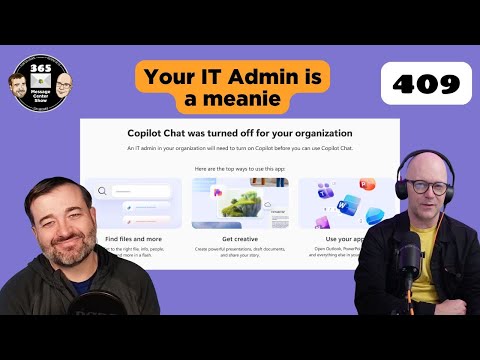
Microsoft 365: 409 Conflict Explained
Microsoft expert: Copilot Chat off, IT governance covers SharePoint permissions, Copilot Search, Teams and Purview
Key insights
-
409 Conflict — an HTTP status that means the request conflicts with the resource’s current state.
It shows up across Microsoft Graph, Azure, and service APIs when duplicates, concurrent updates, or locks block an operation. -
Common causes: duplicate creation, concurrency collisions, and resource locks.
Examples include Graph subscription duplicates, Bookings API creating an already-existing user while the portal links/reactivates, Cosmos DB insert with duplicate IDs in multi‑write, and App Service deployment or CORS conflicts. -
How to handle 409s: use deduplication, check‑before‑create, and implement exponential backoff with respect for any Retry‑After header.
Prefer PATCH/upsert or portal reactivation patterns when the API POST would create duplicates. -
Cosmos specifics: Cosmos DB multi‑write enforces unique IDs and can return 409 for duplicate inserts.
Conflict visibility depends on the conflict resolution policy (Last‑Writer‑Wins vs custom), so test conflicts by updating the same document from different regions. -
M365 Copilot Chat admin steps: if M365 Copilot Chat is turned off in your org, ask the IT admin to run a permissions report and review governance notes.
The admin can also search calendars for the meeting where the decision was made before re‑enabling the feature. -
Why this matters: designing for 409s helps you avoid failed automation, keep UX parity between portal and API, and ensure reliable deployments.
Build idempotent processes and clear error handling to reduce surprises and production incidents.
Overview
The latest episode from 365 Message Center Show examines a common but often misunderstood server response: the 409 Conflict. The hosts weave together recent Microsoft message center notes and developer guidance, and they use examples from services such as Microsoft Graph, Bookings, and Cosmos DB to show where conflicts typically appear. As a result, the video helps IT teams and developers recognize why automated workflows fail and how to reduce friction when portal behavior and APIs differ. Moreover, the episode lists related message center items and practical admin actions that organizations can take today.
What a 409 Conflict Means in Practice
In plain terms, a 409 Conflict signals that a request cannot be processed because it clashes with the current state of a resource. For example, APIs return 409s for duplicate creation attempts, concurrent updates, or when a dependent resource is missing, and Microsoft documentation advises treating this as a standard HTTP outcome to be handled rather than ignored. The video emphasizes that different services surface 409s for different reasons, so recognizing the scenario — duplication, concurrency, or state mismatch — guides the correct fix. Consequently, teams should map the error to the underlying cause instead of relying on generic retries.
Practical Guidance and Tradeoffs
The episode recommends a few proven strategies such as check-before-create patterns, idempotent design, and implementing exponential backoff while respecting a Retry-After header when present. However, the hosts also explore tradeoffs: adding deduplication or extra checks reduces failed runs but increases complexity and may add latency to automation. Conversely, aggressive retries can shorten perceived downtime yet risk creating duplicate side effects or throttling problems, so developers must balance reliability against performance and cost. Therefore, sensible defaults and clear monitoring are essential to choose the right approach for each workload.
Service-Specific Examples and Challenges
The show breaks down concrete cases to make the guidance tangible, starting with the Microsoft Graph where subscription dedup rules can return 409s if a new subscription mirrors an existing one. Next, the hosts discuss the Bookings API, which will return 409 when a POST tries to create a user that the portal instead links or reactivates, explaining why portals and APIs sometimes behave differently. They also cover Cosmos DB multi-write scenarios where unique ID collisions and conflict resolution settings like Last Writer Wins affect whether conflicts appear and how they are resolved. Taken together, these examples show the challenge of applying one pattern everywhere: each service requires tailored handling and testing.
Governance, Copilot Chat, and Admin Considerations
Beyond pure API mechanics, the video ties the technical discussion to governance topics such as the recent note that M365 Copilot Chat may be turned off by administrators and that re-enabling it might require permission checks. The hosts suggest IT admins run a permissions report in the SharePoint admin center and search calendar discussions about governance decisions before flipping settings back on, which highlights an operational tradeoff between user empowerment and controlled rollout. Furthermore, enabling features quickly improves productivity, yet doing so without proper permissions reviews can expose data or compliance risks, so teams should coordinate carefully across security and business owners.
Recommendations, Monitoring, and Next Steps
The episode closes with practical next steps: instrument your automation to detect 409s, implement idempotency and deduplication where appropriate, and add exponential backoff with a sensible cap to avoid amplifying issues. It also recommends comparing portal behavior to API outcomes during testing, because portals may perform linking or reactivation steps that APIs do not, and understanding those differences avoids surprises when moving processes to automation. Finally, the hosts remind organizations to keep admin and governance conversations visible in calendars and audit logs so decision history is discoverable if a feature like M365 Copilot Chat needs review.
Conclusion
The 365 Message Center Show episode provides a clear, practical look at the causes and remedies for 409 Conflict responses across Microsoft services, while also addressing governance topics such as Copilot Chat enablement. By combining technical examples with operational advice, the video helps teams weigh the tradeoffs of retry strategies, idempotency design, and administrative controls. In short, the guidance encourages defensive automation, closer testing between portal and API behaviors, and coordinated governance to reduce conflict-related outages and surprises.

Keywords
409 Conflict error, Microsoft 365 Message Center, 365 Message Center Show, resolve 409 Conflict, SharePoint 409 Conflict, Teams 409 Conflict, Message center alerts, Microsoft 365 service issues