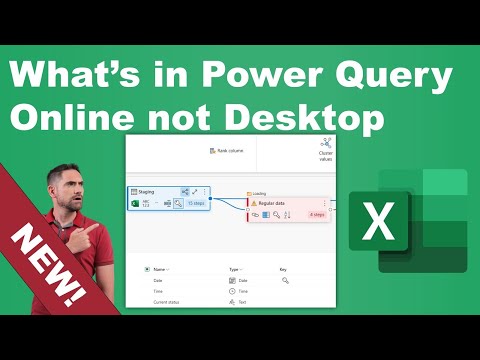
Power Query Online: Beyond Desktop
Microsoft expert: Power Query Online in Excel Online schema view, diagram view, fuzzy grouping vs Power Query Desktop
Key insights
- Schema view & Diagram view
See table structures and relationships visually in the editor.
Use diagrams to understand schema quickly without digging into each query. - Script vs formula bar
Toggle between the full M script and the simple formula bar to edit transformations.
This makes advanced edits easier when the Desktop UI does not expose a command. - Cluster values & Fuzzy grouping
Group similar records with clustering tools and handle near-matches using fuzzy grouping.
These ribbon features speed up de-duplication and name-cleaning tasks. - Mark as key & Custom column data type
Designate key columns for joins and set precise custom data types for columns.
These controls improve join reliability and downstream data quality. - Query settings pane & Queries pane
View and manage query steps, metadata, and multiple queries in clearer side panes.
The improved panes make it faster to find, rename, and compare queries. - Cloud-first features: collaboration, scheduled refresh, live connectors
Power Query is now available in Excel Online (Jan 2026) and adds online-only features like real-time collaboration, scheduled or streaming refresh, and direct cloud connectors.
Some of these actions exist only in the service UI even though Desktop can run equivalent commands via code.
Overview
The recent YouTube video by David Benaim walks viewers through what is available today in Power Query Online that does not yet appear in the Power Query Desktop user interface. The presenter demonstrates features found in the ribbon and explains that some Desktop capabilities are reachable only through the code at present. Moreover, the video emphasizes that the Online editor landed inside Excel Online as of January 2026, which shifts how teams can approach web-based data prep. Consequently, understanding the differences matters for organizations that balance local development with cloud-first workflows.
Video Structure and Key Segments
To guide viewers, the video includes a clear set of timestamps that mark each feature demo and comparison. The sequence begins with launching the editor and then moves into views and editing differences, before closing with query settings and a side-by-side comparison. Therefore, the material reads as a practical walkthrough suitable for practitioners who want to see each feature in action. For quick reference, the timestamps below outline the main stops in the video.
- 00:00 Intro
- 00:51 Launching Power Query Online
- 01:55 Schema view
- 02:36 Diagram view
- 03:48 Script vs formula bar
- 05:47 Cluster values
- 08:37 Fuzzy grouping
- 09:32 Mark as key
- 10:05 Custom column data type
- 10:28 Query settings pane enhancements
- 11:31 Queries pane
- 11:52 Comparing query options
Launching and Interface Differences
First, Benaim shows how to open Power Query Online from a browser and compares the immediate layout with the Desktop editor. He points out a distinct Schema view and a Diagram view that emphasize relationships and table layout, and he shows how these views facilitate a birds-eye understanding of datasets. In addition, the video highlights the presence of a Script area alongside the traditional formula bar, which makes it easier to switch between visual steps and raw M code.
As a result, users who prefer visual mapping may find the Online editor faster to inspect complex flows, while those who rely on advanced Desktop visual tools might miss some fine-grained controls. However, Benaim notes that many Desktop-exclusive actions remain reachable by editing the underlying code, so the absence of a UI control does not always mean the capability is gone. Thus, teams must weigh immediate UX comfort against the flexibility of code-driven workarounds.
Unique Ribbon Features Demonstrated
The video then highlights ribbon commands present in Online but absent in Desktop UI, including interactive clustering, fuzzy grouping, and a Mark as key option for defining primary fields. Benaim demonstrates clustering and fuzzy grouping on sample data to show how these features simplify grouping similar values without heavy scripting. Furthermore, he explores a custom column data type that helps enforce type constraints during transformation, improving downstream consistency.
Meanwhile, the enhanced Queries pane and the revamped Query settings pane provide quicker navigation and clearer metadata about each step, which benefits collaborative authors. Yet, the presenter cautions that while the Online ribbon surfaces these features, complex transformations and advanced modeling still favor Desktop, especially where full control over query folding and performance tuning matters. Therefore, choosing the right environment often depends on whether users prioritize speed and collaboration or depth and fine control.
Tradeoffs and Practical Challenges
Benaim explores tradeoffs between cloud convenience and Desktop power, explaining that Power Query Online excels at remote access, scheduled refreshes, and team editing but can be limited for highly customized scenarios. For example, reliance on internet connectivity and service-level behavior introduces new points of failure compared with a local Desktop build. In addition, some organizations face governance and security questions when shifting ETL logic into web-hosted editors.
Conversely, the Desktop editor remains the place to perform heavy local transformations and to handle rare edge cases, since it still exposes deeper UI features and performance diagnostics. Therefore, the most practical approach often mixes both: prototype and collaborate in the cloud, then finalize complex logic on Desktop when necessary. This hybrid workflow does require clear process and version controls to avoid conflicting edits and to ensure reproducibility.
Recommendations for Teams
Finally, Benaim offers actionable guidance for teams deciding how to adopt the Online editor. He suggests using the Online environment for rapid, shared edits and for workflows that benefit from scheduled refreshes and live data integration, while reserving Desktop for complex modeling and performance tuning. Moreover, he reminds viewers to document when they rely on code workarounds, because those steps may not be visible to less technical collaborators.
In summary, the video by David Benaim provides a practical tour of new Online features and a balanced view of the practical tradeoffs. Consequently, teams can make informed choices by combining both environments and establishing governance that captures who edits what and why. Overall, the result helps organizations move toward a cloud-first data prep strategy without losing the advanced capabilities of the Desktop editor.

Keywords
Power Query Online features, Power Query Online vs Desktop, Power Query cloud features, Power Query web vs desktop, Power Query Online connectors, Power Query Online dataflows, Power Query Online AI capabilities, Power Query Online limitations