Microsoft Entra: Global Secure Migration
Product Manager @ Microsoft 👉 Sign up to Entra.News my weekly newsletter on all things Microsoft Entra | Creator of cmd.ms & idPowerToys.com
Microsoft Entra Global Secure Access migration with Migrate to GSA and Microsoft Graph for safe Conditional Access
Key insights
- Migrate2GSA speeds SSE-to-Entra Global Secure Access migrations by preserving policy intent and automating the repetitive 80% while keeping admins in control.
- The migration workflow is Export → Convert → Review → Provision: export configs from third-party tools, convert to a common CSV schema, let admins review and clean up, then provision approved settings via Microsoft Graph.
- Safety defaults prevent risky changes: conflicts default to “do not provision,” existing apps are skipped, generated Conditional Access rules stay disabled, and the toolkit avoids delete API calls; it also uses conflict detection, logging, retries, throttling, and Graph validation.
- Supported sources include Zscaler, Netskope, Cisco Umbrella, Palo Alto, Citrix NetScaler, and Microsoft Defender for Endpoint; the toolkit also supports greenfield provisioning, backup and restore, and reusable consultant baselines.
- AI-assisted, spec-driven development produced large amounts of PowerShell automation and helped ensure consistent output; the project emphasizes capturing intent and handling edge cases more than who wrote the code.
- Community project maintained by Microsoft employees but not an official product; Andres Canello, a Principal Product Manager and founding Entra GSA team member, created the toolkit and guided its real-world use and design.
Overview of the video and purpose
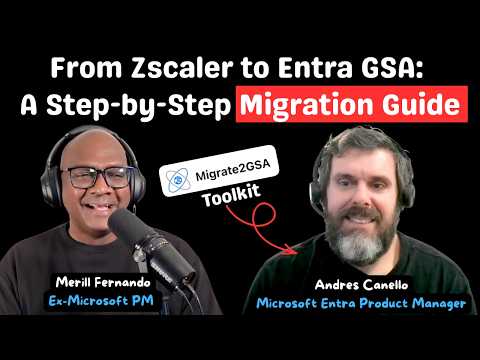
In a recent YouTube episode hosted by Merill Fernando, Microsoft Principal Product Manager Andres Canello walks viewers through the open-source toolkit Migrate2GSA and its role in moving Secure Service Edge configurations into Entra Global Secure Access. The conversation frames migration not as a clean-slate rebuild but as an intentional process that preserves policy intent while automating repetitive work. Consequently, the video stresses balance: accelerate the boring 80 percent, and keep people in control for the nuanced 20 percent. This pragmatic angle sets the tone for administrators weighing speed against operational safety.
What Migrate2GSA does
The toolkit exports configuration from third-party SSE products, converts those settings into a common CSV schema, and gives administrators a deliberate review step before provisioning. Then, approved configurations provision through Microsoft Graph, where safety checks and validation occur. Importantly, the tool does not aim for a fully automatic end-to-end migration; rather, it targets repeatable tasks so teams can focus on exceptions. As a result, organizations can preserve policy intent while reducing manual, error-prone work.
Workflow and built-in safety mechanisms
The workflow emphasizes caution: conflicting segments default to “do not provision,” existing applications are skipped, and generated Conditional Access policies remain disabled until reviewed. Moreover, the toolkit deliberately avoids issuing delete calls, which reduces the risk of accidental removals during migration. Alongside these defaults, the video highlights logging, retries, throttling, and Microsoft Graph validation as part of a layered safety approach. Consequently, teams retain control through a human review gate while benefiting from automation for routine conversions.
Supported sources and practical use cases
The episode explains support for a broad range of SSE vendors, including Zscaler, Netskope, Cisco Umbrella, Palo Alto, Citrix NetScaler, and scenarios involving Microsoft Defender for Endpoint. Furthermore, the toolkit handles both migration scenarios and greenfield provisioning, and it offers backup and restore capabilities that consultants can reuse as baselines. Therefore, organizations with diverse deployments can adopt a common migration path rather than building bespoke scripts for each vendor. Still, the video clarifies that Migrate2GSA is a community project maintained by Microsoft employees and not an officially supported product, so teams should plan accordingly.
AI-assisted development and specification-driven design
A notable point in the episode is how specification-driven development enabled AI to generate extensive PowerShell code while preserving predictability and quality. Rather than relying on ad-hoc scripting, the team used precise specs to guide AI, which produced more than 30,000 lines of PowerShell that required human review. Thus, the process demonstrates how clear specifications make AI-assisted development practical and auditable, especially for security-sensitive tasks. In turn, the episode argues that intent and careful handling of edge cases matter more than who typed the code.
Tradeoffs, challenges, and recommendations
Balancing automation with control represents the central tradeoff: more automation speeds migration, yet it increases the risk of misapplied policies if conversion models differ across vendors. For that reason, Migrate2GSA emphasizes conflict detection and a mandatory human review step, which reduces errors but requires operational time and expertise. Additionally, teams must manage API limits, throttling, and differences in how vendors encode policy intent, so planning and testing remain essential. Overall, organizations that pair automated conversion with staged validation and clear rollback paths stand the best chance of efficient, safe migrations.

Keywords
Microsoft Entra migration guide, Entra Global Secure Access, Microsoft Entra best practices, Entra zero trust migration, Azure AD to Entra migration, secure access migration strategy, Entra identity and access management, enterprise Entra deployment guide