SharePoint Agents or Copilot Studio?
Microsoft MVP (Business Application & Data Platform) | Microsoft Certified Trainer (MCT) | Microsoft SharePoint & Power Platform Practice Lead | Power BI Specialist | Blogger | YouTuber | Trainer
SharePoint Agents vs Copilot Studio: build AI grounded in SharePoint docs, integrate with Teams, secure with Purview
Key insights
- SharePoint Agents: A built-in AI assistant in SharePoint that answers questions and summarizes site content by grounding responses in your site documents and libraries.
Session demoed by Dhruvin Shah (MVP) shows agents require no extra tools and activate automatically when M365 Copilot is enabled. - Creating Agents: Choose out-of-the-box or build a custom agent from a document library.
You configure name, purpose, up to 20 sources, welcome text, starter prompts, and behavior with a simple step-by-step flow. - Permissions & Governance: Agents inherit SharePoint permissions automatically, so users only see content they’re allowed to access.
Agent files support versioning and governance, and admins can approve, publish, or set a default agent per site. - Copilot Studio vs Native Agents: Native SharePoint agents focus on site-level Q&A and document retrieval with minimal setup.
Copilot Studio offers deeper customization, external connectors, multi-step automation, and developer workflows for enterprise scenarios. - Teams Integration & Limits: You can surface SharePoint agents in Microsoft Teams for easier access and collaboration.
The demo notes current limitations (for example, some SharePoint lists behavior) that may affect complex list queries. - Licensing & Deployment: Native agents work with M365 Copilot licensing or pay-as-you-go options for SharePoint usage.
Copilot Studio supports staging, version control, connectors and CRUD operations for broader enterprise deployments.
Session Overview
In a recent YouTube walkthrough, Dhruvin Shah [MVP] presents a practical guide to SharePoint Agents and compares them with Copilot Studio. The video focuses on how organizations can use AI assistants directly within SharePoint sites without complex setup. Consequently, viewers get a hands-on demonstration of creating and publishing agents grounded in site content and document libraries.
Shah emphasizes the difference between out-of-the-box capabilities and custom configurations, and he walks through each step from naming an agent to testing its chat. He also highlights integration points such as Microsoft Teams and the ways agents respect existing site permissions. Therefore, the session targets administrators, developers, and IT professionals who need practical guidance, not just theory.
What SharePoint Agents Are and How They Work
SharePoint Agents are AI assistants embedded directly in a SharePoint site that answer questions and summarize content from libraries and pages. They ground responses in the site content and use Microsoft Graph metadata while automatically respecting the site’s permission model. In short, they provide lightweight, site-scoped intelligence without requiring separate infrastructure.
During the demo, Shah shows that enabling an agent is largely declarative and that SharePoint can auto-create an agent when M365 Copilot is enabled. He also demonstrates configuring an agent’s name, purpose, and starter prompts, and explains how the agent pulls from up to 20 configured sources. As a result, site editors can provide targeted, contextual help to users without deep developer involvement.
Building and Managing Custom Agents
The video includes a step-by-step build from a document library that covers agent behavior, welcome messages, and starter prompts. Shah demonstrates creating an agent file, testing the chat, and setting an agent as the site default, which makes the process transparent and repeatable. He also points out that agent files are version-controlled, which supports safe updates and rollback when needed.
Shah shows that approvals are part of the lifecycle: creators can submit agents for review and then publish them so the broader site can use the assistant. He also explains current limitations, such as restricted support for lists in some scenarios and the 20-source cap for a single agent. Therefore, teams must plan content scope and source selection carefully to avoid gaps in coverage or performance issues.
Copilot Studio vs Native SharePoint Agents
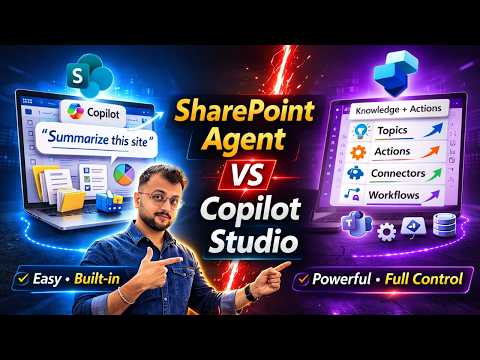
Shah offers a clear side-by-side comparison between native SharePoint Agents and agents built in Copilot Studio. While SharePoint agents are ideal for quick, site-level Q&A and summarization, Copilot Studio supports advanced workflows, external connectors, and multi-step automations. Consequently, the choice depends on whether you need lightweight knowledge access or an enterprise-grade, integrated agent that spans systems.
The tradeoff is one of scope versus complexity: native agents require less setup and faster time to value, but they offer limited customization and are tied to site content. In contrast, Copilot Studio invites more development work and governance overhead, yet it enables integrations with systems such as Power Automate, Dynamics, or third-party services. Thus, organizations should weigh development cost against the long-term benefits of broader automation.
Governance, Permissions, Licensing, and Practical Challenges
Shah stresses that agents automatically respect SharePoint permissions and that governance can leverage Microsoft Purview for controls and auditing. He highlights that versioning, approval workflows, and auto-grounding help keep agent outputs accurate as documents change. However, governance still demands clear policies on data sources and review processes to prevent misleading answers from outdated content.
On licensing, the session clarifies that enabling AI features usually ties to M365 Copilot entitlements or pay-as-you-go options, so teams must evaluate costs for users and for any additional consumption. Finally, the video calls out practical challenges: balancing the number of sources, handling list limitations, and ensuring agent instructions produce reliable results, which means test plans and staged deployments are essential for production use.
Conclusions and Actionable Takeaways
Overall, Shah’s walkthrough delivers a pragmatic roadmap for adopting AI assistants in SharePoint, showing how to create, configure, approve, and publish agents while comparing them against Copilot Studio alternatives. He demonstrates real steps to build agents from document libraries and emphasizes the importance of permissions, version control, and governance to maintain trust in AI outputs. Therefore, organizations should pilot native agents for site-level needs and evaluate Copilot Studio when they require cross-system automation.

Keywords
SharePoint Agents, Copilot Studio, SharePoint Agents vs Copilot Studio, Microsoft Copilot Studio, SharePoint AI agents, Copilot Studio comparison, Choose between SharePoint and Copilot Studio, Best AI assistant for SharePoint