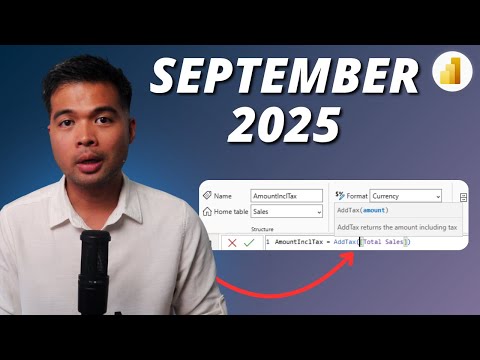
Power BI: Sep. 2025 Updates
Microsoft expert on Power BI update with UDFs and DAX time intelligence for data analytics and BI
Key insights
- DAX UDFs: The video explains how new DAX User Defined Functions let you encapsulate calculations and reuse them across reports.
Use UDFs to reduce repeated formulas, keep business logic consistent, and simplify maintenance. - DAX Time Intelligence: The update adds flexible time functions that support custom calendars (fiscal and retail 4‑5‑4).
Functions like TOTALWTD and PREVIOUSWEEK now work with custom calendars for more accurate time-based reporting. - Copilot: Copilot now runs as a standalone, enabled-by-default experience with smarter suggestions and automatic workspace selection.
The video shows faster report creation, improved visual recommendations, and easier discovery inside Microsoft 365 environments. - Semantic Model Editing: Power BI Service now supports full model editing in the browser, reducing reliance on Power BI Desktop.
This service-first approach speeds collaboration and lets teams shape models directly in the cloud. - Direct Lake: Direct Lake editing is generally available, improving live edits and integration between Power BI and Fabric.
Expect better performance for large data lakes and smoother model-to-storage workflows. - Best practices & governance: The presenter stresses modular analytics, testing UDFs, and documenting measures to maintain quality.
Adopt version control, reusable logic, and clear naming conventions to improve model governance and team handoffs.
Introduction: Video Overview and Context
This article summarizes a YouTube video by Fernan Espejo (Solutions Abroad) that walks through the Power BI September 2025 update and its practical impact. The presenter highlights new features such as DAX User Defined Functions, expanded time intelligence for custom calendars, and improvements to the Copilot experience. Moreover, the video emphasizes shifts toward a service-first workflow where modeling and editing happen more often in the web service rather than only in desktop tools. Consequently, the update targets both advanced modelers and users who rely on AI-assisted workflows.
Key Feature: DAX User Defined Functions (UDFs)
Fernan explains that DAX UDFs let authors encapsulate reusable logic and call it with different parameters, which reduces repetition across reports. This change improves consistency because teams can centralize calculations instead of copying formulas into multiple models, and it simplifies maintenance when business rules evolve. However, he also notes practical tradeoffs: encapsulation can obscure logic for newcomers, and teams need clear naming and documentation to avoid confusion. Therefore, governance and version control become more important as UDFs spread through an organization.
From a performance perspective, UDFs can both help and hinder depending on how they are written and applied across large models, so Fernan encourages testing in representative datasets. He demonstrates common patterns and warns that misuse of iterators or row context could introduce unexpected overhead. In addition, compatibility with existing deployment pipelines and external tooling may require updates, which means adoption takes coordination time. Thus, while UDFs add modularity, teams must balance reuse with clarity and performance testing.
Enhanced Time Intelligence and Custom Calendars
The video outlines improvements in time intelligence that include support for custom calendars such as fiscal and retail 4-5-4 formats, allowing functions like TOTALWTD and PREVIOUSWEEK to respect alternative calendars. As a result, analysts in retail, finance, and other sectors with non-standard weeks can align metrics more naturally with business reporting cycles. Fernan points out that these changes remove many prior workarounds, but they also introduce complexity when mixing different calendar types across models. Therefore, designers must plan how calendars are defined and shared to avoid mismatched comparisons or misleading trends.
Moreover, implementing custom calendars increases the need for standardized date tables and clear metadata, since inconsistent date logic undermines cross-report consistency. Fernan recommends establishing a central date table and documenting the calendar rules so downstream users understand how time calculations behave. He also highlights a testing approach that compares results against known baselines to catch subtle edge cases, such as partial weeks at period boundaries. Consequently, while the update expands analytical power, it raises governance and testing demands.
Copilot, Modeling in Service, and Direct Lake Editing
Fernan demonstrates how the Copilot experience is now more integrated and often enabled by default, making AI-assisted report creation and model suggestions easier for everyday users. Additionally, the update makes semantic model editing in the Power BI web service generally available and improves live editing with Direct Lake, which strengthens integration between Fabric and Power BI. This shift toward in-browser modeling reduces friction for teams that prefer collaborative web workflows and can speed iteration for report authors. At the same time, it introduces governance questions about who edits models in the service and how to track changes.
He emphasizes that relying more on AI suggestions and in-service editing can boost productivity, yet it may also lead to divergent practices if organizations do not enforce standards. For example, automatic workspace selection and Copilot-driven visuals accelerate exploration, but they can result in inconsistent naming, undocumented measures, or scattered datasets. Fernan recommends combining AI-enabled workflows with clear policies, role-based access, and periodic model reviews to keep quality high. Thus, the update offers convenience but also requires thoughtful operational controls.
Tradeoffs, Challenges, and Adoption Considerations
Throughout the video, Fernan balances enthusiasm for new features with practical warnings about tradeoffs that organizations will face during adoption. He notes that while modular features like UDFs and service-first editing promote reuse and speed, they also increase the need for testing, documentation, and performance monitoring to avoid amplification of subtle bugs. Moreover, teams must weigh the benefits of AI-assisted creation against the risk of accidental complexity or reduced transparency when models evolve quickly without oversight. Consequently, a staged rollout with education and governance often yields the best results.
Another challenge he highlights is the operational side: deployment pipelines, version control, and monitoring must adapt to support models edited in the service and Direct Lake live scenarios. Organizations may need to update CI/CD processes and auditing to ensure traceability and rollback options. Fernan also suggests investing in training so that analysts understand both the power and limits of new functions and AI features, which helps mitigate performance issues and governance lapses. Ultimately, successful adoption depends on pairing technical upgrades with clear policies and ongoing skill development.
In closing, the video by Fernan Espejo (Solutions Abroad) provides a measured walkthrough of the September 2025 Power BI update, blending demos with pragmatic advice for teams. While the enhancements offer real productivity and modeling gains, they also require disciplined governance, testing, and change management to realize those benefits safely. Therefore, readers should view this release as both an opportunity to modernize analytics and a reminder to plan adoption carefully. As Fernan concludes, thoughtful implementation will determine whether organizations gain reliable insights or inherit new maintenance burdens.

Keywords
Power BI September 2025 update, Power BI UDFs, DAX time intelligence 2025, Power BI new features 2025, UDFs in Power BI tutorial, DAX time intelligence functions, Power BI release notes September 2025, Power BI performance tips 2025