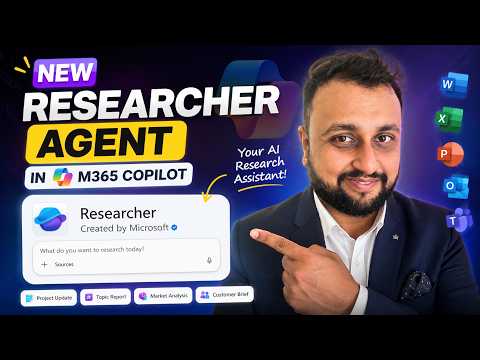
Microsoft 365 Copilot: Researcher Agent
Microsoft MVP (Business Application & Data Platform) | Microsoft Certified Trainer (MCT) | Microsoft SharePoint & Power Platform Practice Lead | Power BI Specialist | Blogger | YouTuber | Trainer
Microsoft Copilot Researcher Agent turns Outlook Teams and SharePoint into citation backed research reports
Key insights
- Researcher agent in Microsoft 365 Copilot performs deep, multi-step research across your work data and the web and returns a structured, source-cited report instead of a short chatbot reply.
- Use Researcher when you need planning, multi-source retrieval, and reasoning: it plans a research strategy, gathers evidence from multiple places, and synthesizes findings with clear citations.
- Sources and scope are configurable: you can enable or disable the web, include Microsoft 365 items like emails, Teams chats, meetings, and SharePoint, and turn off services such as Power BI for enterprise-only research.
- Typical workflow is simple: open Copilot Agents, select Researcher, enter a prompt or example, answer follow-ups to refine scope, let the agent run, then review the final report and its citations.
- Report options and quality controls: choose short or long report length, edit or export results for Word or PowerPoint, and rely on multi-model checks like Critique and Council to improve accuracy.
- Access and admin notes: Researcher requires the proper Copilot license (Microsoft 365 Premium or Copilot add-on for business/enterprise) and tenant admins can manage availability through Copilot settings.
Overview of the video and its focus
In a recent YouTube video, Dhruvin Shah [MVP] walks viewers through the Researcher agent in Microsoft 365 Copilot, demonstrating how it conducts deep, multi-step research across work and web sources. The video frames the agent as distinct from simple chat or search tools by emphasizing planning, multi-source retrieval, and structured, citation-backed results. Consequently, Shah positions the agent as a tool for producing shareable reports rather than providing brief chatbot replies. This introduction sets clear expectations for viewers who need robust, verifiable research outputs.
Moreover, the video uses a concrete example—researching a Copilot Studio training program—to show the end-to-end workflow. Shah highlights that the agent can access emails, Teams chats, meetings, SharePoint, and optionally the web, which supports both internal and external research. He also points out controls to include or exclude sources like Power BI or web search for enterprise-only tasks. Overall, the opening frames the agent as a purpose-built research assistant for work scenarios.
How the Researcher agent works in practice
Shah demonstrates a practical workflow that begins with selecting the Researcher agent from the Copilot Agents area and entering a research prompt. After that, the agent plans a research strategy, gathers information from connected sources, reasons over the findings, and produces a structured report with citations. The video shows options to choose report length, scope which M365 sources to include, and even turn off web search for internal-only research. These steps illustrate a guided, multi-step process rather than a single-response interaction.
In addition, Shah allows the agent to run autonomously for several minutes while it collects and synthesizes content, then reviews the final report and the source citations. He demonstrates reading source excerpts back to emails and Teams chats, which helps users trace claims to evidence. The agent’s output becomes an editable document that can serve as a draft for Word or a slide deck. Thus, the workflow emphasizes traceability and reusability of research results.
Key benefits highlighted in the demonstration
The video emphasizes depth and verification as primary advantages: the agent excels at multi-step, complex research and returns source-cited reports that stakeholders can trust. Shah also notes that the agent combines work-aware searches with public web content when allowed, making it possible to synthesize internal knowledge with external context. Furthermore, the structured output simplifies handoff to colleagues or conversion into presentations and briefs. These features help teams move from ad-hoc queries to deliverable research outputs more quickly.
Additionally, Shah references Microsoft’s move toward multi-model intelligence, including systems named Critique and Council, which aim to compare and refine responses across models such as GPT and Claude. He argues that these mechanisms should improve confidence and reduce weak outputs by letting models critique or weigh alternatives. As a result, the newer Researcher experience seeks to combine reasoning steps with cross-checking to raise overall reliability.
Tradeoffs and real-world challenges
Despite these strengths, Shah also touches on tradeoffs that organizations must consider, particularly around scope and privacy. For example, enabling web search expands coverage but increases the need for verification and citation checks, whereas restricting sources to enterprise content reduces external context but enhances data control. Administrators must therefore balance completeness against compliance and risk, and users should be ready to validate sources when the web is included.
Moreover, the agent’s multi-step reasoning and longer runtime mean it may not match the speed of simple Copilot chat responses, so teams should choose the right tool for the task. There is also a learning curve to framing effective prompts and scoping searches, which can affect output quality. In short, organizations gain depth and traceability at the cost of added complexity in setup, governance, and user training.
Availability, administration, and adoption considerations
Shah explains that access to the Researcher agent ties to Copilot licensing and tenant configuration rather than a separate license, so IT teams will need to manage access through Copilot-related admin controls. He shows that the agent typically appears in the Agents area for licensed users, but tenant policies can still restrict who sees or uses it. Therefore, rollout plans must include governance, training, and clear usage policies to ensure responsible adoption.
Finally, Shah concludes by positioning the Researcher agent as part of a broader set of Copilot agents, noting that organizations should consider their specific needs when integrating the tool into workflows. He hints that follow-up videos will explore other agents, such as the Analyst agent, to help viewers map agents to roles. For teams that prioritize structured, source-backed research, the agent provides clear value, though successful adoption depends on balancing access, accuracy, and governance.

Keywords
Researcher Agent Microsoft 365 Copilot, Microsoft 365 Copilot research tools, Copilot Researcher Agent tutorial, How to use Researcher Agent Copilot, Research automation with Microsoft Copilot, Copilot researcher features and tips, Enterprise research agent Microsoft 365, Microsoft Copilot research agent best practices