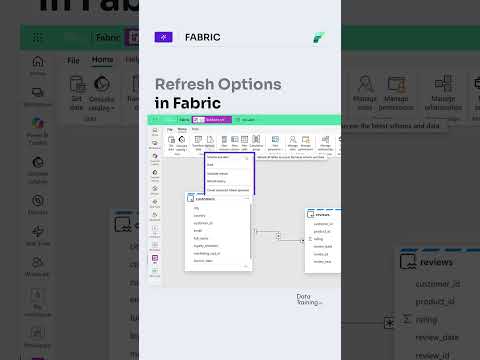
Power BI semantic models: choose a refresh type
Choose whether a semantic-model refresh updates data, schema, or both to keep model changes under control.
Key insights
- Refresh schema and data synchronizes the model structure and loads current data.
- Sync schema only applies supported structural changes without reloading all data.
- Refresh data only updates values while preserving the existing semantic-model schema.
- The research notes identify Direct Lake models as a scenario where separating data and schema updates can help.
Power BI semantic-model refresh options separate data loading from schema synchronization, so model owners can choose to update data, structure, or both. This matters to report developers and model owners who need to manage source changes without automatically changing the model structure. How to Power BI is the named source for the demonstration, but the supplied Short contains no transcript describing its steps.
What it does
A semantic model organizes data for use in Power BI reports and other experiences, including tables, columns, relationships, and measures. The research notes describe three refresh choices: Refresh schema and data, Sync schema only, and Refresh data only. These options distinguish updating the model's structure from loading current source values.
With Refresh data only, the model keeps its existing schema while its data is refreshed. This can be useful when source values change but new or altered fields are not ready to be included in the model. Sync schema only is for applying supported structural changes, such as new columns or data-type changes, without reloading all data.
Who it is for and what you need
These controls are relevant to people who manage Power BI semantic models and their data sources. The research notes also call out Direct Lake models, where a source table's new column may not yet be intended for the published model. The supplied material does not state required licenses, prerequisites, rollout stage, or regional availability.
The notes describe the choices in Power BI Desktop and the service, but do not provide a verified menu path or enough detail to confirm the exact interface in each environment. For broader Power BI coverage, see our related topic page.
How it works
- Choose Refresh schema and data when both structural changes and current data should be applied.
- Choose Sync schema only when the model definition needs supported structural updates but the data does not need reloading.
- Choose Refresh data only when you want current values while retaining the existing model schema.
The research notes also describe scheduled, manual, pipeline, and programmatic refresh methods, but do not provide detailed steps for configuring them. They mention that Direct Lake behavior can depend on the model setting Keep your Direct Lake data up to date.
Limitations and open questions
The supplied Short description contains no explanation, and there is no transcript. The background notes offer additional detail, but no official Microsoft source URL is included in the supplied sources to independently verify availability, licensing, exact interface paths, or the rollout status of these options.
The three choices offer a way to separate structural updates from routine data updates, while retaining a combined refresh option. The available material does not establish whether the controls behave identically across model types or environments, so check the options available in your own model before planning a change.
Sources
Frequently asked questions
What is the difference between refresh data only and sync schema only?
Refresh data only loads current values while preserving the existing model schema. Sync schema only applies supported structural changes without reloading all data.
When should I refresh both schema and data in Power BI?
Choose Refresh schema and data when both the model structure and its data should be updated. The research notes describe it as the combined operation.
Which Power BI licenses support these refresh options?
The supplied material does not identify license requirements for these options.
Are the semantic-model refresh options generally available?
The supplied sources do not establish rollout stage or general availability.