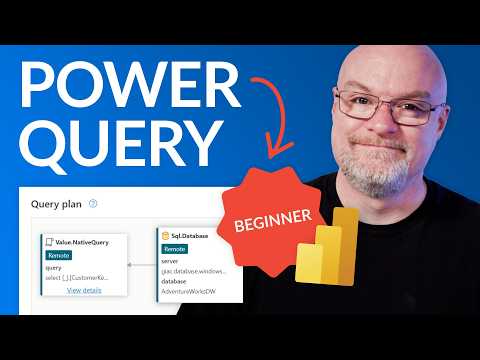
Power Query: Clean, Fold & Load Fast
Microsoft expert on Power Query, Dataflows GenTwo and Power BI cleaning, query folding, params and load with query plans
Key insights
- Power Query is Microsoft’s tool in Excel and Power BI for importing and shaping data from many sources.
In the video, the presenter shows how it turns messy tables into a single reliable table without heavy coding. - Extract, Transform, Load describes the workflow: pull data, clean and reshape it, then send it to Excel or Power BI.
Every action is saved as steps so you can refresh data without repeating work. - The demo focuses on practical cleaning: remove duplicates, fix data types, merge tables, and add parameters for reusable filters.
These steps standardize data and make monthly updates fast and repeatable. - Query Folding pushes transformations back to the data source to speed processing.
The video highlights folding indicators and shows how to check the query plan to see which steps fold. - Dataflows Gen2 centralizes transformations and shows folding status for cloud pipelines.
The presenter examines folding indicators and the query plan to help optimize shared dataflows. - Automation and speed are key benefits: set up transformations once, then refresh to update reports.
Note the caution: for very large enterprise models you may need extra performance tuning beyond basic Power Query steps.
Overview of the Video
In a recent YouTube tutorial, Guy in a Cube offers a clear, practical introduction to Power Query aimed at beginners. The video walks viewers through importing messy data, cleaning and standardizing it, and then loading the result for analysis. Moreover, the presenter demonstrates how to create parameters and shows folding behavior both inside Power BI and when using Dataflows Gen2. Consequently, viewers can see the full path from raw files to an optimized data table.
Interface and Step-by-Step Cleaning
First, the tutorial explains the basic interface elements and the common entry points for getting data. Then, it demonstrates routine cleaning tasks like removing duplicates, changing data types, and combining tables in a way that non-programmers can follow. Importantly, the video emphasizes that each action is recorded as a sequence of steps, which makes the transformations repeatable and easy to refresh later. As a result, beginners get a hands-on sense of how simple operations build into a reliable ETL process.
Next, the presenter shows how to standardize columns and apply consistent formatting across sources so that downstream analysis remains trustworthy. The sample files provided with the tutorial let viewers reproduce the steps without guessing at inputs. Additionally, the demo highlights small edits that prevent common errors, such as trimming whitespace and fixing date types, which often derail automated loads. Thus, the segment helps viewers understand why small, consistent transformations matter for long-term maintenance.
Query Folding and Why It Matters
Later in the video, Guy in a Cube focuses on query folding, explaining how pushing transformations back to the data source can dramatically improve performance. He shows that when folding works, the remote engine does the heavy lifting, reducing local memory and compute load. However, the tutorial also reveals the limits: not every transformation supports folding, and certain operations can break it unexpectedly. Therefore, the presenter advises monitoring folding indicators and arranging steps to preserve folding where possible.
For example, complex column transformations or custom functions can interrupt folding and force the engine to process data locally. Conversely, simple filters, projections, and server-side joins usually preserve folding and speed things up. The video therefore teaches a tradeoff: while some local transformations are easy to author, they may cost performance at scale. As a result, users must balance convenience with efficiency, choosing where to accept complexity for long-term gains.
Parameters, Dataflows Gen2, and Query Plans
The tutorial continues by demonstrating parameter creation and how parameters can make queries more flexible and reusable. Parameters help when you need to switch sources, change date ranges, or control incremental refresh settings without editing the core query. In addition, the presenter introduces Dataflows Gen2 and shows its folding indicators, which make it easier to see what is folded when data is processed in the cloud. Consequently, viewers learn how cloud-based dataflows interact with local transformations in Power BI.
Finally, the video walks through viewing a query plan so users can inspect actual execution steps and spot bottlenecks. Seeing the plan makes the behavior of a query concrete, and it helps prioritize which transformations to refactor. Yet, interpreting query plans requires some familiarity with database operations, which can be challenging for beginners. Still, the tutorial balances this by showing practical examples and suggesting incremental learning paths.
Tradeoffs, Challenges, and Best Practices
The presenter discusses tradeoffs throughout, for instance when deciding between doing work in Power Query locally versus in a cloud dataflow. While local edits offer quick testing and simple authoring, moving transformations upstream often yields faster, more scalable refreshes. Therefore, teams should consider governance, data volume, and refresh cadence when designing their pipelines. Moreover, the video encourages building transformations in stages to identify where folding is preserved and where it fails.
Additionally, the tutorial addresses common challenges like broken folding due to unsupported steps and the need to parameterize connections for portability. It recommends testing queries against representative large datasets so that performance surprises appear early. For organizations, the message is clear: invest a little time in designing transformations and naming steps consistently, and you will save far more time on maintenance and slow refreshes. Ultimately, the video provides balanced guidance that helps beginners adopt Power Query effectively while remaining aware of practical limitations.
Conclusion
Overall, Guy in a Cube delivers a compact and useful guide that introduces beginners to the core concepts of cleaning, folding, and loading data with Power Query. The stepwise demonstrations, combined with parameter examples and cloud folding indicators, help viewers form a pragmatic approach to data preparation. Furthermore, the emphasis on tradeoffs and the inclusion of query plan inspection give analysts tools to optimize performance as their models grow. In short, the video is a practical starting point for anyone who wants to turn messy files into a single, trustworthy table.

Keywords
Power Query tutorial for beginners, Power Query data cleaning, Query folding explained, Load data fast Power Query, Excel Power Query tutorial, Power BI Power Query guide, Power Query performance optimization, Transform and clean data with Power Query