Power BI Dataflow Gen1: Whats Next?
Founder | CEO @ RADACAD | Coach | Power BI Consultant | Author | Speaker | Regional Director | MVP
Microsoft expert guides Power BI Dataflow Gen one to Gen two migration, implications and options in live discussion
Key insights
- Power BI Dataflow Gen1
Gen1 is now in legacy mode with no new feature investments, but it still works and has not been formally retired.
It offers Power Query authoring, stores data in Azure Data Lake Gen2, and supports DirectQuery plus built-in AI insights that some teams rely on. - Dataflow Gen2
Microsoft is investing in Gen2 inside Microsoft Fabric for enterprise-scale ingestion, faster copy, pipeline integration, and stronger monitoring.
Gen2 improves scale and operational control but currently lacks some Gen1 features like DirectQuery and AI Insights. - Migration implications
There’s no immediate end-of-life, but organizations should plan migration because future innovations will target Gen2.
Microsoft provides copy-paste and shorter authoring paths to help move Power Query logic from Gen1 to Gen2, reducing rewrite work. - Recommended migration steps
Inventory your Gen1 dataflows, rank them by business impact, and test migrated flows in a Fabric workspace before switching production refreshes.
Validate refresh behavior, performance, and feature compatibility, especially for flows that use DirectQuery or AI features. - Licensing and capacity
Gen1 publishing typically requires Power BI Pro or Premium Per User licenses, while Gen2 aligns with Fabric capacity and Premium workspaces, which affects cost and governance models.
Review workspace placement and capacity sizing to avoid surprises during migration. - Key risks and choices
If your environment depends on Gen1-only features (DirectQuery or AI Insights), plan mitigations or delays before full migration to Gen2.
Smaller or noncritical workloads can stay on Gen1 short-term, but adopt a clear timeline to move to Gen2 for long-term support and new capabilities.
Overview of the Video
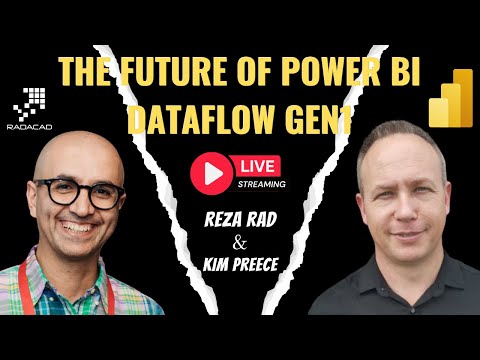
The recent live session hosted by Reza Rad (RADACAD) [MVP] and his colleague Kim examines the future of Dataflow Gen1 in Power BI and the push toward Dataflow Gen2 within Microsoft Fabric. In the video, they explain that Microsoft now treats Dataflow Gen1 as a legacy technology and will focus future investments on Gen2. Consequently, many organizations must decide whether to stay on Gen1 for now or plan a migration to Gen2. The presenters aim to outline practical options, implications, and technical tradeoffs for administrators and developers.
Key Technical Differences
Reza and Kim walk viewers through the main technical contrasts between Dataflow Gen1 and Dataflow Gen2, starting with authoring and execution. They note that both generations support Power Query authoring, but Gen2 brings a shorter authoring flow and conveniences such as AutoSave and easier copy-paste from Gen1, which can speed migration. Additionally, Gen2 focuses on enterprise-scale ingestion with pipeline integration and faster copy mechanisms, whereas Gen1 centers on scheduled refresh and simpler compute models. These distinctions matter because they affect performance, operational cost, and how teams design their ETL and data reuse patterns.
Advantages and Limitations: Tradeoffs to Consider
Importantly, the presenters stress that the transition is not purely a technical upgrade but also a tradeoff in capabilities. For instance, Dataflow Gen1 currently supports DirectQuery to dataflows and native AI Insights, features that some teams rely on for real-time interactions and embedded machine learning tasks. In contrast, Dataflow Gen2 enhances scalability and monitoring, but it does not yet provide those specific features, which means organizations must weigh immediate functionality against long-term scalability. Therefore, teams that depend heavily on DirectQuery or built-in AI may need a hybrid approach or temporary workarounds while Microsoft closes feature gaps.
Migration Challenges and Practical Risks
The video carefully outlines common challenges when moving from Dataflow Gen1 to Dataflow Gen2, including compatibility, testing, and governance. Reza explains that although copy-paste support reduces the need to rewrite queries, teams still must validate transformation results, refresh behavior, and downstream model compatibility. Moreover, governance and security models may change because Gen2 operates more closely with Fabric and its capacity model, which can affect cost allocation and permissions. Consequently, planning, testing, and phased rollouts become essential to avoid data breaks or unexpected budget impacts.
Recommended Migration Strategy
Reza and Kim recommend a pragmatic migration strategy that begins with inventory and impact analysis to identify which dataflows truly need Gen2 capabilities. They suggest starting with non-critical or small-scale dataflows to validate performance and end-to-end refresh, and then moving to more critical assets once teams gain confidence. Additionally, teams should document dependencies, update monitoring practices, and train authors on the new authoring flow and Fabric workspace behavior. This staged approach reduces risk and provides time to adapt to missing features by using alternative patterns or temporary mixes of Gen1 and Gen2.
Practical Recommendations and Final Thoughts
Finally, the presenters emphasize balancing technical benefits with operational realities when deciding timelines and priorities for migration. They advise organizations to consider a hybrid posture: retain Dataflow Gen1 where specific features are needed while gradually adopting Dataflow Gen2 for workloads that need scale, improved monitoring, and pipeline integration. Furthermore, teams should track Microsoft announcements because feature parity may change, and evolving licensing or Fabric integration can affect long-term costs. In short, the video offers a clear call to plan deliberately, test thoroughly, and align migration with business needs rather than forcing an immediate switch.
Keywords
Power BI Dataflow Gen1, Power BI Dataflows future, Dataflow Gen1 deprecation, migrate Dataflows Gen1 to Gen2, Power BI Dataflow migration, Power BI Gen2 dataflows, Dataflow performance Gen1 vs Gen2, Power BI dataflow best practices