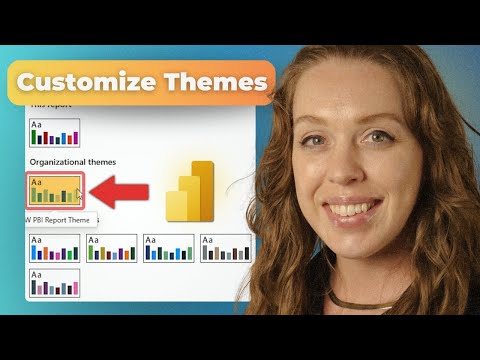
Power BI: Unlock Organizational Themes
Power BI Desktop and Admin Center enable organizational themes: upload JSON & apply companywide for consistent reports
Key insights
- Organizational Themes — A new Power BI feature that lets tenant admins enforce consistent branding across all reports.
It ensures reports match company style without relying on each report author to apply themes manually. - Admin Portal Management — Administrators upload and validate JSON theme files in the Power BI Admin Center.
They can rename files, enable or disable themes, and control which themes appear to creators. - Automatic Distribution — Once published, themes propagate automatically to authorized users in both Power BI Desktop and the Power BI Service.
This removes manual theme sharing and reduces errors and inconsistencies. - Copilot Integration — Admins can set a default organizational theme for AI-generated (Copilot) reports so new content is branded from the start.
The Copilot style is now available broadly as a clean option for users. - Creator Experience — Report authors see a curated theme gallery inside Desktop and Service and can apply or override themes as needed.
For reliable syncing, use the MSI version of Power BI Desktop and enable preview settings if required by your tenant. - Governance & Productivity — Centralized themes improve brand consistency, speed up report design, and boost report quality across the organization.
Admins gain better control and teams save time on manual styling tasks.
Overview of the Video
Pragmatic Works published a concise tutorial that highlights Microsoft’s new Organizational Themes capability for Power BI, and the presentation is led by Microsoft Certified Trainer Allison Gonzalez. In the video, she demonstrates how administrators can upload and manage JSON theme files and how report creators can access those themes in both the Desktop and Service environments. Additionally, the recording walks viewers through practical steps in the Admin Portal and shows how the themes appear in the Power BI Desktop theme gallery. Overall, the piece serves as a practical introduction rather than a deep technical dive, making it suitable for both admins and report authors who want to standardize report visuals.
How the Feature Works
First, administrators upload and validate custom JSON theme files via the Admin Portal, and then they control visibility and defaults across the tenant. The video explains that once uploaded, themes can be enabled or disabled centrally, and administrators may set a default theme for reports generated by Copilot. Moreover, viewers learn that organizational themes now appear in both the Desktop and Service theme galleries, creating a consistent experience across platforms. Consequently, this central publishing model replaces previous manual sharing of theme files and reduces the risk of inconsistencies.
Benefits for Administrators and Report Creators
For administrators, the main advantage is governance: organizational themes let teams enforce brand standards without relying on each report author to apply the correct settings. In addition, the video points out that the default options for AI-generated content mean reports created by Copilot will align to brand guidelines from the outset, which saves time and reduces rework. For report creators, the update simplifies everyday work because they can choose from a curated set of organizational themes directly inside their authoring environment, and they retain the ability to override defaults when specific needs require it. Thus, the feature balances centralized control with creator flexibility.
Tradeoffs and Practical Challenges
However, the video also implicitly highlights tradeoffs that organizations must consider before enabling organizational themes tenant-wide. On one hand, strict defaults improve consistency and reduce design errors, but on the other hand they can restrict creative or situational formatting that certain analytical reports might need. Furthermore, the video notes potential technical caveats: administrators may need to enable preview settings and team members should use the MSI version of Power BI Desktop rather than the Store app to ensure reliable syncing. As a result, IT teams must weigh governance gains against the need for flexibility and make deployment decisions that match their governance model and user needs.
Adoption Tips and Next Steps
Finally, the Pragmatic Works tutorial offers practical tips that help teams adopt the feature smoothly, and Allison Gonzalez recommends validating theme files before broad distribution to avoid visual regressions. Moreover, organizations should communicate changes to report creators and provide a short rollout plan, because even well-intended defaults require coordination to avoid surprising users. Additionally, the video encourages admins to test theme behavior with both manually created reports and content produced by AI tools like Copilot, ensuring that defaults apply as expected. In practice, a staged rollout combined with clear documentation will reduce friction and help teams capture the productivity and brand-consistency benefits described in the video.
Conclusion
In short, the Pragmatic Works video provides a clear, actionable overview of Organizational Themes in Power BI, showing administrators and authors how to publish and use centralized themes. Furthermore, the walkthrough stresses the practical steps and highlights operational tradeoffs, such as the balance between centralized control and author flexibility, and the need for specific client versions to ensure sync. Therefore, organizations that invest a small amount of setup and communication can achieve consistent report branding at scale, while remaining mindful of the governance choices and technical details that the video outlines. Overall, the tutorial serves as a useful starting point for teams planning to standardize their Power BI visuals across the enterprise.

Keywords
Power BI organizational themes,Power BI themes,Organizational themes Power BI,Power BI tenant themes,Power BI theme management,Power BI branding,Power BI admin features,New Power BI feature