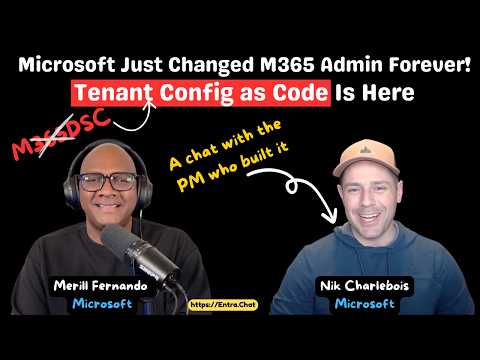
M365DSC: Microsoft Official TCM Launch
Product Manager @ Microsoft 👉 Sign up to Entra.News my weekly newsletter on all things Microsoft Entra | Creator of cmd.ms & idPowerToys.com
Microsoft expert on TCM for Microsoft Three Six Five: tenant configuration as code, drift control, Entra ID and Graph
Key insights
- TCM is Microsoft’s new official Tenant Configuration Management platform built on Microsoft Graph, evolving the community M365DSC into a supported "configuration as code" solution.
It lets administrators declare, monitor, and manage tenant settings centrally without custom infrastructure. - Monitors define a JSON template, run schedule, status and mode; in Public Preview they run in MonitorOnly mode and detect differences without applying changes.
Preview limits include up to 100 monitors per tenant and a fixed ~6-hour run cadence. - Snapshots capture current tenant state so you can compare baselines and identify changes, while drift detection flags when production diverges from test or gold configurations.
Use snapshots and monitors together to manage and audit configuration drift across environments. - TCM covers core workloads like Entra ID, Exchange, Intune, Purview, Defender and Teams and separates the control plane (API/config management) from the data plane (actual setting changes) for better scale and security.
This design avoids per-machine agents and simplifies multi-tenant operations. - TCM uses Microsoft Graph permissions and requires secure handling of service principals to run background jobs; Public Preview has specific licensing and permission requirements to enroll tenants.
Lock down credentials and follow least-privilege practices when granting access to automation principals. - Microsoft provides an M365DSC-to-TCM conversion utility to help migrate simple, declarative configurations; TCM removes DSC compilation, improves scalability and offers official support and planned auto-remediation features in future releases.
Adopt TCM to simplify operations and make tenant configuration repeatable and auditable.
Introduction: A New Chapter for Tenant Configuration
The YouTube video by Merill Fernando, featuring Nik Charlebois from Microsoft, introduces a significant development in Microsoft 365 governance: the public preview of Tenant Configuration Management (TCM). In the video, Charlebois explains how TCM formalizes the shift from the community-led M365DSC project to an official Microsoft offering that treats tenant configuration as code. Importantly, the episode frames TCM as a Graph-native platform that aims to simplify monitoring, snapshotting, and eventual remediation of tenant settings at scale. As a result, organizations can expect a more integrated approach to managing tenant drift and policy consistency across Microsoft 365 workloads.
What TCM Brings to the Table
First, TCM uses JSON-based configuration templates and Graph APIs so administrators can define desired states without compiling proprietary artifacts. Consequently, the platform introduces entities called monitors, which capture templates, schedules, and modes; during the preview these run in MonitorOnly mode to detect drift rather than enforce changes. Furthermore, TCM supports snapshots that help teams compare current configurations against baselines, which reduces the manual effort required to audit tenants. Overall, this approach aims to provide a consistent, repeatable way to manage settings for services such as Entra ID, Exchange, Intune, Purview, Defender, and Teams.
Moreover, TCM separates the control plane—the API-based orchestration—from the data plane, which performs the actual configuration operations, enhancing both scalability and security. Also, Microsoft limited previews to a set frequency and a maximum number of monitors per tenant to keep operations predictable while collecting feedback. In addition, the team released a conversion utility to help migrate simple M365DSC declarations into TCM templates, although it does not convert complex embedded PowerShell logic. Hence, while migration is easier for many scenarios, highly customized DSC modules will still require manual rework.
Practical Migration and Compatibility Considerations
Transitioning from community tools to an official Microsoft platform offers clear benefits, but it also introduces practical tradeoffs that teams should weigh carefully. For instance, many organizations will welcome the reduced infrastructure needs—TCM removes the need for multiple Local Configuration Manager instances—but they may lose the deep customization that DSC scripts enabled. Consequently, teams must assess which of their configurations fit the JSON declarative model and which require continued use of script-based automation.
Furthermore, the conversion utility covers standard resources but not every composite or PowerShell-driven scenario, which means migration will be smoother for straightforward configurations. In addition, the preview’s mode restrictions and monitor limits influence how organizations design their rollout, since some granular enforcement features do not yet exist. Therefore, teams should plan a phased migration that validates templates in test tenants before applying them to production to avoid unintended gaps or conflicts.
Security, Authentication, and Licensing
Security and permissions are central to the TCM design, and Charlebois underscores that Graph permissions and service principals drive background jobs that perform monitoring and future remediation. As a result, organizations must adopt secure practices for service principal lifecycle management, including least-privilege assignments, credential rotation, and careful audit trails. Moreover, because the new background work runs at tenant scope, administrators should review their identity governance and conditional access policies to reduce exposure.
On the licensing front, Microsoft has made TCM available as a public preview with specific requirements and limits; while details may change, teams should monitor licensing implications before committing broad automation plans. Similarly, the preview’s functional limits—such as scheduling frequency and monitor counts—affect how quickly teams can detect and remediate drift. Therefore, balancing security, cost, and operational speed remains a practical challenge during the preview phase.
Tradeoffs, Challenges, and the Road Ahead
Looking ahead, TCM offers a strong step toward standardized configuration governance, and yet it introduces tradeoffs between simplicity and expressiveness that organizations must manage. For example, declarative JSON templates make many configurations easier to maintain, but they can’t yet express every conditional or scripted action that PowerShell-based DSC allowed. Consequently, teams must decide whether to refactor complex logic into supported templates, retain hybrid approaches, or wait for broader feature coverage.
Additionally, balancing central control with operational flexibility will be a recurring challenge: while centralized monitoring could reduce policy sprawl, it may also require changes to team roles, change management, and deployment pipelines. In the meantime, Microsoft’s focus on monitor-based detection and planned remediation modes suggests an iterative path forward, where features expand as feedback accumulates. Ultimately, the video by Merill Fernando and the conversation with Nik Charlebois make clear that organizations should start testing TCM now, plan carefully for migration, and expect to blend new native capabilities with existing practices to manage tradeoffs effectively.
https://hubsite365cdn001img.azureedge.net/SiteAssets/TopicImages/marvin-meyer-SYTO3xs06fU-unsplash.jpgKeywords
M365DSC, Microsoft 365 Desired State Configuration, TCM Tenant Configuration Manager, M365DSC TCM, Microsoft 365 configuration management, Microsoft 365 automation tool, M365 security and compliance automation, Microsoft 365 governance tool