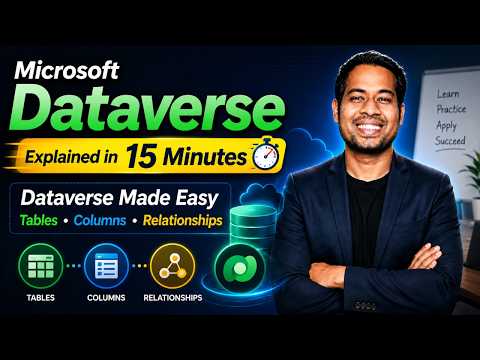
Microsoft Dataverse: 15-Minute Guide
Learn how to take advantage of your business data with Microsoft Dynamics 365 & Power Platform & Cross Technologies. My name is Sanjaya Prakash Pradhan and I am a Microsoft Certified Trainer (MCT) and
Microsoft expert primer on Dataverse for Power Platform: tables, columns, relationships, CDM, Power Apps and Dynamics
Key insights
- Microsoft Dataverse is a cloud data platform that stores business data for Power Apps, Power Automate and Dynamics 365.
It uses a table-based, metadata-driven model to give apps a shared source of truth. - Tables and Columns are the basic building blocks: tables hold rows (records) and columns define data types like text, number, date or choices.
Microsoft provides standard tables for common scenarios and lets you create custom tables for specific needs. - Relationships connect tables so you can model real business data with one-to-many, many-to-one and many-to-many links.
Lookup columns implement these links and let apps navigate related records easily. - Common Data Model (CDM) is the shared schema idea behind Dataverse that standardizes business concepts across apps.
CDM helps move and align data between solutions while Dataverse provides the runtime and storage. - Security and Data Validation are built into the platform: role-based access, field-level restrictions, business rules and validation live with the data.
That centralization ensures consistent enforcement of rules across all apps. - Benefits: Dataverse is more than storage — it offers reusable logic, metadata, and integrations that speed development and keep data consistent.
Compared with plain SQL or spreadsheets, it simplifies low-code app building and supports rich business modeling.
Overview of the video
The YouTube video titled "Microsoft Dataverse Explained in 15 Minutes" by Softchief Learn aims to give a compact, practical introduction to Microsoft Dataverse for beginners and practitioners. First, the presenter outlines what Dataverse is and why it matters for the Power Apps ecosystem, and then moves quickly into concrete examples of tables, columns, and relationships. As a result, viewers can expect a concise walkthrough that highlights architecture, data modeling, and security concepts without deep theoretical detours. Consequently, the video positions itself as a useful primer for interview preparation and early-stage development work in Power Apps and Dynamics 365.
Core concepts covered
The video explains that Dataverse stores data in tables composed of rows and columns, and it clarifies Microsoft’s modern terminology compared with older names like entities and fields. Moreover, it demonstrates how standard tables provide common business objects while allowing custom tables for organization-specific needs, which supports faster app development. Then, the trainer highlights the Common Data Model as the conceptual standard that gives Dataverse consistent schemas across apps and services. In turn, that standardization makes integration and reuse easier across the Power Platform.
Relationships and data modeling
The presenter shows how one-to-many, many-to-one, and many-to-many relationships let you represent real business scenarios more accurately than flat lists or spreadsheets. Furthermore, he explains lookup columns and how they link records, and he illustrates why relational design supports richer business rules and reusable logic. However, the video also notes the tradeoff: while normalized models improve consistency, they add design complexity that requires planning and proper indexing of queries. Therefore, the tutorial encourages balancing normalized structures with practical performance considerations.
Architecture and how CDM fits
Next, the video summarizes Dataverse’s architecture as a metadata-driven, table-based platform where schema and logic live with the data rather than inside each app. Consequently, validation rules, calculated fields, and security settings can be defined once in Dataverse and reused, which reduces duplication and errors across applications. At the same time, the trainer contrasts Dataverse with traditional SQL Server approaches, noting that Dataverse emphasizes extensibility, built-in governance, and integration with Microsoft services. Yet, viewers should weigh these benefits against potential limits in query flexibility and the costs of staying within the Microsoft cloud stack.
Security, validation, and governance
The video provides an overview of Dataverse security, including role-based access and data validation features that protect business data in the cloud. Moreover, it describes how security scopes and business rules help enforce consistent behavior across applications, reducing the risk of inconsistent data handling. However, there are tradeoffs: centralized governance improves control and compliance but can slow down innovation if teams lack clear delegation models. Thus, the trainer recommends combining strong governance with developer-friendly practices to keep projects moving while protecting sensitive data.
Practical tradeoffs and challenges
Finally, the tutorial outlines practical considerations for choosing Dataverse: it fits best when you need a shared data foundation for Power Platform and Dynamics 365 solutions, along with built-in security and metadata-driven logic. On the other hand, organizations that require complex ad-hoc queries, very large datasets, or complete control over database engines may find traditional SQL solutions more appropriate. Moreover, the video touches on operational challenges such as API limits, data size constraints, and migration complexity, and it recommends planning for these factors early in a project. In summary, the presenter urges viewers to weigh ease of integration and developer productivity against flexibility and long-term scaling needs.
Takeaways and who benefits
In short, the 15-minute video from Softchief Learn gives a clear, actionable foundation for anyone new to Dataverse, especially Power Platform beginners, Power Apps developers, and Dynamics 365 practitioners preparing for interviews. Furthermore, the trainer’s practical examples make it easier to grasp how tables, columns, relationships, and the Common Data Model work together to form a reusable data layer. At the same time, the video responsibly points out limitations and governance needs so teams can make informed design choices. Therefore, the tutorial functions well as a starting point before deeper, project-specific learning or hands-on experimentation.
Conclusion
Overall, the video delivers a compact, well-structured introduction to Microsoft Dataverse that balances conceptual clarity with practical advice, and it highlights both benefits and tradeoffs. Moreover, by focusing on real-world scenarios and a fast-paced walkthrough, the presenter helps viewers understand when Dataverse is the right choice and what pitfalls to watch for. For readers who want a quick, practical orientation to Dataverse fundamentals, this 15-minute tutorial by Softchief Learn is worth watching before committing to longer courses or project design work. Finally, the video stands out for its clear explanations and direct comparison of Dataverse with more traditional data approaches, which helps teams plan informed next steps.

Keywords
Microsoft Dataverse tutorial, Dataverse tables and columns, Dataverse relationships explained, Common Data Model CDM, Dataverse for Power Platform, Dataverse schema design, Dataverse quick guide, Dataverse for Dynamics 365