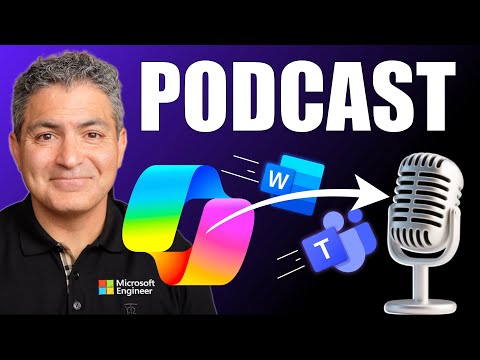
Microsoft Copilot: Meetings to Podcasts
Principal Technical Specialist @ Microsoft | Engineer | YouTuber
Microsoft Copilot turns Teams meetings and Word docs on OneDrive into AI podcasts with Copilot Notebooks
Key insights
- Copilot Podcast: A Copilot feature turns Teams meetings, Word docs, OneDrive files, and Copilot Notebooks into AI-generated podcasts you can listen to anytime.
It creates a conversational audio summary so long meetings and documents become easy-to-consume episodes. - Input sources: Works with Teams transcripts, Word documents, files stored in OneDrive, and Copilot Notebooks.
Copilot analyzes the text, extracts key points, and builds a spoken script with multiple synthetic voices. - AI-powered narration: Copilot does more than read aloud— it generates back-and-forth dialogue that explains, debates, and summarizes content.
The result feels like a real discussion, improving engagement and retention. - Personalized audio: You can tailor podcasts to specific documents or meeting sections, making on-demand listening useful for commuting, review, or studying.
Copilot adapts tone and focus to your chosen content. - Interactive podcasts: While the audio plays, you can interrupt and ask follow-up questions or request deeper detail, turning the episode into a live Q&A with Copilot.
This interactivity helps clarify points and explore subtopics on demand. - Use cases & privacy: Ideal for meeting recaps, training, research summaries, and learning on the go.
Keep in mind synthesized voices and file permissions—confirm where audio is stored and who can access it before sharing.
Overview
The newsroom reviewed a recent YouTube tutorial by Shervin Shaffie of Collaboration Simplified that demonstrates how to turn meetings and documents into on-demand audio using Microsoft 365 Copilot. The video walks viewers through converting Teams meeting transcripts, Word documents stored in OneDrive, and content from Copilot Notebooks into AI-generated podcasts. In the report below, we summarize the key steps shown, explain how the feature works, and examine the tradeoffs and challenges for teams considering this workflow. Consequently, this article aims to give editors a concise, balanced view of the tool’s promise and limits.
What the Video Demonstrates
Shaffie begins by showing how to capture a recorded Teams meeting and convert it into a podcast-ready audio file, both on desktop and mobile. Then, he demonstrates turning a Word document saved to OneDrive into a narrated episode, highlighting simple menu actions and settings to control voice style and pacing. Finally, he walks through creating a podcast from a Copilot Notebook, showing how the notebook’s notes and summaries feed into the generated script. Overall, the demo emphasizes speed and convenience, making it clear that the feature targets users who want fast audio versions of meetings and files.
How the Feature Works
Under the hood, Copilot analyzes source text, extracts key points, and generates a conversational script for one or more synthesized voices. Moreover, the system can simulate multiple hosts to make the result feel like a real discussion rather than a single voice reading aloud. You can save the output as an audio file, stream it on demand, or interact with it while it plays, asking follow-up questions to clarify points. As a result, the feature blends text analysis, speech synthesis, and interactive prompts to transform documents into dynamic audio experiences.
Practical Benefits and Use Cases
For busy professionals, the main benefit is time savings: long meeting recordings or dense reports become listenable summaries you can consume while commuting or exercising. Furthermore, educators and trainers may use the podcasts for flipped classrooms or to help learners who prefer audio, while product teams can share condensed briefings with remote colleagues. The integration with OneDrive and native Microsoft apps also simplifies storage and sharing, which helps maintain version control and access permissions. Consequently, this workflow can increase content reach and lower the friction of turning text into audio.
Tradeoffs and Challenges
However, the new capability presents important tradeoffs. For example, automated summaries can omit nuance, so teams must weigh speed against the risk of losing detail; in high-stakes settings, the audio should be reviewed before distribution. In addition, synthesized voices have improved, yet they may still struggle with technical terms, names, or emotional tone, which affects listener engagement and comprehension. Privacy and compliance also pose challenges because turning meetings into distributable audio raises questions about consent, confidential data, and storage policies. Therefore, organizations must balance convenience with quality control and legal safeguards.
Operational and Technical Considerations
Transcription accuracy and speaker separation remain technical hurdles, especially in multi-participant meetings with overlapping speech or poor audio quality. Moreover, real-time interactivity requires robust backend resources, so performance and cost can vary by account type and platform; mobile experiences may have fewer controls than desktop. Teams should also plan for editing and versioning: while Copilot speeds up generation, manual edits often improve clarity and ensure compliance with company standards. As a result, adopting this feature effectively requires workflow changes, training, and governance.
Tips for Early Adopters
To start safely, trial the feature with non-sensitive content and create an internal checklist for review before wider sharing. Also, encourage presenters to state names clearly and to provide supplemental notes, which helps the AI produce cleaner scripts and fewer mispronunciations. Additionally, set policies about who can publish generated audio and where it is stored, so teams maintain control over distribution. Finally, monitor quality and user feedback to refine templates and voice settings over time.
Conclusion
Shervin Shaffie’s tutorial offers a clear, hands-on look at how Microsoft 365 Copilot can turn meetings and documents into interactive podcasts quickly and with minimal setup. While the feature promises productivity gains and new ways to consume content, it also introduces tradeoffs in accuracy, privacy, and editorial control that organizations must address. Ultimately, this tool looks useful for summary consumption and internal knowledge sharing, provided teams combine its speed with careful review and governance. For editors and IT leaders, the next step is to pilot the feature in controlled scenarios and measure its impact on workflows and compliance.

Keywords
Microsoft Copilot podcast, turn meetings into podcasts, Copilot meeting transcription, Copilot docs to audio, AI podcast generator Microsoft Copilot, Microsoft Copilot for meetings, convert meetings to podcast episodes, Copilot podcast creator