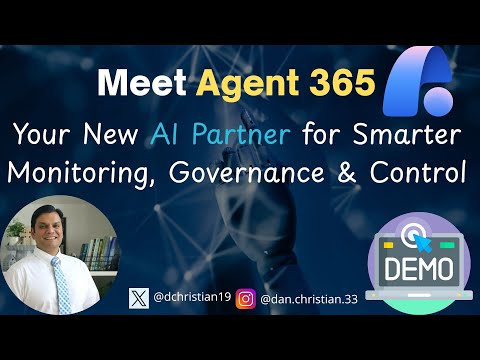
Agent 365: AI Monitoring & Control
Lead Infrastructure Engineer / Vice President | Microsoft MCT & MVP | Speaker & Blogger
Agent three sixty five AI control plane for agent monitoring governance and control with Copilot and Copilot Studio
Key insights
- Agent 365 is Microsoft’s new AI control plane for managing AI agents enterprise-wide.
It centralizes monitoring, deployment, and governance so IT teams can see and manage agents from one place. - It addresses risks like agent sprawl and shadow AI while enforcing governance and compliance.
The platform reduces blind spots and helps prevent unauthorized data access and policy violations. - Core functions include Registry, Access Control, Visualization, Interoperability, and Security.
These work together to catalog agents, limit permissions, show real-time behavior, connect agents to apps/data, and detect threats. - Agent 365 integrates with Microsoft tools and external providers: Microsoft 365 apps, Copilot Studio, Entra, Defender, and Purview, plus open-source and third-party agents.
This enables secure identity, data protection, and developer workflows across systems. - Key benefits are unified observability, real-time alerts, and cross-platform management.
IT leaders gain telemetry, dashboards, and proactive controls to manage risk and boost productivity. - Microsoft offers early access via the Frontier program and supports deployment on Windows 365 Cloud PCs with Entra Agent IDs for identity.
Admins get templates, tools for building and testing agents, and settings for user sharing and governance.
Overview of the Video
This article summarizes a YouTube video by Daniel Christian [MVP], which introduces Agent 365 as announced at Microsoft Ignite 2025. The presenter frames Agent 365 as a centralized control plane for managing AI agents across enterprise environments, and he walks viewers through the feature set and UI. Consequently, the video aims to explain how organizations can monitor, govern, and secure agents whether they come from Microsoft, open source, or third-party providers. In addition, the speaker highlights practical demos, initial configuration steps, and access requirements to help administrators evaluate the offering.
Core Capabilities Explained
Daniel outlines five foundational functions that make Agent 365 useful in large organizations: a registry, fine-grained access control, visualization and dashboards, interoperability with apps and data, and layered security. These capabilities serve as the single source for cataloging agents and for granting the least privilege needed for tasks, which aims to reduce blind spots and operational risk. Moreover, the presenter shows how telemetry, real-time alerts, and unified analytics help IT teams detect anomalies and understand agent behavior across systems.
He also describes how the platform ties agent identities to governance controls using unique Entra-style identifiers, enabling audit trails and automated responses to threats. As a result, teams can enforce policies consistently across agents embedded in productivity apps, cloud services, or custom services. However, achieving this level of coverage requires careful configuration and ongoing monitoring to avoid gaps between policy intent and enforcement.
Integration with Microsoft Tools and Extensions
The video emphasizes integration with Microsoft tooling such as Copilot Studio, a development and evaluation environment for agents, plus a new intelligence layer called Work IQ that contextualizes agents around roles and workflows. Daniel demonstrates how agents can access calendars, mailboxes, and documents to assist users, while admins retain oversight through dashboards and catalogs. In addition, he explains the role of Windows 365 for Agents as a way to run secure Cloud PC instances that host or support agent workloads with enterprise controls in place.
These integrations promise better productivity and smoother human-agent collaboration, yet they introduce tradeoffs around interoperability and potential vendor lock-in. While the platform supports third-party and open-source agents, deep integration with Microsoft services may deliver the richest experiences but also increase dependency on a single ecosystem. Therefore, organizations must weigh the benefits of tight integration against the long-term costs and flexibility they require.
Security, Governance, and Tradeoffs
Security receives prominent attention in the video, with the presenter describing a defense-in-depth approach that combines threat detection, data protection, and identity management. He notes how the platform leverages existing security controls to protect sensitive data and to automate compliance checks, which helps reduce manual effort. Nevertheless, there are important tradeoffs: increasing observability improves detection but can raise privacy concerns and add processing overhead.
In practice, balancing visibility with privacy and performance demands clear policies and stakeholder alignment, yet implementing such governance takes time and expertise. Organizations must decide how tightly to control agent capabilities versus how much autonomy to grant them for productivity gains, and that balance will vary by risk tolerance and regulatory context. Consequently, the early phases of deployment should focus on conservative defaults and phased expansion to manage risk.
Operational Benefits and Practical Risks
The presenter highlights several operational benefits, including reduced agent sprawl, improved incident response, and more predictable compliance outcomes through centralized observability. These advantages support faster troubleshooting and clearer ownership of automated tasks, which can deliver measurable efficiency gains across teams. Meanwhile, he acknowledges practical risks like false positives in alerts, telemetry volume that strains monitoring systems, and the need for skilled personnel to tune policies and dashboards.
Therefore, IT leaders should plan for operational overhead such as storage for telemetry, staff training for new governance workflows, and processes for lifecycle management of agents. They should also anticipate iterative tuning cycles to calibrate alerts and permissions, since rigid or poorly tuned controls can block legitimate work and frustrate users. Ultimately, a staged rollout with pilot teams helps uncover real-world issues before broad adoption.
Adoption Guidance and Next Steps
Daniel walks through administrative panels, templates, and sharing controls in the demo, showing how admins can grant roles, enable early access programs like the Frontier program, and publish agent templates for reuse. He encourages organizations to start with a small set of high-value agents and to expand governance gradually, which reduces risk while proving value. In addition, he points out that organizations should validate identity, data access patterns, and compliance implications before scaling agents across business units.
Finally, the video concludes by noting that Agent 365 represents an important step toward manageable enterprise AI, but it is not a turnkey fix for all governance challenges. Adoption requires tradeoffs, ongoing investment, and cross-team coordination to balance security, usability, and innovation. Therefore, IT teams should approach adoption deliberately, prioritize transparency, and build feedback loops to refine controls as agent usage grows.

Keywords
Agent 365 AI, AI monitoring tool, AI governance platform, smarter monitoring and control, enterprise AI assistant, cloud governance and compliance, IT monitoring automation, AI-driven compliance monitoring