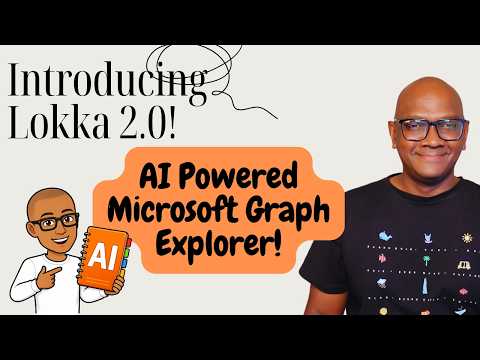
Lokka 2.0: AI-Powered Graph Explorer
Product Manager @ Microsoft 👉 Sign up to Entra.News my weekly newsletter on all things Microsoft Entra | Creator of cmd.ms & idPowerToys.com
Microsoft expert: Lokka update brings AI powered Microsoft Graph Explorer with multi tenant support and JSON querying
Key insights
- Lokka 2.0 overview: an AI-powered MCP server that connects AI assistants to Microsoft Graph for tenant management.
It runs locally and is a community tool, not an official Microsoft product. - How it works: Lokka acts as an MCP bridge so AI clients send natural language and Lokka issues Graph or Azure API calls.
It authenticates to Microsoft Entra ID before accessing tenant resources. - Key new features: adds multi-tenant support and a built-in Graph Explorer with advanced querying, filtering, and JSON views.
You can switch Graph API versions and use new token management tools at runtime. - Authentication and deployment: supports interactive MSAL sign-in, app-based auth, and token-based flows for different admin scenarios.
Install locally and connect an MCP-capable AI client, such as an editor with Copilot. - Main benefits: natural-language control lowers the barrier to using Graph REST and admin scripts.
It speeds common Microsoft 365 tasks and integrates with familiar AI tools for admins and developers. - Limits and requirements: Lokka is open-source, needs Node.js 22.10+ and proper tenant permissions.
Some use cases require Entra app registration or admin consent, so validate changes in test tenants first.
Overview: What Merill Fernando Showcases
In a recent YouTube livestream, Merill Fernando walked viewers through the latest changes in Lokka 2.0, an open-source tool that brings conversational AI to tenant management. He presented the project as an AI-powered Model Context Protocol (MCP) server designed to work with Microsoft Graph and Microsoft 365/Azure management, and he emphasized that the project is a community effort rather than an official Microsoft product. Moreover, he highlighted new support for multi-tenant scenarios and an upgraded built-in Graph Explorer, which together aim to make data inspection and administration more accessible.
Fernando demonstrated the upgraded Graph Explorer capabilities, noting improved querying, richer JSON viewing, and enhanced filtering that go beyond many standard tools. He also described how Lokka connects AI assistants to tenant APIs so users can ask questions in plain language instead of composing low-level REST calls. Consequently, this approach targets administrators and developers who want faster, more natural interactions with tenant resources while remaining in control of permissions and authentication.
Key Features in Lokka 2.0
One of the most notable additions is the project's shift toward MCP-based integration, which creates a standardized path for AI clients to access external systems such as Graph and Azure Resource Manager APIs. In addition, the repository now supports several authentication flows including interactive MSAL sign-in, app-based credentials, and token-based methods, making it easier to adapt to different operational requirements.
Fernando also showcased token management utilities like commands to set or inspect access tokens and to add runtime permissions, which simplify troubleshooting during development. Furthermore, Lokka includes a switch to control the default Microsoft Graph API version so teams can use the beta surface for newer capabilities or lock to v1.0 for production-style stability. Thus, the tool balances rapid feature access with mechanisms to favor safer, predictable behavior in critical environments.
How Lokka Works in Practice
To run Lokka, users install it locally and pair it with an MCP-capable AI client such as code assistants that support the protocol. After authenticating to Microsoft Entra ID, the AI client sends natural-language requests to Lokka, which then translates those requests into Graph or Azure API operations and returns structured JSON results. In short, Lokka acts as a translation and orchestration layer so the AI can operate against tenant resources without exposing callers to raw API complexity.
Fernando demonstrated integrations with popular tools like GitHub Copilot and Claude Desktop, showing how the AI can generate queries, inspect results, and even propose changes to users. He emphasized that Lokka runs on the desktop and is positioned as a free, community tool intended for exploration, testing, and administrative assistance rather than as a production replacement for enterprise management platforms. Consequently, it fits well in development and testing workflows where hands-on control and experimentation matter most.
Tradeoffs: Ease Versus Control
Lokka’s natural-language interface reduces the need to learn Graph endpoints and query syntax, which significantly lowers the barrier to entry for many administrators. However, this convenience comes with tradeoffs because allowing AI-driven operations against tenant resources requires careful permission handling and clear operational guardrails. Therefore, teams must weigh the productivity gains against the risk of unintended changes and ensure proper review and audit processes.
Another key tradeoff involves the choice between using the Graph beta endpoint and locking to v1.0. While beta unlocks newer features and faster experimentation, it can introduce instability or breaking changes; conversely, sticking to v1.0 favors predictable behavior but may delay access to innovations. In addition, offering multiple authentication options increases flexibility but also complicates security practices, meaning organizations must balance convenience with consistent secret handling and token lifecycle management.
Practical Challenges and Recommendations
Fernando acknowledged several limitations that prospective users should consider, including the need for Node.js 22.10+ and an MCP-capable client, as well as the reality that some scenarios depend on tenant permissions and app registrations. Moreover, because Lokka is community-supported, organizations seeking enterprise-grade support or SLAs should plan for internal validation and governance before relying on it in critical workflows. As a result, Lokka best serves admins and developers who can manage Entra app registrations and review permission scopes.
To mitigate risks, teams should enforce least-privilege permissions, enable logging and auditing where possible, and restrict destructive operations to trusted operators. Additionally, while Lokka's token tools help during development, production deployments need centralized credential management and careful rotation policies. Finally, Fernando offered to provide changelogs or step-by-step setup guides for specific integrations, which can help teams evaluate Lokka safely and efficiently.
Conclusion: Useful, but Not a Drop-In Replacement
Merill Fernando’s walkthrough paints Lokka 2.0 as a promising bridge between conversational AI and tenant administration, offering rich exploration features and multiple authentication workflows. Yet, he also made it clear that Lokka is a community project intended for experimentation and developer workflows rather than a sanctioned Microsoft management product, and that teams must address permissions, auditing, and stability tradeoffs before widespread use.
In summary, Lokka 2.0 brings clear productivity gains by enabling natural-language control of tenant resources, while also introducing governance and operational challenges that require careful planning. Consequently, organizations should pilot Lokka in controlled environments, weigh the benefits of AI-driven convenience against the demands of secure administration, and adopt strict controls before allowing AI-assisted changes in production tenants.
Keywords
Lokka 2.0 Microsoft Graph Explorer, AI powered Microsoft Graph Explorer, Lokka AI Graph Explorer, Microsoft Graph Explorer tutorial, Graph API AI assistant, Lokka 2.0 review, Microsoft Graph developer tool, AI Graph Explorer extension