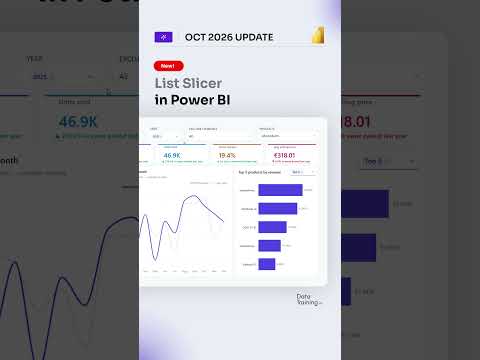
Power BI List Slicer adds easier filtering
Power BI’s October 2026 slicer update adds paste support, numeric input, and a new date picker to speed up filtering.
Key insights
- Users can paste lists of values into slicers instead of selecting each item manually.
- Input Slicer now supports numeric values as well as text.
- A new date picker supports relative date selection and single-date selection.
- Slider styling now includes color and shape customization.
- The update aims to make filtering faster for report users and easier to configure for authors.
How to Power BI recently highlighted Power BI’s October 2026 slicer update in a short video. The clip is brief, but the accompanying research notes point to a practical change set centered on the List Slicer and related filtering controls. The main takeaway is simple: Power BI is making report filtering faster for users and easier to set up for report authors.
What's new
The update adds the ability to paste selected values into slicers, so users can copy a prepared list from another app and apply it at once. It also expands the Input Slicer so it can handle numeric values, not just text-based entries. That makes it more useful for filtering by IDs, codes, quantities, and other numbers.
Power BI is also adding a new date picker experience. According to the notes, it supports both relative date selection and single-date selection. In addition, slicer sliders gain more styling options, including control over slider colors and shapes.
Why it matters
For report consumers, these changes reduce the friction of working with long value lists or exact dates. Instead of searching and clicking one item at a time, users can paste a list or choose from a calendar-style interface. That matters in reports used for sales, operations, finance, or other scenarios where filtering is repetitive and time-sensitive.
For report authors, the update gives more control over how slicers look and behave. The notes say the changes are intended to improve self-service analytics, which suggests less reliance on custom filtering workarounds when end users need to explore data on their own.
How it works
The material describes the changes at a feature level rather than as a step-by-step walkthrough. The mechanics are straightforward:
- Copy a prepared list of values from another app.
- Paste that list into the slicer to apply the filter.
- Use the Input Slicer with numeric values where needed.
- Pick dates from the new date picker, including relative or single dates.
- Adjust slider color and shape to match the report design.
The notes also place these changes within a broader set of slicer improvements, including visual defaults and the Versa palette. That suggests Microsoft is aligning built-in report visuals more closely across style and interaction.
Limitations and open questions
The source material does not say which Power BI licenses this applies to, whether the rollout is complete, or which tenants or regions have access. It also does not show the exact UI labels, configuration steps, or any edge cases for pasted values and numeric input. Because the video transcript is empty, the article relies on the research notes for the technical details.
We also could not verify whether every slicer type gets every customization option, or whether the date picker changes affect all report themes equally. The update looks useful, but the material is thin on implementation details.
Sources
Frequently asked questions
What changed in Power BI’s List Slicer update?
The notes say users can paste lists of values into slicers, Input Slicer supports numbers, Power BI adds a new date picker, and slider styling gets more options.
Who benefits from the update?
Report consumers get faster filtering, while report authors get more control over slicer behavior and styling. The notes frame it as a self-service analytics improvement.
Does the material say when this is available?
No. The material refers to an October 2026 update, but it does not state rollout status, licensing, tenant scope, or regional availability.
Does the video explain how to configure these features?
Not in the source material we received. The transcript is empty, so only the research notes describe the features at a high level.