Copilot Tricks to Boost Your Workflow
Microsoft Copilot deep dive: Studio, Researcher agent, App Builder, Teams file controls and OneDrive agents
Key insights
- Microsoft Copilot Agents: Episode 402 gives a developer-focused overview of AI agents built into Microsoft 365, explaining their architecture, developer interaction points, and how they plug into apps like Teams and OneDrive.
Hosts and guest Andrew Connell unpack practical implications for IT pros and developers working with these agents. - LMCTFY (Researcher with Computer Use): The new Researcher mode lets Copilot control a virtual computer to run research tasks, and the episode demonstrates how to ask Copilot to perform multi-step investigations.
Hosts note you can remove or customize the accuracy reminder disclaimer shown to users and point it to your own guidance. - Semantic Indexing: Copilot relies on semantic indexing to ground responses in an organization’s data while enforcing Access Control Lists (ACLs) for security.
The show highlights current limits like missing metadata and hard-to-index large files that can reduce answer completeness. - Licensing: The panel explains licensing implications and billing basics, including that access to the semantic index requires at least one paid license tier (about $30) to enable key backend features.
Teams should review license allocation and cost impact before wide deployment. - Workarounds: For broader indexing and richer search, the hosts recommend integrating Azure AI Search or other Azure services to supplement Copilot’s native capabilities.
This hybrid approach helps index large or complex content that Copilot struggles with today. - Roadmap and product updates: The episode touches on Copilot Studio tool groups, the App Builder agent via Frontier, Teams file-attachment defaults, AI disclaimer updates, OneDrive agents, and context from Microsoft Build 2024.
Hosts signal a future episode focused on custom Copilot development to help teams build tailored experiences.
Episode Snapshot and Context
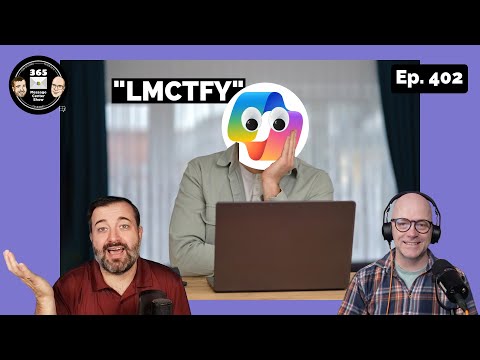
The latest YouTube episode from 365 Message Center Show, titled "Let Me COPILOT That For You," unpacks advances in Microsoft’s AI tooling and how developers can shape those tools. Episode 402 features a developer-focused conversation that builds on prior coverage, and it includes commentary from guest expert Andrew Connell. Together, the hosts and guest walk viewers through feature announcements, practical scenarios, and the broader roadmap for Microsoft Copilot agents.
Overall, the episode balances high-level product updates with practical developer notes, and it highlights the rising importance of embedding AI safely into everyday business workflows. Moreover, the discussion ties recent announcements to the momentum from the 2024 Build conference, showing how on-device processing and cloud capabilities are converging. As a result, IT teams and developers get both immediate takeaways and a sense of future direction.
New Features: Researcher, Copilot Studio, and App Builder
The show spends considerable time on the new Researcher with Computer Use capability, which lets Copilot control a virtual computer to perform research tasks. The hosts explain how this mode can automate complex, multi-step data-gathering workflows, effectively giving users a way to delegate repetitive research actions. Consequently, teams that rely on frequent, structured searches may see productivity gains by using this feature.
In addition, the episode covers updates to Copilot Studio and the arrival of the App Builder agent via Frontier, which expands developer tooling for custom agents. These announcements aim to make it easier to compose tool groups and configure agents for specific business scenarios, and they signal a push toward greater extensibility. Therefore, organizations that invest in customization will likely benefit from more tailored Copilot experiences.
Data Grounding, Indexing, and Licensing Tradeoffs
A major theme is the need to ground AI responses in organization-specific data, and the hosts explain how semantic indexing plays a pivotal role. Semantic indexes help match contextual queries to internal documents and datasets, while Access Control Lists maintain permission boundaries to protect sensitive information. However, indexing comes with tradeoffs: achieving comprehensive coverage often increases cost and complexity, and it may require additional licenses just to unlock backend features.
The conversation highlights the licensing nuance that at least one $30 license is required to use the semantic index, which raises budgeting questions for smaller teams. Furthermore, the show discusses how integrating external services like Azure AI Search can offer a broader indexing capability but also introduces extra operational overhead. Thus, decision-makers must weigh the cost of fuller indexing against the risk of incomplete results and the administrative burden of additional services.
Developer Perspectives and Practical Workarounds
From a developer viewpoint, the hosts emphasize building with awareness of metadata gaps and file-size limitations that currently limit indexing. They suggest practical workarounds, such as preprocessing large files or enriching metadata to improve discoverability for Copilot agents. These tactics help mitigate current platform constraints while teams await more robust native indexing capabilities.
Moreover, the episode teases a follow-up focused on custom Copilot development, signaling Microsoft’s intent to cultivate a stronger developer ecosystem. As a result, developers should prepare for more APIs, templates, and best practices that simplify agent creation, but they should also expect to manage complexity related to security, permissioning, and cost. Therefore, a staged approach—starting with pilot projects and expanding as capability and governance mature—appears sensible.
Limitations, Privacy Concerns, and Future Directions
The hosts candidly discuss limitations, such as incomplete metadata and difficulty indexing very large documents, which can lead to gaps in Copilot’s answers. They also note updates to the AI disclaimer settings in Copilot Chat, which let organizations control whether users see prompts about verifying AI outputs. This choice represents a balance between user autonomy and the responsibility to promote verification of AI-generated information.
Looking forward, the episode connects these product developments to broader industry trends like on-device NPUs and integrated AI across productivity apps. Such trends promise lower-latency experiences and potential privacy benefits by keeping data on local devices, yet they can complicate deployment and testing. Thus, organizations must balance performance, privacy, and manageability as they adopt next-generation Copilot features.
Takeaway for IT Leaders and Developers
In summary, Episode 402 of the 365 Message Center Show offers an actionable update for IT leaders and developers who want to adopt or build on Microsoft Copilot agents. It clarifies how features like Researcher with Computer Use and new Copilot Studio tooling expand automation possibilities while highlighting practical tradeoffs in cost, indexing, and governance. Consequently, teams should plan pilot deployments, monitor indexing gaps, and budget for licensing and supplemental services as they scale.
Ultimately, the episode underscores a central point: Copilot’s utility depends on both technical capability and careful governance. By weighing those factors and adopting incremental development approaches, organizations can harness AI assistants effectively while managing risk and cost. As the platform evolves, continued attention to permissioning, data grounding, and developer tooling will remain essential.

Keywords
Let Me COPILOT That For You Ep 402, Microsoft Copilot tutorial, Copilot episode 402 walkthrough, Copilot demo and tips, Copilot productivity hacks, AI Copilot for Windows, Copilot features explained, Copilot tips and tricks 2025