Microsoft 365 Agents Toolkit for Devs
Technical Specialist, Business Applications at Microsoft.
Build enterprise agents in Microsoft three sixty five Copilot with Copilot Studio, Agents Toolkit, WorkIQ and CI/CD
Key insights
- Copilot agents: Agents go beyond simple retrieval and Q&A to act on business systems and workflows inside Microsoft 365 Copilot.
They use context from Outlook, Teams, and documents to increase user productivity and reduce manual steps. - Low code vs pro code: Low code works well for prototypes and simple automations, but pro code is needed for complex integrations, security, and large-scale distribution.
Move to pro code when you need source control, testing, ownership, and long-term maintainability. - Microsoft 365 Agents Toolkit: The toolkit gives end-to-end developer tools—VS Code/Visual Studio extensions, CLI, runtime, SDKs, templates, and a local Playground for fast testing.
It simplifies identity, Microsoft Graph access, hosting, and scaffolding so teams can iterate faster and deploy across Copilot, Teams, and Outlook. - Ship agents like software: Treat agents as production apps with source control, environment configs (dev/test/prod), CI/CD, versioning, and rollback procedures.
Automated testing, observability, and deployment pipelines reduce risk and make updates predictable. - Orchestration & WorkIQ: Prefer platform orchestration instead of building a custom orchestration layer to avoid extra complexity and maintenance.
WorkIQ and built-in coordination features give developers event and usage signals that change how agents are composed and monitored. - Architecture & durability: Start with your audience and durability goals to avoid painful rearchitecture later.
Design for scale, security, governance, and cross-team collaboration so agents remain reliable over a multi-year horizon.
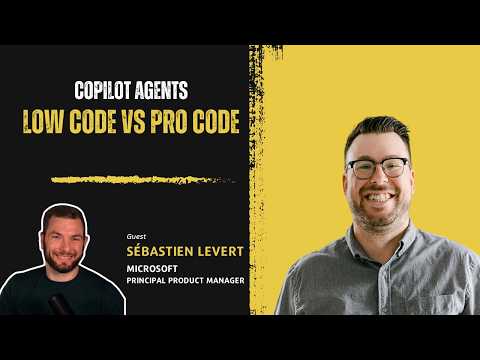
Samuel Boulanger’s recent you_tube_video interview with Sébastien Levert, a Principal Product Manager at Microsoft, offers a clear look into the Microsoft 365 Agents Toolkit and the practical choices teams face when extending Copilot. In this conversation, Levert frames agent development as building real software that acts on business systems, rather than simply adding Q&A features. Consequently, the episode targets both business leaders and developers who must decide when to scale prototypes into durable, maintainable services. Overall, the video presents architecture, workflows, and decision frameworks that teams can apply immediately.
What the Toolkit Does
The interview explains that the Microsoft 365 Agents Toolkit provides an end-to-end developer toolchain for building agents that run across Microsoft 365 surfaces like Teams, Outlook, and Copilot. Levert highlights components such as an agent runtime, schema definitions, and local sandboxes that simplify testing without complicated tenant setup. As a result, developers can scaffold projects quickly, connect to identity and data services, and iterate in a realistic environment.
Moreover, the toolkit integrates with familiar IDEs including Visual Studio Code and Visual Studio, and it offers CLI workflows for automation and collaboration. This tight integration reduces setup overhead and accelerates initial development, which matters when teams must prove value quickly. At the same time, the toolkit aims to support both simple and complex agent patterns so organizations can evolve without ripping out existing work.
Agents Beyond Retrieval
Levert emphasizes that agents are more than retrieval engines; they coordinate tools, orchestrate workflows, and act on systems to complete tasks. Consequently, agents bring value by connecting intent with actions inside enterprise contexts, using signals from calendars, files, and organizational data. Therefore, building inside Copilot can unlock contextual productivity because agents operate where users already work.
However, this capability introduces expectations around reliability, security, and governance that differ from simple chatbots. Enterprises will demand versioning, controlled rollouts, and clear ownership, so agents must be engineered like production software. Thus, teams must weigh the productivity gains of deep integration against the need for stronger operational discipline.
Low Code Versus Pro Code: Practical Tradeoffs
The video draws a clear line between when low code tools are sufficient and when pro code becomes necessary. For rapidly testing ideas or automating straightforward tasks, low-code surfaces and Copilot Studio can get teams started quickly, while pro code unlocks advanced orchestration, source control, and custom integrations. Consequently, the decision often depends on the expected lifecycle, scale, and compliance requirements of the solution.
That said, Levert warns that starting with low code without a migration plan can lead to painful rearchitecture later. Therefore, teams should evaluate ownership and distribution early: who will maintain the agent, how updates will be tested, and how to rollback if needed. Balancing speed and long-term durability requires clear signals from business stakeholders and engineering leads.
Tooling, CI/CD and Developer Discipline
The episode delves into practical developer workflows such as project templates, hot reload, secure tunneling for testing, and local sandboxes that emulate Teams interactions. In addition, Levert stresses the importance of source control, environment separation, and CI/CD pipelines to manage versioning, deployment, and rollback. These practices transform agents into maintainable software rather than one-off automations.
Furthermore, the toolkit includes features to automate registrations, integrate with Microsoft identity, and link to services like Microsoft Graph, which reduces friction but increases the need for governance. Consequently, development teams must adopt clear engineering standards to prevent configuration drift and to ensure that compliance and security policies are enforced across environments. In short, the right tooling helps, but discipline completes the picture.
Tradeoffs and Long-Term Challenges
Levert also discusses tradeoffs around orchestration and custom layers, noting that teams usually should avoid building their own orchestration unless they have compelling reasons. While a custom orchestration layer can offer control, it also increases complexity, maintenance, and integration risk. Therefore, using platform-provided services often shortens time to value, although it may constrain custom behavior.
Looking ahead, the conversation touches on how features like WorkIQ and enterprise signals will change development patterns, and how leaders must plan for scale, governance, and durability. Ultimately, the challenge lies in balancing agility with control: move fast enough to deliver value, yet build with enough structure to avoid costly rework. For organizations, the takeaway is practical: use the toolkit to prototype, but plan for pro-code engineering when agents become critical to business operations.
In conclusion, Samuel Boulanger’s you_tube_video with Sébastien Levert presents a grounded, actionable view of building agents inside Microsoft 365. By focusing on real engineering practices and highlighting tradeoffs, the interview helps decision-makers and developers choose the right path between rapid experiments and long-term, scalable agent platforms. As adoption grows, teams should prioritize clear ownership, versioning, and CI/CD so agents remain reliable and secure in enterprise settings.

Keywords
Microsoft 365 Agents Toolkit, Microsoft 365 developer tools, Agents Toolkit for developers, Sébastien Levert Microsoft PPM, Microsoft PPM developer toolkit, Build agents in Microsoft 365, Power Platform agents, Microsoft 365 automation for developers