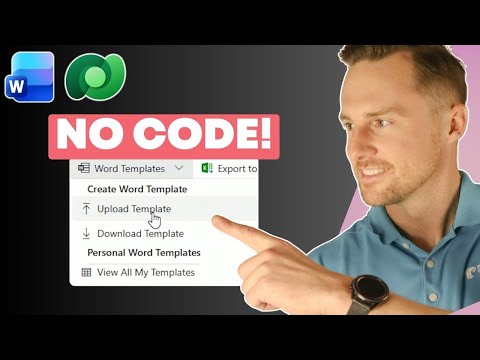
Dataverse: Quick Document Templates
Expert Microsoft guide: create Word docs from Dataverse with no Power Automate or code, reuse templates via XrmToolBox
Key insights
- Dataverse document generation: This video shows how to create polished Word documents directly from Dataverse records with built-in document templates.
Users can generate documents without writing code or relying on Power Automate for the basic process. - Schema-aware Word template: Download a schema-aware Word template that includes related tables and fields.
Use that template to ensure Word placeholders match Dataverse field names and relationships. - Developer tab and XML mapping: Enable Word’s Developer tab to view and map XML controls to Dataverse fields.
Map single-value fields and test bindings so data flows into the correct spots in the document. - Repeating sections: Build repeating sections (for items like course evaluations) to pull related records into the same document.
Design the Word layout to handle lists and repeated rows cleanly before uploading the template. - Promote and reuse templates: Upload a personal template to Dataverse, test it, then promote it as an organization-wide document template so teams use consistent, branded documents.
Promoted templates are reusable across users and records. - XrmToolBox: Move templates between environments (dev, test, prod) quickly using XrmToolBox.
This lets you roll out standard templates across environments without manual recreation.
Pragmatic Works' recent YouTube video demonstrates how to generate polished Word documents directly from Dataverse records without writing code. The walkthrough shows how to download a schema-aware template, bind fields and repeating sections, and reuse templates across environments. Consequently, it promises faster document creation for users who previously copied and pasted data into external files. Overall, the presentation aims to simplify document workflows while highlighting practical steps and common pitfalls.
Overview of the Approach
First, the video introduces the concept of Document Templates in Dataverse and explains why they matter for business teams. It underscores that users can build templates in familiar Word and then map controls to Dataverse fields so documents populate automatically. Moreover, the presenter contrasts this no-code route with more complex automation that would otherwise require flows or custom code. As a result, the technique suits organizations that want repeatable, branded documents created by nondevelopers.
Next, the video explains how template records live inside Dataverse and how they behave when attached to entities. The templates are schema-aware, enabling them to reference related records and repeating sections such as evaluation items. Therefore, they can include lists or tables that expand to match related rows, which makes aggregated outputs like course evaluations much easier to generate. However, the solution is tied to Dataverse storage and template management features, which affects deployment choices later on.
Demo Walkthrough
The core of the video is a step-by-step demo that starts with simple entity data and moves toward a reusable template. Initially, the host downloads a template that already contains XML mapping for the target schema, then shows how to enable the Developer tab in Word to access XML mapping controls. After that, the presenter binds single-value fields to placeholders and demonstrates how those values appear in a generated document. This clear progression helps viewers follow the technical path without getting lost in jargon.
Following single fields, the video moves to repeating sections that pull multiple related records into the same document. The presenter configures a repeating table for course evaluations so each related record becomes a row in the final Word file. Then, the template is uploaded back into Dataverse as a personal template and tested to confirm correct population. Finally, the tutorial shows how to promote the personal template to an organization-wide template, making it available to the whole team.
Technical Details and Challenges
Technically, the process depends on accurate XML mapping inside Word, so users must understand how fields relate to the Dataverse schema. For example, mismatched field names or relationship paths will break mappings and produce empty placeholders in the generated document. Consequently, the video emphasizes careful verification during binding and testing, especially for repeating sections that require correct parent-child references. Moreover, enabling Developer mode and working with XML may feel unfamiliar to purely business users, creating a small learning curve.
Another challenge involves environment movement and template lifecycle management because templates stored in Dataverse are not solution-aware. Therefore, simple export/import through solutions is not available, and teams must use alternative tools to move templates. In the demo, the presenter uses XrmToolBox to export and import templates across dev, test, and production, which streamlines rollout but introduces an extra dependency. Thus, administrators need to weigh the convenience of native templates against the overhead of additional tools and processes.
Tradeoffs and Third-Party Options
While the no-code native approach reduces development overhead, it also limits advanced formatting and logic compared with specialized add-ons. For instance, third-party tools offer drag-and-drop designers, conditional logic, charting, and complex filtering but often come with additional cost and learning requirements. Hence, organizations must balance simplicity, functionality, and total cost of ownership when choosing between built-in templates and external document solutions. In short, the right choice depends on the complexity of required documents and available budget.
Furthermore, automation tradeoffs appear when integrating with flows like Power Automate. On one hand, flows can trigger document generation automatically and distribute files via email or storage. On the other hand, adding flows introduces more moving parts and potential faults that require monitoring. Therefore, teams should pilot the simplest possible implementation first and then expand automation only after confirming stability. This incremental approach minimizes disruption while enabling measurable improvements.
Deployment, Governance, and Best Practices
To deploy templates at scale, the video advocates for clear governance, versioning, and testing across environments. Administrators should document template names, which entities they serve, and any dependencies such as relationship fields or option sets. Also, teams should restrict who can promote templates to organization-wide status to avoid accidental overwrites or inconsistent branding. Together, these controls reduce user confusion and help maintain a predictable document generation experience.
Finally, the video closes by stressing time savings and user satisfaction when templates work well. When properly configured, templates eliminate repetitive copy-paste work and reduce data entry errors, which improves compliance and throughput. However, teams must invest modestly in training and tooling to manage mappings, environment movement, and edge cases. Overall, the Pragmatic Works tutorial offers a practical, low-code path for organizations that want fast, reliable document generation from Dataverse data.

Keywords
Dataverse document templates, Quick document templates Dataverse, Dataverse templates tutorial, Power Automate document generation, Dataverse Word templates, Dataverse template management, Power Apps document templates, Dynamics 365 document templates