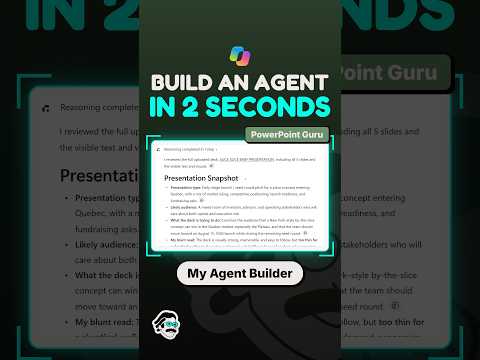
Copilot Agent Builder drafts agents from plain language
Piggy Bank Accountant’s Short points to a fast first draft, but a useful agent still needs review, testing and governance.
Key insights
- Agent Builder starts with a plain-language description of the agent’s purpose.
- Copilot can draft a name, instructions, suggested prompts and knowledge setup.
- The “two seconds” framing refers to initial creation, not a production-ready deployment.
- The research notes recommend reviewing, refining and testing the generated agent before sharing it.
Piggy Bank Accountant recently published a YouTube Short titled “How to Build a Copilot Agent in 2 Seconds.” The Short’s published description contains no transcript or explanation, so the available source does not establish exactly what its video demonstrates. The broader takeaway from the accompanying research is that Copilot Agent Builder can generate an initial agent configuration from a natural-language description, but that first draft is not the same as a tested, production-ready agent.
What's new
Agent Builder is described in the research notes as a low-code way to create declarative agents in Microsoft Copilot and Microsoft 365 Copilot. Rather than configuring every element manually, a user begins with a description of the agent’s purpose. Copilot can draft elements such as its name, instructions, suggested prompts and knowledge setup.
The “two seconds” framing needs context. The research notes characterize the quick step as generating an initial draft, not completing the full creation and deployment lifecycle. Reviewing what Copilot produces and setting up the agent for its intended use remain part of the work.
Why it matters
For makers and business users, a natural-language starting point may lower the effort needed to prototype a specialized assistant. The research describes the experience as suitable for users who do not code, and gives onboarding and company-procedure questions as example use cases. That can help a team explore an idea without treating the initial draft as a finished solution.
For admins, the distinction between creating a draft and deploying an agent matters. The research notes say reliable deployment still requires validation, access control, testing and governance. They also describe sharing with specific people or groups and controls over whether recipients can use or edit an agent. No licensing details, rollout stage or tenant availability are established by the supplied material.
How it works
The research notes outline a workflow that starts in Copilot or Microsoft 365 Copilot and proceeds through an initial prompt and generated configuration. The user then reviews the result, checks its knowledge sources and skills, and tests it before sharing or publishing.
- Open Copilot or Microsoft 365 Copilot, then select Agents and New Agent.
- Describe the agent’s intended purpose in plain language and submit the prompt.
- Review and refine the generated configuration; verify knowledge sources and skills.
- Test the agent, then share or publish it when ready.
The notes also describe grounding an agent in selected organizational content and adding skills for recurring tasks. The Short’s available description does not confirm which of these steps or capabilities appears in the video.
Limitations and open questions
The supplied Short description is only “You Tube Short Video,” so the clip’s on-screen actions, exact wording and demonstrated result cannot be verified from the provided transcript. The research notes clarify that rapid generation covers the initial draft; they do not establish how long review, testing or setup takes in a particular organization. They also do not provide licensing requirements or confirm availability for specific tenants.
Sources
Frequently asked questions
Does the Short prove an agent can be production-ready in two seconds?
No. Its supplied description contains no transcript or demonstration details. The research notes say the quick step refers to generating an initial draft, not the full deployment lifecycle.
What can Agent Builder draft from a prompt?
The research notes say it can draft an agent’s name, instructions, suggested prompts and knowledge setup. Users should review and refine the result.
Does the material say what license is required?
No licensing requirement is provided in the supplied material.