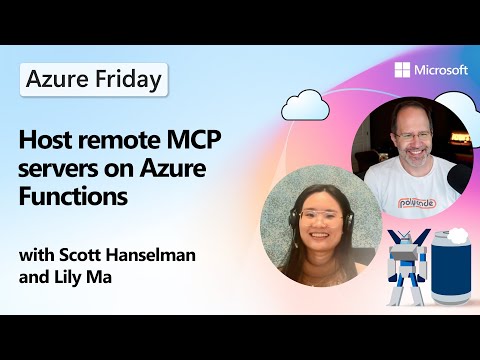
Azure Functions: Run Remote MCP Servers
Host secure scalable remote MCP servers on Azure Functions using MCP SDKs, demoed on Azure Friday with Copilot testing
Key insights
- Model Context Protocol (MCP): MCP lets AI agents call external tools, services, and data sources so they can do more than run locally.
Hosting MCP servers remotely makes those tools available across teams or organizations. - Azure Functions MCP extension vs MCP SDKs: Use the Functions extension to build MCP servers with triggers and bindings, or deploy existing servers written with the official SDKs (Python, TypeScript, C#, Java) without major rewrites.
Both approaches let you run the same server logic in the cloud. - Scalability and consumption-based billing: Azure Functions scales automatically from zero to many instances to handle spikes, and you pay only for what you use, keeping costs predictable for small and large workloads.
- Security with Microsoft Entra and OAuth: Azure Functions integrates with identity and OAuth systems so you can require authentication and limit access to authorized users and agents.
- Deployment basics: Add a host.json file to self-hosted servers so Functions knows how to run them; the platform sets HTTP routes and route prefixes automatically.
Use streamable-http for stateless transports and choose stateful options when needed. - Local development and tooling: Develop, test, and deploy from tools like Visual Studio Code and use assistants such as GitHub Copilot to speed up coding and testing in Copilot or similar test flows.
Azure Functions supports simple deployment and integration with CI/CD for production-ready MCP servers.
Overview
The newsroom reviewed a recent YouTube video published by Microsoft Azure Developers that explains how to host remote MCP servers on Azure Functions. In the video, hosts walk viewers through both the conceptual model and a hands-on demonstration, highlighting two main hosting approaches. As a result, developers can learn practical steps for exposing tool-capable servers to agents and external users without keeping everything local. Moreover, the segment explains when to pick each method and what tradeoffs to expect when moving to the cloud.
How it Works
First, the video clarifies the core role of the MCP — it enables AI agents to call external tools, services, and data securely and predictably. Then, the hosts outline two hosting routes: using the Azure Functions MCP extension that fits the Functions trigger model, or deploying existing servers built with the official SDKs as self-hosted apps on Azure Functions. Both approaches let developers keep familiar code while benefiting from cloud scale, although the extension maps more naturally to serverless patterns.
Next, the tutorial touches on transport and runtime details to guide decisions. For stateless services, the video recommends the streamable-http transport, whereas stateful needs push teams toward the extension that preserves context. Importantly, supported languages include Python, TypeScript, C#, and Java, so teams can reuse current codebases and libraries when possible.
Benefits and Tradeoffs
The hosts emphasize clear benefits: automatic scaling, built-in integrations, and consumption-based billing make cloud hosting attractive for variable workloads. For example, Azure Functions can scale from zero to many instances, so small projects pay less while large workloads get needed capacity. Additionally, authentication integrates with Microsoft Entra and standard OAuth flows to restrict access and reduce exposure when teams open endpoints to external agents.
However, the video also points out tradeoffs that teams must weigh carefully. While serverless removes most infrastructure work, it can introduce cold-start latency and complexity when maintaining session or long-lived state. Consequently, teams must balance the convenience of the function model against potential performance impacts and state management overhead, and they may need additional design work to meet low-latency or stateful requirements.
Deployment and Tooling
Deployment receives practical attention in the demonstration, where the presenters show how minimal configuration lets a self-hosted server run in the Functions environment. The key step is adding a host.json file to the project root so Azure Functions can route requests and handle proxying; after that, standard deployment pipelines work much the same as other Function apps. Furthermore, the video highlights that teams can deploy from Visual Studio Code and integrate with CI/CD so the process fits existing workflows.
Additionally, the hosts demonstrate testing with Copilot and local runs before pushing to the cloud, which reduces iteration time and catches integration issues early. They also mention that the platform automatically configures many HTTP and routing settings, though teams should still verify defaults to align with security and performance goals. In short, the video frames deployment as straightforward but still worth planning around environments and testing strategies.
Challenges and Best Practices
The presenters do not shy away from operational challenges that follow remote hosting. For instance, robust authentication and authorization become critical when opening MCP endpoints, so implementing Microsoft Entra tokens, auditing, and least-privilege policies is essential to limit misuse. Also, monitoring and observability must be in place to detect errors and measure latency, because serverless scaling can mask single-request problems until they affect users at scale.
Finally, the hosts recommend pragmatic best practices to manage tradeoffs: prefer stateless transports where possible to simplify scaling, use the Functions extension for stateful flows that need context, and budget for occasional cold-starts or use warming strategies when latency matters. They also advise teams to test under realistic loads and to track cost patterns so that the consumption model remains an advantage rather than an unexpected expense.
Overall, the video from Microsoft Azure Developers provides a useful, balanced overview for teams evaluating remote hosting for MCP servers. While the platform removes much of the infrastructure burden and supports multiple SDKs and languages, teams still need to consider latency, state, security, and costs when choosing an approach. Consequently, the guidance and demos in the video offer a solid starting point, and teams should follow the recommended testing and monitoring practices before rolling services into production.
Keywords
host remote MCP servers on Azure Functions, Azure Functions MCP server hosting, serverless MCP hosting on Azure, deploy MCP server to Azure Functions, scale MCP servers on Azure, Azure Functions game server hosting, remote MCP server deployment on Azure, optimize MCP server performance on Azure Functions