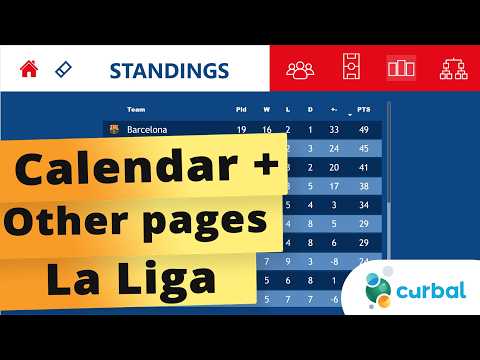
La Liga Power BI: Calendar & Dashboards
Microsoft guide to building La Liga standings and matches in Power BI with calendar table, DAX tips and Excel BI
Key insights
- Calendar table: The video shows building a dedicated calendar table missing from the original project so standings and matches pages work correctly.
Use the calendar to join fixtures, enable date filtering, and drive dynamic match schedules in Power BI reports. - API data ingestion: The demo pulls live league and match data from APIs with parameters for league, season, and team.
Configure API keys and league IDs in queries so refreshes on the Power BI Service return current standings and fixtures. - Power Query and parameters: The presenter uses Power Query to transform data and create reusable parameters (league, season, team).
Split or modularize queries to improve refresh reliability and limit data loaded for scheduled refreshes. - Report pages and visuals: The project builds clear pages for standings, matches, and the calendar to show ranks, points, goals, and upcoming fixtures.
Design visuals to accept parameter changes so viewers can switch leagues or seasons without republishing the report. - Mediacoach and Azure AI: The video explains how advanced systems ingest positional and event data (millions of points per match) to produce tactical insights and live metrics like goal probability.
These models run fast enough for live graphics and enrich fan and broadcast experiences. - Deployment and benefits: Publish PBIX files to Power BI Service and combine with Azure services for scale, real-time updates, and personalized OTT features.
This setup helps broadcasters, clubs, and fans get timely analytics, better match context, and easier report maintenance.
Overview of the Curbal video
The YouTube video by Curbal focuses on building a dynamic Calendar table for a LaLiga-focused Power BI project. In the clip, the creator explains why the calendar was missing from earlier reports and demonstrates how to add it so the standings and matches pages update correctly. Furthermore, the tutorial places this addition in the context of a broader series called "FOOTBALL PROJECT", which shows how to assemble end-to-end reports for football leagues. As a result, viewers can follow a practical workflow that links API data, transformations, and visuals.
Key features demonstrated
First, the video walks through creating a reusable Calendar function that supports different leagues, seasons, and refresh scenarios. Then, Curbal shows how to parameterize queries so the same queries can fetch league data such as standings and matches by adjusting a few values. In addition, the author highlights how this calendar interacts with other pages in the report to drive time-based filters and visual timelines. Consequently, the calendar becomes a foundation for dynamic visuals and time-aware measures across the Power BI file.
Implementation details and technical challenges
The tutorial uses API calls to retrieve match and standings data and then uses Power Query transformations to normalize dates and key identifiers. However, viewers learn that building a robust calendar involves handling edge cases like time zone offsets, mid-season schedule changes, and postponed matches that can break simple joins. Moreover, the video covers how to structure queries to support refreshes in the Power BI Service, including splitting heavy queries and using parameters to reduce refresh load. Therefore, the session balances practical steps with warnings about common pitfalls when bringing live sports data into a report.
Tradeoffs and design decisions
While a dynamic calendar increases flexibility, it also introduces tradeoffs between complexity and maintainability. For example, a fully programmatic calendar built from API responses can adapt to any league quickly, yet it requires careful error handling and testing. Conversely, a static calendar is simpler and more predictable, but it forces manual updates for new seasons and special fixtures. Thus, the video encourages viewers to weigh immediate convenience against long-term scalability when choosing an approach.
Performance, scalability, and governance
Performance considerations appear throughout the video, since frequent API calls and complex transformations can slow desktop refreshes and strain the Power BI Service. In response, Curbal suggests splitting queries, using parameters to reduce returned rows, and caching intermediate results where possible. Furthermore, the tutorial notes that enterprise scenarios may benefit from moving heavy processing into cloud services like Azure and using scheduled refresh windows for large datasets. Ultimately, teams must balance cost, processing power, and refresh frequency to meet reporting SLAs.
Practical recommendations and next steps
For practitioners, the video recommends documenting the parameters, testing calendar joins against real match anomalies, and keeping a versioned copy of any code or query functions. In addition, viewers are encouraged to adopt modular designs—separating calendar logic, standings queries, and match details—so future changes affect only one component at a time. Meanwhile, the tutorial shows where downloadable pbix examples and query scripts can speed adoption, though teams should adapt those examples to their production standards. By following these steps, analysts can reduce risk and speed iteration.
Broader implications for clubs and broadcasters
Beyond the immediate technical lesson, the video illustrates how a well-modeled calendar supports richer fan experiences and operational insights. For broadcasters, accurate time series and match context enable timely graphics and improved viewer engagement. For clubs, better calendars help coordinate performance analytics, travel logistics, and training plans. Therefore, a seemingly small data table can have outsized value when integrated thoughtfully across analytics and operations.
Conclusion
In summary, the Curbal video delivers a practical, example-driven guide to adding a robust Calendar table to a LaLiga Power BI report, while also calling attention to the tradeoffs between flexibility and simplicity. The tutorial mixes hands-on steps with strategic advice about performance, governance, and modular design, making it useful both for hobbyists and professionals. Finally, because live sports data introduces irregularities, the video rightly emphasizes testing and defensive query design so reports remain reliable under real-world conditions.

Keywords
La Liga Power BI dashboard, Football Power BI calendar, La Liga analytics Power BI, Football data visualization Power BI, Power BI soccer dashboard, La Liga fixtures Power BI, Football Power BI tutorial, Sports dashboard Power BI