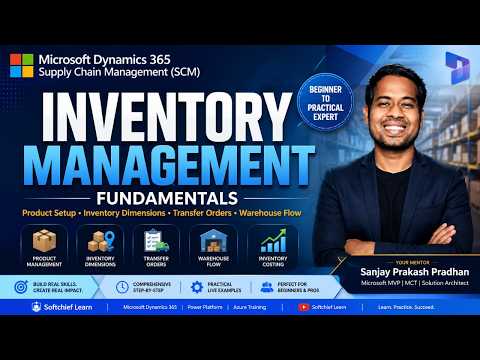
Dynamics 365 SCM: Inventory Essentials
Learn how to take advantage of your business data with Microsoft Dynamics 365 & Power Platform & Cross Technologies. My name is Sanjaya Prakash Pradhan and I am a Microsoft Certified Trainer (MCT) and
Microsoft expert: Dynamics Three Sixty Five SCM inventory, transfer orders, warehouse flow, Finance and Operations
Key insights
-
This YouTube training video explains core concepts of Inventory Management in Microsoft Dynamics 365 SCM for beginners and consultants.
It uses live demos inside D365 Finance & Operations and is suitable for certification prep and practical upskilling. -
The video covers product setup including Product Master Data, Product Types (items and services), released products, variants, and attributes.
It shows how correct product setup drives accurate transactions and reporting. -
It explains physical and logical tracking with Inventory Dimensions like site, warehouse, and location, plus Batch & Serial Number tracking and expiry control.
The session demonstrates how dimensions give granular visibility and support compliance. -
Core processes shown include using Inventory Journals, creating Transfer Orders, and executing the warehouse transfer flow for inbound, internal, and outbound movements.
The demo clarifies how transactions post and update on‑hand balances in real time. -
Inventory valuation and replenishment topics include Inventory Costing methods (FIFO, LIFO, Moving Average) and planning controls like Reorder Points and safety stock.
The trainer also demonstrates automated replenishment via purchase, transfer, or production orders. -
Newer capabilities focus on the Inventory Visibility microservice for real-time, cross-channel stock views, Soft Reservations to reduce oversells, and integration with Available-to-promise (ATP) for better delivery dates.
These features improve stock accuracy, reduce stockouts, and speed up fulfillment when paired with warehouse processes.
Introduction: Video at a glance
The recent YouTube session from Softchief Learn offers a practical walkthrough titled Dynamics 365 SCM Inventory Management Explained, and it focuses on core inventory concepts inside Dynamics 365 Finance & Operations. Moreover, the trainer Sanjay Prakash Pradhan, a Microsoft MVP and certified instructor, demonstrates setup and end-to-end processes that appeal to both beginners and experienced consultants. In short, the video aims to give viewers a hands-on foundation for inventory activities, transfer orders, warehouse flow and costing methods. Consequently, the session serves as a focused learning resource for certification candidates and working professionals alike.
Importantly, the video balances conceptual explanation with live demonstrations, which helps translate theory into practical steps inside the application. The presentation covers master data, inventory dimensions, batch and serial tracking, and common transaction types. In addition, it highlights configuration points and testing best practices for user acceptance. Therefore, viewers gain both an overview and actionable tasks they can follow directly in D365.
Core features and demo highlights
First, the session explains product master data and distinguishes between item types such as stocked items and services, showing how to release products for use. Next, the trainer walks through Product Variants, attributes, and how to apply inventory dimensions like site, warehouse, and specific locations to improve traceability. As a result, viewers learn how finer location control reduces picking errors and improves stock accuracy. Moreover, the video clarifies when to use batch or serial number tracking and how that choice impacts fulfillment and compliance.
Then, the demonstration moves to operational flows including inventory journals, Inventory Transfer Orders, and warehouse transfer processing. The presenter shows step-by-step postings and the resulting inventory transactions, which helps illustrate how the system records physical movements. In addition, the session covers costing approaches such as FIFO, LIFO and Moving Average, and explains their effects on valuation and reporting. Therefore, viewers can compare how different costing methods influence financial statements and operational KPIs.
What’s new: real-time visibility and service-based features
Importantly, the video references Microsoft’s recent push toward a service-based Inventory Visibility model that provides more real-time, cross-channel stock control. This microservice-oriented approach aims to surface on-hand, in-transit, reserved and quarantined inventory quickly across multiple systems and channels. Consequently, organizations can use improved available-to-promise calculations and soft reservations to reduce overselling. Meanwhile, these features support omnichannel scenarios and better customer promise dates.
However, the shift to real-time visibility also introduces operational tradeoffs. For example, tighter integration and continuous updates demand robust data accuracy and more network and compute resources. In addition, teams must balance the benefits of instant visibility against added system complexity and potential latency when many services communicate. Therefore, organizations should plan carefully for testing, monitoring, and scaling before moving critical flows to real-time services.
Tradeoffs and implementation challenges
While the video highlights many advantages such as reduced stockouts and better fulfillment, it also points to typical implementation challenges that teams must manage. First, mastering inventory dimensions and batch/serial strategies requires careful planning to avoid changing critical attributes after transactions start. Second, complex costing methods and cross-module integrations with procurement and manufacturing can complicate reconciliations and audits. Therefore, project teams need strong governance to prevent data drift and ensure consistent master data.
Moreover, adopting advanced features like dynamic buffers or Copilot-assisted optimization may improve efficiency but also raise dependency on new algorithms and external services. Training and governance become essential because automation can mask data quality issues until they affect orders or financial reports. In practice, organizations must weigh the speed of automation against the need for human oversight, and invest time in user acceptance testing to catch edge cases early.
Practical guidance for teams and learners
For practitioners, the video recommends starting with clear product master data and simple dimension rules, then iterating toward more advanced features. In addition, the trainer stresses UAT best practices and shows how to validate transactions before going live, which reduces rework. Those preparing for certifications will find the structured coverage of inventory, transfer orders, and costing particularly useful because it maps to real exam topics. Therefore, combining video practice with hands-on sandbox exercises yields the best learning outcomes.
Finally, organizations should adopt a phased implementation approach: pilot a subset of products and locations, measure results, and then expand. Meanwhile, teams need to budget for configuration time, integration testing, and staff training to realize the benefits fully. In this way, companies can balance speed, cost, and control while improving fulfillment and stock accuracy over time. Consequently, the Softchief Learn session provides a practical roadmap and realistic expectations for anyone deploying Dynamics 365 SCM Inventory Management.
Related resources

Keywords
Dynamics 365 Supply Chain Management, Dynamics 365 Inventory Management, D365 SCM inventory, Dynamics 365 warehouse management, D365 inventory optimization, Dynamics 365 stock control, Dynamics 365 inventory tracking, Dynamics 365 inventory forecasting