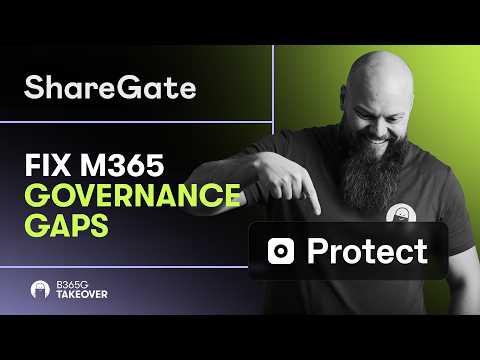
ShareGate Protect Fixes M365 Gaps
No-Faffing Managed IT Support & Cyber Security Support. Made in Yorkshire, built for the UK.
Copilot exposes SharePoint permission sprawl; ShareGate Protect restores tenant visibility and automates cleanup
Key insights
- Copilot uses permission-aware retrieval — it returns only content users can already access, so Copilot exposes existing permission problems rather than creating new ones.
Act: treat Copilot as a discovery tool that reveals gaps you must fix. - Oversharing, over-permissioning, weak classification, thin audit trails, and content sprawl are the common governance gaps Copilot reveals.
Impact: these issues increase accidental exposure and make automated discovery tools more risky. - ShareGate Protect provides tenant-wide visibility, lets you find and bulk-delete risky links (including older history), and supports scheduled cleanup so issues don’t reappear.
Benefit: it focuses on remediation and hygiene rather than trying to change how Copilot works. - Prepare before broader AI rollout: manage content sprawl, stop oversharing, apply consistent sensitivity labels, and strengthen DLP rules.
Result: fewer risky items for Copilot to surface and stronger control over sensitive data. - Operationalize fixes with permissions reviews, automated policies that run daily, and license reclamation for unused E3/E5 seats to cut costs.
Tip: automation and regular audits keep tenant hygiene sustainable. - This matters for IT admins, MSPs, and governance owners — prioritize cleanup now so AI highlights your improvements, not your risks.
Urgency: act before Copilot or other AI tools amplify governance gaps.
In a new YouTube video by Jonathan Edwards, the presenter argues that Copilot does not create security holes in Microsoft environments but rather exposes them swiftly. Accordingly, the video frames the issue as one of existing governance and permission sprawl in Microsoft 365 rather than a single product failure. Moreover, the clip highlights how tools such as ShareGate Protect can help IT teams find and fix those long-standing gaps before they cause real damage.
Video overview and key claims
First, the video outlines the central claim: Copilot uses the permissions already granted to users, and therefore it surfaces files and sites that administrators have effectively left open. Consequently, what looks like a sudden exposure is often the result of many small governance decisions made over years. In addition, the presenter walks viewers through a tenant-level cleanup approach rather than treating Copilot as the root cause.
Second, Jonathan frames the response as three practical steps: gain visibility across the tenant, remove risky links and access, and automate ongoing hygiene. He also demonstrates how automated policies can run daily to catch regressions, while emphasizing that remediation requires human review in many cases. Finally, the video targets IT admins and managed service providers who must balance speed, cost, and operational risk when enabling AI features.
How Copilot surfaces long-standing governance gaps
The video explains that Copilot performs permission-aware retrieval, meaning it can only pull content a user already has access to. Therefore, weak or inherited permissions, forgotten “Anyone” links, and outdated guest accounts suddenly become visible through natural language prompts. As a result, organizations discover issues fast, which is helpful, yet also embarrassing if they were unaware of the exposure.
Furthermore, the clip points out common systemic causes such as decentralized permission management and inconsistent labeling of sensitive data. For example, if sensitivity labels or data loss prevention rules are missing, then downstream controls cannot stop Copilot or anyone else from finding sensitive material. Thus, the core issue is a fractured governance posture rather than a flaw in the AI itself. In particular, teams should consider how labeling or Microsoft Purview policies apply.
What ShareGate Protect offers
The video positions ShareGate Protect as a tenant-level tool for visibility and remediation that complements Microsoft’s native options. It shows how administrators can get a single view of who can access what, find and bulk-delete risky sharing links with a full history, and set automated policies that run every 24 hours. In addition, the tool helps spot unused license seats and dormant Teams so IT can reduce cost and clutter.
Importantly, the presenter clarifies that such tools act on the symptoms of governance drift and enable scale; they do not change the underlying paradigm of role-based access control. Consequently, administrators still need to define who should own lifecycle processes and how labeling or Purview policies should apply. Nonetheless, having automated remediation and clear reporting reduces time to fix and helps maintain a steady state after cleanup.
Tradeoffs and operational challenges
Balancing automation and human judgment proves a key theme in the video, and for good reason: automated remediations speed up cleanup, but they can produce false positives or remove access that users still need. Therefore, teams must design safeguards such as staged policies, approval steps, and rollback plans. Moreover, automation works best when paired with regular human reviews and clear stakeholder ownership to avoid business disruption.
Another tradeoff involves licensing and cost control. While identifying unused E3/E5 seats can reduce expense, reclaiming licenses requires careful communication and transition planning so that productivity does not suffer. Similarly, investing in third-party hygiene tools brings recurring fees, so organizations must weigh the immediate risk reduction against longer-term operational budgets.
Finally, audit limitations and telemetry gaps remain a real challenge; not every tenant will have perfect logs or labeling in place. As a consequence, some remediation actions rely on best-effort detection and may miss edge cases. Thus, teams should prioritize high-risk areas first and expand remediations in measured phases rather than attempting a single sweeping change.
Practical recommendations for IT teams and MSPs
To begin, the video recommends performing a permissions audit before or immediately after enabling Copilot so organizations understand the baseline risk. Next, teams should adopt a governance-first approach by reducing oversharing, applying sensitivity labels, and enforcing lifecycle policies to remove stale content. In addition, combining native Microsoft tools with targeted third-party solutions can speed cleanup and improve ongoing monitoring.
In conclusion, Jonathan Edwards’ video offers a clear message: treat Copilot as a catalyst for governance improvement rather than a new security problem. By balancing automation with careful human oversight, addressing licensing tradeoffs responsibly, and improving visibility across the tenant, IT teams and MSPs can reduce exposure and make AI rollouts safer. Ultimately, governance work is ongoing, and tools that surface problems only become useful when paired with accountable processes.

Keywords
Copilot M365 security, Microsoft 365 governance gaps, Copilot compliance risks, ShareGate Protect solution, M365 governance tools, ShareGate Protect tutorial, Copilot data exposure prevention, Microsoft 365 admin best practices