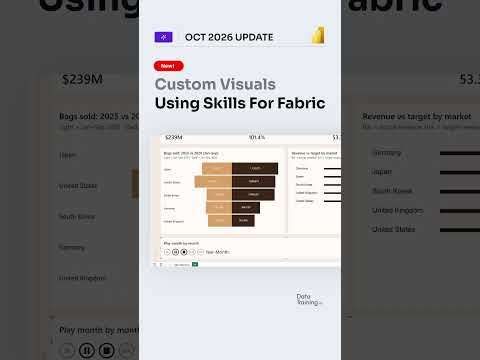
Power BI reports with Claude and custom visuals
Claude can query a Power BI semantic model and generate dashboard-style visuals, but the workflow is not a documented replacement for report development.
Key insights
- The described workflow connects Claude to Power BI semantic models through Microsoft's Power BI MCP server.
- Claude can inspect model metadata and run DAX queries, according to the research notes.
- Generated visual experiences are not evidence that Claude creates and publishes certified Power BI custom visuals.
- The material does not specify licensing, tenant settings, or a complete setup path.
Claude can use a Power BI semantic model to run analysis and generate dashboard-style visualizations, extending the work beyond asking questions about an existing report. This matters to Power BI analysts and report authors exploring AI-assisted analysis or prototypes. How to Power BI raised the report-building claim in a short post, while the available technical notes describe a more limited, preview-based workflow.
What it does
The described approach connects Claude to a Power BI semantic model through Microsoft's Power BI Model Context Protocol (MCP) server. A semantic model is the analytical layer that contains data tables, relationships, measures and other model definitions used by reports. MCP provides a way for an AI application to call external tools; here, those tools can expose model information and query operations.
According to the research notes, Claude can inspect model structure, identify existing measures and execute DAX queries against the model. It can then use the query results to provide analysis or create visual output. This makes the existing model, rather than a separately exported spreadsheet, the starting point for the described workflow.
The phrase “build the whole report” needs qualification. The evidence describes model exploration, querying and generated dashboard or visualization experiences. It does not establish that Claude autonomously produces a complete, governed Power BI report file, or that every generated visual is a Power BI custom visual package that can be certified and published. A chart or interactive dashboard shown in an AI response is not automatically the same thing as a visual embedded in a Power BI report.
Who it is for and what you need
This approach is relevant to Power BI report authors and analysts who want to explore an existing semantic model using natural-language instructions. It may also help teams prototype ways to present results before they build or refine a report. The research notes describe reusing established DAX measures as one potential advantage: generated analysis can query existing business definitions rather than independently recreating them.
The stated technical components are Claude, a Power BI semantic model, and Microsoft's Power BI MCP server. The notes characterize the workflow as preview-based and agentic, not as a universally available replacement for Power BI Desktop report development. The material provided does not identify required Claude or Power BI licenses, a region, a tenant rollout schedule, or the exact tenant setting and permission requirements.
Because the workflow accesses model information and runs queries, organizations should verify which model and account are being used and what access is authorized before testing it with business data. The supplied material does not explain the security configuration or give enough detail to recommend a specific admin setting. Treat those as setup questions to resolve from current Microsoft documentation and your organization’s policies, rather than assuming the connection is enabled by default.
How it works
The research notes outline a general sequence, but do not provide a precise menu path or complete configuration walkthrough. At a high level, an administrator enables the relevant Power BI or Fabric tenant setting, then Claude is authorized to connect to Microsoft's Power BI MCP service. The user selects or supplies the semantic model to work with.
- Connect Claude to the Power BI MCP service, subject to the required authorization and tenant configuration.
- Choose the Power BI semantic model relevant to the analysis.
- Ask Claude to inspect tables, columns, relationships or existing measures.
- Request an analysis. Claude can use DAX queries against the model to retrieve results.
- Ask for a summary or a visual representation of those results, such as a dashboard concept or chart.
For more reliable results, the notes suggest asking Claude to use existing measures and show the DAX queries involved. That gives an analyst a way to review which business logic the analysis uses. Generated output still needs to be checked against the model and the intended reporting definitions before it informs decisions or is reused in a published report.
Limitations and open questions
The largest limitation is the gap between a generated visualization and a finished Power BI report. The research notes explicitly caution that this is not documented as a fully autonomous replacement for Power BI Desktop development. They also distinguish generated interactive experiences from the creation, certification and publication of Power BI custom visual packages. The material does not show a reliable end-to-end process for turning Claude's output into a governed report artifact.
Licensing, access setup, tenant controls and availability details are not stated in the supplied post material, and no official Microsoft source URL was provided in the source list. The research notes call the workflow preview-based, but do not identify a rollout stage or date that readers can use to check eligibility. Confirm those details before planning a deployment.
The short post's title makes a broad claim about building a complete report with custom visuals, but its supplied description contains no technical walkthrough and no transcript was provided. The research notes support a narrower takeaway: Claude may use a connected semantic model for exploration, DAX queries and generated visual experiences. They do not verify that Claude created a complete Power BI report in the demonstrated scenario.
Sources
Frequently asked questions
Can Claude build a complete Power BI report?
The available notes describe model exploration, DAX queries and generated dashboard-style visuals. They do not establish that Claude creates and publishes a complete, governed Power BI report.
Can Claude create Power BI custom visuals?
The material describes generated visual experiences, but does not show that Claude creates, certifies and publishes Power BI custom visual packages.
What do I need to connect Claude to Power BI?
The described components are Claude, a Power BI semantic model and Microsoft's Power BI MCP server. Exact licenses, permissions and tenant setup steps are not stated.
Is Claude's Power BI integration generally available?
The research notes characterize the workflow as preview-based. They do not specify rollout timing, eligible tenants or regions.