Azure Logic Apps: Autonomous AI Agents
IT Program Manager @ Caterpillar Inc. | Power Platform Solution Architect | Microsoft Copilot | Project Manager for Power Platform CoE | PMI Citizen Developer Business Architect | Adjunct Professor
Azure Logic Apps as conversational agents: orchestration with Document Intelligence, Blob and Foundry via auto.azure.com
Key insights
- Agentic Logic Apps turns Logic Apps into an AI orchestrator that runs both Autonomous Agents and Conversational Agents.
It connects to models in Azure OpenAI or Foundry so workflows can reason and act on real tasks. - The core is the agent loop: provide instructions, expose tools, set agent parameters, and feed knowledge so the agent can plan, act, and iterate.
This lets workflows adapt instead of only following fixed steps. - Logic Apps can orchestrate services like Document Intelligence and Blob Storage, and integrate with a Foundry agent for complex pipelines.
Demo scenarios show conversational and autonomous agents processing real-style data (all demo data is synthetic). - To build an agentic workflow you typically create a Standard or Consumption Logic App, add the Agent action, connect it to LLM models, and register any tools or child workflows the agent may call.
Design agents as small, composable tools rather than one large workflow for easier reuse. - Business users can use auto.azure.com and Logic Apps Automation to build automations without opening the Azure portal, with scoped access and permissions for safer deployment.
This brings agent capabilities to non-technical teams while preserving governance. - Benefits include adaptive automation, easier human-in-the-loop collaboration, and broad enterprise connectors; note some features are in preview and availability can vary by region or subscription.
Plan for staged testing and check feature gates before production roll-out.
Overview of the demonstration
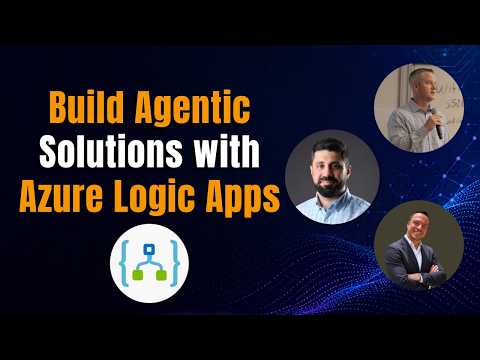
In a recent YouTube session led by Rafsan Huseynov, Microsoft demonstrates how Azure Logic Apps can act as both an orchestrator and an agent. The session, joined by Kent Weare and David Lorenzo, highlights new workflow types that create Conversational Agents and Autonomous Agents inside Logic Apps. The presenters show how these workflows can call AI models, connect to storage and document services, and run agent loops that reason and act. Importantly, the video notes that all data shown is synthetic and that some capabilities remain in preview.
Overall, the demo positions Logic Apps not just as plumbing between systems but as an active part of AI-driven automation. Moreover, the presenters illustrate both conversational interfaces for human-in-the-loop work and autonomous agents that complete multi-step tasks. The session also introduces a low-code experience for business users called auto.azure.com, which aims to simplify automation without requiring the full Azure portal. Consequently, the announcement targets both developers and business builders.
The agent loop and technical approach
Central to the announcement is the agent loop concept, which gives workflows the ability to iterate on goals rather than follow only fixed steps. In practice, an agent loop supplies instructions to an Agent, exposes tools the agent may call, sets parameters, and provides relevant knowledge to guide decisions. The video explains that agents can connect to models in Azure OpenAI or a Foundry project, and that Logic Apps can either host agents or act as callable tools for other agent systems. Consequently, developers can combine model reasoning with existing connectors like Document Intelligence and Blob Storage to build practical automation.
However, this flexibility introduces configuration complexity because teams must decide which parts run inside Logic Apps and which remain in specialized agent services. Furthermore, overlapping decision logic between models and workflow steps can make debugging harder and increase the risk of unexpected behavior. Therefore, investing in observability, clear logging, and a well-defined separation of responsibilities becomes essential to deliver robust solutions.
Live demo: orchestration and real-world scenarios
Rafsan walks through a worked example where Logic Apps orchestrates document extraction, storage, and agent reasoning across services. In the demo, the workflow uses Document Intelligence to extract data, saves artifacts to Blob Storage, and calls a Foundry agent to interpret results and decide next steps. This combination shows how Logic Apps can act as both the conductor and one of the instruments in an agentic system. Moreover, the presenters run both a conversational mode that surfaces a chat interface and an autonomous mode that iterates without human prompts.
The demonstration makes clear that agentic workflows can handle real-data patterns even though the recorded session uses synthetic inputs. Consequently, organizations moving to production must consider data governance, model access controls, privacy, and cost management. In addition, choosing when to use a conversational versus an autonomous approach requires balancing responsiveness, human oversight, and auditability. As a result, teams should prototype common scenarios to surface hidden costs and operational gaps early.
Business access, user experience, and governance
For business users, the session highlights a new experience called auto.azure.com that aims to lower the barrier to building automation. This experience promises scoped access and simplified permissions so non-technical users can author workflows without navigating the full Azure portal. Meanwhile, professional developers can still build advanced Agent workflows in the standard Logic Apps resource with finer controls. Together, this split approach intends to support rapid adoption while preserving enterprise governance.
However, the tradeoff is that simplified tools may hide important details about error handling, security, and costs. Therefore, IT teams must define guardrails, review templates, and enforce patterns so citizen builders create safe automations. Effective training, combined with shared libraries and approval flows, will reduce risky shadow IT while preserving agility. In turn, clear role definitions and audit trails help organizations scale safely.
Tradeoffs, challenges, and where this fits
The video makes clear that agentic Logic Apps open new possibilities but also require careful tradeoffs. For example, autonomous agents can increase operational speed and reduce manual steps, yet they demand trust in models and rigorous monitoring to prevent undesirable actions. Conversely, conversational agents give humans control and transparency, but they slow throughput and require human review to maintain quality. Thus, organizations must weigh speed against oversight and design workflows that match their risk tolerance.
Operationally, teams will face challenges such as preview feature limits, regional availability, and the complexity of composing multiple services. Consequently, pilot projects, staged rollouts, and clear success criteria help manage risk while proving value. In short, Microsoft's approach gives teams more options for AI-driven automation, but delivering reliable agentic workflows still demands thoughtful design, governance, and cross-team collaboration.
Keywords
Azure Logic Apps AI agents, Build AI agents Azure, Conversational AI Azure Logic Apps, Autonomous agents Azure, Azure AI agents tutorial, Logic Apps AI integration, Azure OpenAI Logic Apps, AI workflow automation Azure