Copilot Studio: Governance for Defaults
IT Program Manager @ Caterpillar Inc. | Power Platform Solution Architect | Microsoft Copilot | Project Manager for Power Platform CoE | PMI Citizen Developer Business Architect | Adjunct Professor
Copilot Studio governance: avoid default environment trap with Power Platform, DLP, ALM, Defender and Entra Agent ID
Key insights
- Default Environment trap
Teams often start building agents in the Default Environment because it is easiest, but that creates uncontrolled access, weak security, and dozens of unmanaged agents.
Once that happens, cleanup becomes risky and expensive. - Environment routing
Create separate spaces for personal experimentation, dev/test, and production so agents run where they belong.
Use routing to automatically redirect new agent creation to safe sandboxes instead of the Default Environment. - DLP policies
Enforce a default-deny data policy and classify connectors as business, non-business, or blocked to stop unauthorized data movement.
Apply tailored DLP rules per environment to protect sensitive sources without blocking safe innovation. - Managed environments
Turn on managed environments to centralize oversight, limit sharing, track costs, and automatically clean up inactive agents.
Group environments to control routing and apply consistent governance at scale. - ALM with Power Platform pipelines
Use pipelines and solution-based deployments to require reviews and approvals before agents reach production.
This enforces change control, reduces shadow production, and improves reproducibility. - Advanced threat detection & Agent identity
Enable runtime protection with Microsoft Defender and use Entra Agent ID (Agent 365) to give agents governed, auditable identities.
Combine threat detection and agent identity controls to meet compliance and reduce risk.
Video summary and context
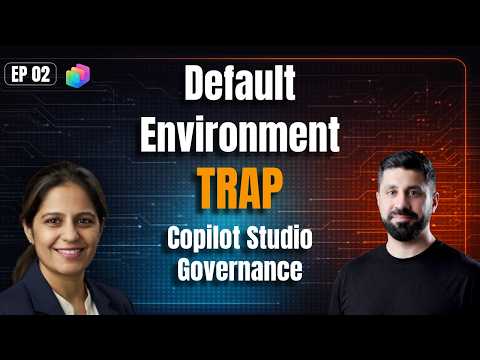
Rafsan Huseynov’s YouTube video, titled "Avoid the Default Environment Trap — Copilot Studio Governance Deep Dive," offers a near two-hour walkthrough aimed at enterprise teams using Copilot Studio. The presentation features detailed guidance and practical examples, and it is framed as the kind of tutorial the speaker wishes they had earlier in their organization’s journey. Importantly, the video addresses a common operational mistake: starting projects in the Default Environment and then struggling to scale securely. As a result, the content is both a warning and a how-to guide.
Huseynov organizes the session with clear chapters that cover environment strategy, routing, DLP, managed environments, ALM, and threat detection tools. Along the way, he interviews Isha Kapoor to bring real-world perspective and to highlight implementation tradeoffs. Consequently, the video blends conceptual recommendations with hands-on steps for administrators and architects. The format makes it useful for Copilot Studio admins, CoE leads, and architects planning enterprise scale.
Core governance recommendations
At the center of Huseynov’s argument is a structured environment strategy that separates personal experimentation, development, and production workloads into distinct spaces. He stresses that teams should avoid the temptation to use the Default Environment because it is permissive by design, and this permissiveness often leads to uncontrolled agent proliferation and data exposure. Therefore, organizations should define clear roles for each environment and apply tailored policies so that experimentation does not become shadow production. This approach helps teams maintain security while still enabling innovation.
In addition, the video recommends enabling Managed Environments to gain centralized oversight and automated cleanup of inactive agents, which reduces long-term operational debt. Huseynov pairs that recommendation with the need for firm controls on environment creation and ownership so that accountability does not erode over time. He also suggests adopting a "default-deny" posture for data exfiltration while allowing approved connectors and workflows. This balance preserves security without fully blocking productivity.
Technical controls and tools explained
The presenter dives into several technical controls that support the governance model, including DLP policies, Environment Routing, and Power Platform pipelines for ALM. He explains how routing can automatically redirect new agent creation away from the Default Environment to safer sandboxes, which prevents accidental exposure and keeps production systems stable. Moreover, he shows how connector categorization—business, non-business, blocked—helps enforce least-privilege access to data sources. These controls, when combined, create layered defenses that align with enterprise compliance requirements.
Huseynov also covers runtime protections like integrating Microsoft Defender for advanced threat detection and discusses the role of Agent 365 and Entra identities for governing agent identities. By using pipeline-based deployments, teams can introduce approval gates and versioned solutions, reducing the risk of untested changes reaching production. However, he highlights the implementation work needed to wire these controls into existing CI/CD and governance processes. Consequently, institutions must plan both technical and organizational changes to realize these protections.
Tradeoffs and common challenges
Huseynov does not shy away from the tradeoffs inherent in stricter governance: tighter controls can slow down maker productivity and require more administrative effort. For example, restricting connectors and enforcing DLP may break legitimate scenarios until teams classify resources properly and update policies. On the other hand, leaving everything open risks data leakage and uncontrolled cost spikes caused by trial credits or runaway agents. Thus, leaders must weigh the cost of friction against the cost of remediation after a security incident.
A recurring challenge discussed in the video is the pain of retrofitting governance once the Default Environment has hundreds of agents and no clear ownership. Migration requires careful routing, environment grouping, and often manual cleanup, which can disrupt services if done hastily. Huseynov recommends incremental migration, strong communication, and tooling to inventory assets so teams can move safely. Therefore, planning and patience are crucial for avoiding operational breakage.
Practical next steps for teams
To translate the video’s advice into action, Huseynov suggests immediate audits of who can create environments and a quick routing change to divert new agent creation into a sandboxed area. Teams should then apply managed environment controls, roll out DLP with thoughtful connector classifications, and adopt Power Platform pipelines for ALM. Importantly, he also advises establishing a small governance team or CoE function to serve as the arbiter of policy, support makers, and provide training.
Finally, the video encourages an iterative path: start with high-impact controls, gather metrics, and adjust policies as you learn more about maker behavior and business needs. By doing so, organizations can protect sensitive data, control costs, and still enable the experimentation that drives useful Copilot Studio agents. Overall, Rafsan Huseynov’s deep dive supplies a pragmatic roadmap for enterprises seeking to scale AI agents responsibly.
Related resources

Keywords
Copilot Studio governance, Copilot governance best practices, default environment risks, Power Platform Copilot governance, environment management Copilot Studio, Copilot Studio security, governance policies for Copilot Studio, Copilot governance pitfalls