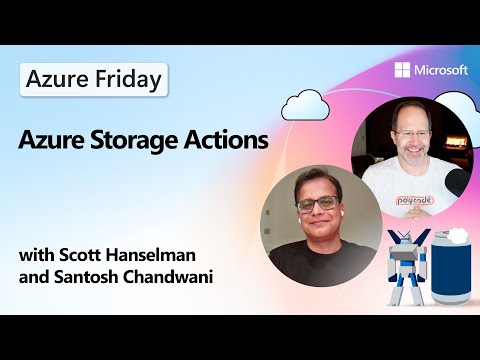
Azure Storage Actions: Automate Tasks
Microsoft: Azure Storage Actions automates data management with no code serverless for protection cost and compliance
Key insights
- Azure Storage Actions: a fully managed serverless orchestration platform that automates data management across Blob Storage and Data Lake Storage Gen2.
It lets teams define, schedule, and run tasks on storage objects in minutes without writing custom infrastructure code. - Serverless and Scalability: runs without managing servers and scales to handle billions of blobs across multiple accounts.
Microsoft manages orchestration state and history so teams focus on policy, not infrastructure. - Dynamic targeting and Conditional workflows: trigger actions by blob tags, metadata, or properties and compose multi-step, conditional tasks.
This enables precise, policy-driven automation tailored to business rules and object attributes. - Visibility and monitoring: provides real-time progress, execution charts, and summary views for each task.
Users can schedule, track, troubleshoot, and manage recurring or one-time tasks from a single interface. - Compliance and Security integration: automate legal holds, retention, immutability, and other data-protection controls; integrates with Microsoft Defender for Cloud for enhanced threat protection.
These features help enforce rules and reduce manual compliance work. - Cost optimization and practical use cases: automate tiering to Cool or Archive, expire or delete temporary data, and perform bulk tagging and metadata updates.
Storage Actions reduces costs and removes the need for custom cleanup scripts or manual interventions.
Overview of the Video
The YouTube video from Microsoft Azure Developers walks viewers through the newly available Azure Storage Actions platform on the Azure Friday show. In the segment, Scott Hanselman and Santosh Chandwani demonstrate how the service provides a no-code, serverless way to automate routine data management tasks. They emphasize speed and simplicity, showing how teams can compose, deploy, and monitor actions that affect large volumes of objects such as blobs and files.
Moreover, the episode is structured with clear chapter markers and a hands-on demo that highlights both configuration and management experiences. As a result, viewers can quickly see where Azure Storage Actions fits into governance, compliance, and cost control strategies. The presenters repeatedly point out that the service targets operational efficiency and reduces the need for custom scripts.
How Azure Storage Actions Works
In the demo, the hosts show that actions target storage objects by using attributes like tags and metadata, which enables granular policy-driven behavior. Then they configure tasks that run either once or on a recurring schedule, and the platform manages orchestration and scaling automatically. Consequently, users do not need to maintain infrastructure to execute mass operations across accounts and containers.
Additionally, the platform supports multiple blob types and works with Azure Data Lake Storage Gen2, which broadens its applicability for analytics and long-term data retention. The video emphasizes visibility, with dashboards and run histories that make it easier to monitor progress and handle failures. Therefore, operators can trace actions and troubleshoot without resorting to ad hoc logging solutions.
Key Features and Practical Use Cases
The hosts highlight several prominent capabilities, including automated tiering, bulk tagging, legal holds, and integrations for threat protection. For example, teams can automatically move older objects to cheaper tiers or apply immutability for compliance, which helps reduce cost and risk simultaneously. Moreover, the service integrates with security tooling to surface threats and apply protection actions at scale.
In practice, the video outlines use cases such as enforcing retention policies, removing expired temporary data, and standardizing metadata across millions of objects to improve discoverability. Because actions run serverlessly, organizations can scale operations to billions of blobs without provisioning additional compute resources. As a result, Storage Actions can replace brittle custom scripts and manual processes with a unified, repeatable approach.
Tradeoffs and Operational Challenges
While the platform reduces manual effort, the video also implies several tradeoffs that teams must consider before broad adoption. For instance, relying on a managed orchestration service adds dependency on the provider’s SLA and operational model, which may affect how organizations design fallback procedures. Furthermore, automated actions that modify or delete data require careful testing and governance to avoid accidental data loss.
Another challenge is balancing automation speed with auditability; although the platform stores run history and metrics, complex multi-step workflows can still be hard to validate end-to-end. Consequently, teams should invest in staging environments and clear tagging conventions so that actions target the intended objects. Finally, cost optimization itself requires careful rule design, since aggressive tiering or deletion policies can create hidden retrieval costs or compliance gaps that offset savings.
Adoption Steps and Final Thoughts
The presenters recommend starting with conservative policies and iterative rollouts so organizations can validate behavior on smaller scopes before expanding. Additionally, they suggest combining automated tasks with monitoring and alerting to catch unintended consequences early, which improves confidence and minimizes operational risk. Therefore, a phased approach helps teams balance automation benefits against governance needs.
Overall, the video paints Azure Storage Actions as a pragmatic step toward reducing storage management friction, especially for large-scale environments that struggle with manual or scripted processes. However, successful adoption will depend on careful policy design, testing, and cross-team coordination to manage tradeoffs between cost, performance, and compliance. In short, the episode offers a clear, practical introduction for teams that want to automate storage operations while remaining cautious about governance and downstream impacts.

Keywords
Azure Storage automation, Automate data management Azure, Azure Storage Actions tutorial, Azure Blob storage automation, Azure Files automation, GitHub Actions Azure Storage, Azure storage lifecycle management, Automate Azure data transfers