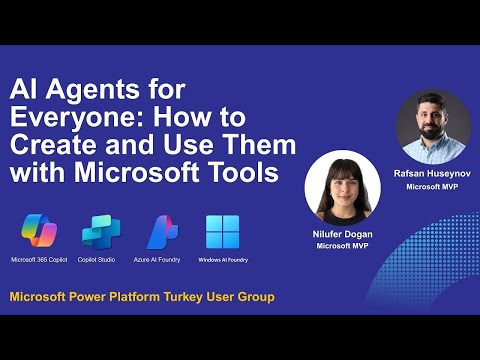
Microsoft AI Agents: Build & Use Easily
IT Program Manager @ Caterpillar Inc. | Power Platform Solution Architect | Microsoft Copilot | Project Manager for Power Platform CoE | PMI Citizen Developer Business Architect | Adjunct Professor
MS expert guides anyone to build AI agents with ThreeSixtyFive Copilot, Copilot Studio, Azure and Windows AI Foundry
Key insights
- AI agents are autonomous, task-focused programs that act across apps and systems to complete work instead of only giving suggestions.
Microsoft frames them as proactive collaborators that can reason, act, and hand off tasks across teams and tools. - Microsoft offers four core platforms: Microsoft 365 Copilot for embedded workplace assistance, Copilot Studio for low‑code/no‑code agent building, Azure AI Foundry for cloud-scale multi‑agent deployment, and Windows AI Foundry for full AI lifecycle and on‑device scenarios.
- Copilot Tuning lets organizations train Copilot on their own data to create domain‑specific agents.
To manage scale, Microsoft introduced Agent ID for unique identity and an Agent Store so employees can find approved agents for tasks like HR or travel. - Choose the right tool by scenario: use Copilot Lite and no‑code Copilot features for quick workplace automations, Copilot Studio for tailored business workflows, Azure AI Foundry for complex multi‑agent systems, and Windows AI Foundry for hybrid or local model needs.
- Key business benefits include faster automation of complex workflows, improved team productivity, easier access to AI for non‑developers, and enterprise governance and scale through centralized services and standards.
- The video demoed practical steps and live demos for building agents and gave clear, real‑world examples of when to pick each platform, helping teams quickly prototype and deploy agents with measurable value.
Introduction: A Practical Guide from Rafsan Huseynov
In a recent session for the Power Platform Turkey User Group, Rafsan Huseynov presents a hands-on walkthrough titled AI Agents for Everyone, aimed at showing how non-developers can create and use intelligent agents with Microsoft tools. The video explains core concepts, demonstrates live builds, and compares the right contexts for each platform. Overall, the presentation frames AI agents as practical assistants that can automate tasks and improve business workflows. Consequently, the talk serves as both an introduction and a decision guide for teams exploring agent-led automation.
Tools and Platforms Covered
Huseynov highlights several Microsoft offerings and explains how they fit different needs, including Microsoft 365 Copilot, Copilot Studio, Azure AI Foundry, and Windows AI Foundry. He contrasts no-code options for business users with more advanced developer-centric platforms, helping viewers understand where to start. In addition, the video outlines supporting elements such as Copilot Tuning, the Agent Store, and Entra Agent ID for governance and discoverability. Thus, the presentation places these tools within a broader ecosystem and clarifies their interdependence.
Live Demos and Real-World Scenarios
Throughout the session, Huseynov runs live demos to show how quickly a non-technical user can assemble a useful agent, and he shows developer-oriented workflows for more complex needs. For example, he demonstrates no-code agents inside Microsoft 365 Copilot, then shifts to low-code and code-based builds in Copilot Studio and Azure AI Foundry. Furthermore, the speaker highlights scenario-driven value, such as automating travel approvals, HR queries, and cross-application data lookups. As a result, viewers can see both speed and depth across different platforms and use cases.
When to Choose Each Approach
Huseynov offers practical rules of thumb for selecting the right tool, noting that business users should prefer no-code and low-code routes for fast wins. Conversely, enterprises that need custom logic, tight integrations, or multi-agent orchestration will benefit from Azure AI Foundry or Windows AI Foundry, where developers can control the full lifecycle. He also explains that Copilot Studio sits between these extremes by enabling tailored agents while still supporting quicker assembly than a fully coded solution. Therefore, the choice depends on priorities like speed, control, and integration depth.
Tradeoffs: Speed, Control, and Governance
The video carefully examines tradeoffs, starting with the balance between rapid deployment and long-term control. For instance, no-code agents deliver speed and widespread adoption, but they may limit customization and raise governance concerns if not managed well. On the other hand, cloud-based agent services provide scale and advanced orchestration but require investment in developer skills and ongoing maintenance. As a result, organizations must weigh short-term productivity gains against the cost and complexity of maintaining robust, secure agent fleets.
Security, Identity, and Discoverability
Huseynov emphasizes the importance of governance and identity for scalable adoption, and he discusses features like Entra Agent ID and the Agent Store as mechanisms for tracking and publishing approved agents. These controls help organizations ensure agents act within compliance boundaries and prevent sprawl of unmanaged automation. Moreover, discoverability via a central store encourages reuse and consistency, which reduces duplicated effort across teams. Consequently, governance emerges as an essential factor for sustainable agent deployment.
Challenges and Limitations
Despite the optimistic vision, the presentation does not ignore current challenges that teams will face when building agents at scale. Integration with legacy systems, data privacy requirements, and the need to tune models for domain-specific tasks all require time and skilled personnel. In addition, multi-agent coordination raises complexity around communication protocols and error handling, which can increase development overhead. Therefore, teams should plan for incremental adoption and invest in governance, monitoring, and user training to mitigate these risks.
Practical Recommendations and Next Steps
Huseynov closes with actionable suggestions, starting with identifying high-value, low-risk processes to pilot with no-code agents and then expanding to more complex scenarios. He also recommends using Copilot Tuning to align generic copilot behavior with company data and workflows, thereby improving usefulness without rebuilding models. Furthermore, the speaker suggests documenting agent responsibilities and lifecycle procedures to simplify governance and handoffs. Consequently, organizations can move from experimentation to standardized, repeatable deployments.
Key Takeaways for Decision Makers
In short, the video frames AI agents as a practical route to automation that can be accessed by both business users and developers, depending on the chosen platform. Moreover, the combination of quick no-code wins and more advanced foundry capabilities offers a clear path from proof of concept to enterprise-grade deployments. However, sustainable adoption depends on a deliberate strategy that balances speed with control, addresses integration and privacy needs, and enforces governance. Ultimately, Huseynov’s session provides a clear, usable roadmap for teams ready to try agents in their daily work.

Keywords
AI agents Microsoft, create AI agents, Microsoft Copilot Studio tutorial, build AI assistants, Azure OpenAI agents, Power Platform AI agents, conversational AI agents, how to use AI agents