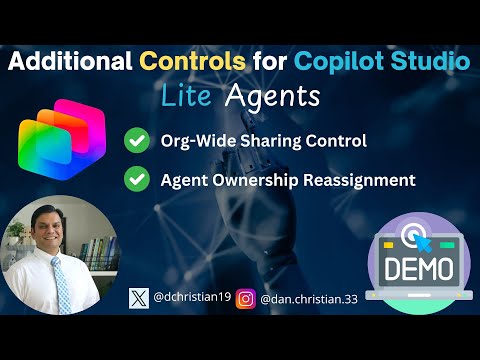
Copilot Studio Lite: New Agent Controls
Lead Infrastructure Engineer / Vice President | Microsoft MCT & MVP | Speaker & Blogger
Copilot Studio Lite agent controls, org wide sharing and ownership reassignment for Microsoft Copilot governance
Key insights
- Copilot Studio Lite: A simplified agent builder inside Microsoft 365 Copilot that lets non-developers create agents to automate tasks and answer user questions across Microsoft 365 apps.
It keeps enterprise-grade security and governance while making agent creation easier. - Org-Wide Sharing Control: Admins can control who can share agents across the organization by allowing all users, restricting sharing, or limiting it to specific groups.
When restricted, the “Anyone” sharing option is disabled to prevent accidental exposure of sensitive workflows or data. - Agent Ownership Reassignment: Admins can transfer agent ownership when makers leave or change roles.
This ensures continuity, accountability, and proper management of agent assets. - Admin Security & Governance: New controls include Data Loss Prevention (DLP) for agent knowledge and connectors, audit logs and alerts via Microsoft Purview and Sentinel, and sensitivity labels shown in chats.
Admins can also enforce end-user authentication for connectors, route environments for safer development, set welcome messages about privacy, and view an inventory of agent assets (private preview). - Billing & Consumption: A dedicated admin view surfaces billing and consumption details for Copilot Studio Lite.
Admins can monitor message usage in the Environments tab to track capacity and manage costs. - Analytics & Performance: New analytics help makers and admins measure agent performance and user impact.
A “themes” feature groups recent user questions to reveal coverage gaps and guide improvements.
In a recent YouTube video, Daniel Christian [MVP] walks viewers through a set of new controls for Copilot Studio Lite, Microsoft's streamlined tool for building in-context agents inside Microsoft 365 Copilot. The video focuses on administrative features that improve how organizations share, assign, and monitor agents, and it provides a practical walkthrough for IT professionals and makers. Importantly, the demonstration shows how these controls translate into everyday governance and operational practices, and it highlights where tradeoffs may arise. Consequently, this article summarizes the main points and explores the implications for enterprise adoption.
Video summary and context
The video begins with a clear introduction to the recent updates and their place in the broader Microsoft Copilot roadmap. Daniel Christian [MVP] timestamps each section, which helps viewers jump to topics such as Org-Wide Sharing Control and Agent Ownership Reassignment, and he demonstrates the settings inside the admin center. Thus, the presentation aims to guide both administrators who need to enforce policy and makers who build agents. Overall, the tone is practical and focused on how new controls reduce risk without blocking innovation.
Moreover, the presenter frames the changes as responses to common enterprise concerns: accidental data exposure, orphaned agents when staff change roles, and the need for clearer audit trails. He shows menus and toggles, and explains the behavior users will see when admins restrict sharing. As a result, organizations can better align agent publishing with existing compliance and security practices, while makers retain a usable experience for building and testing agents.
New sharing and ownership features explained
First, the video demonstrates the Org-Wide Sharing Control, which gives admins three main options: allow sharing for all users, restrict sharing entirely, or limit sharing to specific groups. Daniel shows how the “Anyone” share option becomes unavailable when admins restrict sharing, and he explains how that prevents wide distribution of agent logic or knowledge. Therefore, this change directly addresses a gap that previously allowed agents to be shared too broadly, possibly exposing sensitive content. In practice, this control balances openness with necessary safeguards.
Second, the video covers Agent Ownership Reassignment, which allows admins to reassign an agent’s owner when employees leave or when responsibilities shift. Daniel demonstrates the reassignment flow and notes how it maintains continuity and accountability for agents in production. Consequently, organizations can avoid scenarios where critical automations become unmanaged or unsupported. However, the presenter also notes that reassignments require careful auditing and role clarity to prevent ownership churn and accidental policy conflicts.
Admin, security, and governance enhancements
Beyond sharing and ownership, the video highlights several admin-oriented capabilities that strengthen governance. For instance, Daniel reviews Data Loss Prevention settings applied to agent knowledge, connectors, and actions, and he points out how sensitivity labels surface in conversations to warn end users about protected content. Similarly, the integration with auditing tools allows teams to track agent activity through Microsoft Purview and Microsoft Sentinel for real-time monitoring and alerts.
In addition, the video previews environment routing and a welcome-message feature that helps guide makers toward privacy and compliance best practices. Daniel also points to an inventory feature in Microsoft Fabric currently in private preview, which promises a consolidated view of agent assets. Thus, together these features reduce operational risk while giving administrators more data to make governance decisions.
Billing, analytics, and practical tradeoffs
Daniel explains how Copilot Studio Lite surfaces optional admin-level billing and consumption details, enabling teams to monitor message usage per environment and manage costs proactively. He also covers new analytics that let makers and admins measure agent performance, and a themes feature that groups recent generative AI questions to help prioritize improvements. Consequently, teams can better align agent development with measurable outcomes rather than intuition alone.
However, these benefits come with tradeoffs: stronger controls and monitoring increase administrative overhead and may slow down maker agility if policies are too strict. On the other hand, looser controls speed innovation but raise compliance risk. Therefore, organizations must balance governance and productivity, investing in clear role definitions, sensible defaults, and education to keep makers productive while protecting corporate data.
Implications, challenges, and next steps
Looking ahead, organizations will need to decide how tightly to enforce sharing and ownership policies, and they must plan for change management. Daniel’s video makes it clear that technical features alone won’t solve governance challenges; teams must also define processes for owner reassignment, auditing, and environment routing. Consequently, successful adoption depends on collaboration between IT, security, and business units, as well as a willingness to iterate on policy settings based on observed usage.
Finally, while the updates to Copilot Studio Lite strengthen enterprise control, they also highlight ongoing challenges such as aligning DLP rules with flexible agent behavior and maintaining usability for nontechnical makers. Therefore, administrators should pilot settings in controlled environments, monitor analytics, and adjust policies incrementally. Overall, Daniel Christian [MVP] provides a focused walkthrough that clarifies new options and helps organizations weigh the tradeoffs of different governance approaches.

Keywords
Copilot Studio Lite, Microsoft Copilot Studio, Copilot agent controls, AI agent management, Copilot Studio tutorial, Copilot Studio update, Low-code AI agents, Build AI agents with Copilot