Microsoft 365: Create Inclusive Teams
Design inclusive intranets that boost adoption and employee experience with Microsoft three sixty five and SharePoint
Key insights
- Inclusive workplace overview: Microsoft 365 and SharePoint aim to make intranets and digital workplaces usable by people with diverse abilities and work styles.
This approach focuses on making routine collaboration and content accessible to everyone. - Accessibility features to enable participation: built-in live captions, transcription, screen reader compatibility, keyboard navigation, Accessibility Checker, dictation, text prediction, and sign-language views.
Turn these on by default and verify they work with your content and devices. - Copilot as an inclusion aid: Copilot provides real-time drafting help, content simplification, and adaptive suggestions that reduce writing time and lower communication barriers.
Use it to create clearer agendas, meeting notes, and accessible content drafts. - Hybrid collaboration improvements: features like PowerPoint Live, Excel Live, and enhanced Teams meeting tools make shared content easier to follow for remote and assistive-technology users.
Prefer live content sharing over basic screen sharing to boost clarity for screen readers and captions. - Inclusive design practices to apply now: use clear headings, alt text for images, simple layouts, consistent navigation, captioning for media, and test pages with screen readers and keyboard-only navigation.
Small design choices increase usability, adoption, and employee satisfaction. - Practical benefits and adoption tips: inclusive features improve access, equitable participation, and productivity while supporting broader diversity goals and responsible AI efforts.
Measure usage, collect feedback, and iterate to keep the intranet working for everyone.
Overview
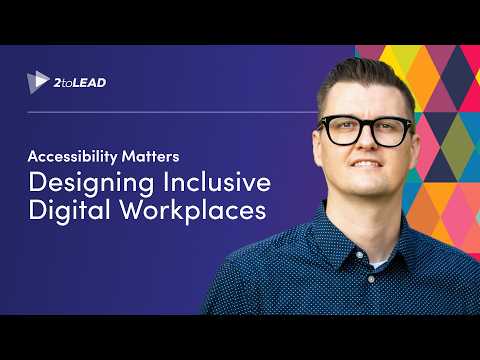
The recent 2toLead YouTube video on building inclusive digital workplaces with Microsoft 365 and SharePoint frames accessibility as a practical design challenge rather than an abstract ideal. The presenter emphasizes that small, intentional design choices can significantly improve usability, adoption, and employee experience across the organization. Consequently, the video aims to move teams from awareness to action by showing real examples and straightforward steps. As a result, viewers leave with concrete ideas they can test soon after watching.
What the Video Shows
First, the video walks through common workplace scenarios where accessibility matters, such as hybrid meetings, shared documents, and intranet navigation. It highlights features like live captions, screen reader compatibility, keyboard navigation, and accessible templates within Microsoft 365 that address these scenarios directly. Moreover, the presenter demonstrates how small layout or contrast tweaks can make content more readable for people with low vision or cognitive differences. Thus, the examples are practical and tied to everyday tasks rather than solely technical explanations.
Next, the video showcases how tools like Copilot and built-in accessibility checkers can speed up inclusive design without adding heavy workload. For instance, live transcription and suggested text improvements reduce the effort required to create clear, readable content. At the same time, demonstration clips show how screen reader users experience shared content and how presenters can make slides and documents friendlier. Therefore, the video balances tool demonstrations with user-centered perspectives to underline real-world value.
Key Features and Benefits
The presenter outlines concrete benefits of adopting inclusive design in digital workplaces, such as broader participation, higher productivity, and fairer hybrid collaboration. For example, live captions and subtitles unlock participation for colleagues who are deaf or hard of hearing, while PowerPoint Live and Excel Live improve content accessibility during meetings. Additionally, features like dictation, text prediction, and suggested replies help neurodivergent and mobility-impaired users work more comfortably and efficiently. Consequently, the video argues that inclusion often aligns with productivity improvements rather than competing with them.
Furthermore, the video points out that inclusive design supports organizational goals beyond compliance, including retention and morale. When teams can communicate in the way that matches their needs, collaboration improves and fewer employees feel excluded. In turn, this can reduce friction in hybrid work and encourage broader knowledge sharing. Thus, the return on investment can be both human and operational.
Tradeoffs and Challenges
However, the video does not shy away from identifying tradeoffs. Implementing inclusive features requires upfront effort, governance, and sometimes increased platform complexity. For instance, enacting consistent templates and accessible patterns across an enterprise competes with the desire for rapid customization and visual branding. Therefore, organizations must balance standardization against flexibility to avoid slowing teams down while still delivering accessible experiences.
Moreover, the presenter discusses challenges related to training, adoption, and privacy. Tools like Copilot raise questions about responsible AI, data handling, and user comfort, which require clear policies and communication. Likewise, accessibility improvements can falter without buy-in from leadership, user testing with diverse participants, and ongoing measurement. Consequently, the video recommends treating accessibility as a continuous program rather than a one-time checklist.
Implementation Guidance and Next Steps
To help organizations move forward, the video proposes a pragmatic roadmap: audit critical sites and meetings, apply accessible templates, enable key platform features like captions, and then measure use and satisfaction. The presenter stresses collaboration between content authors, IT, and accessibility champions to keep momentum and ensure governance fits business needs. Additionally, quick wins—such as enabling live captions or running an accessibility check on high-traffic pages—can demonstrate value early and build support for larger initiatives.
Finally, the video encourages iterative testing with actual users, especially those with disabilities, and suggests pairing technical fixes with training and communication. By doing so, teams can adjust tools and governance to local workflows while maintaining inclusive standards. In short, the message is hopeful but realistic: inclusion is achievable with modest steps, clear priorities, and ongoing commitment.
Conclusion
In summary, the 2toLead video offers a clear, action-oriented view of how Microsoft 365 and SharePoint features can help create more inclusive workplaces. It combines practical demonstrations with thoughtful discussion of tradeoffs, governance, and the human elements of adoption. Therefore, organizations that treat accessibility as both a design practice and a governance priority can gain measurable benefits for employees and the business. Ultimately, the video’s strongest takeaway is that small design choices, sustained over time, can lead to meaningful inclusion for many people who were previously left behind.

Keywords
Microsoft 365 inclusive workplaces, Microsoft accessibility features, inclusive workplace tools Microsoft 365, diversity and inclusion Microsoft 365, Microsoft Teams accessibility, Microsoft Viva inclusion, workplace inclusion technology Microsoft, accessibility best practices Microsoft 365