- All of Microsoft
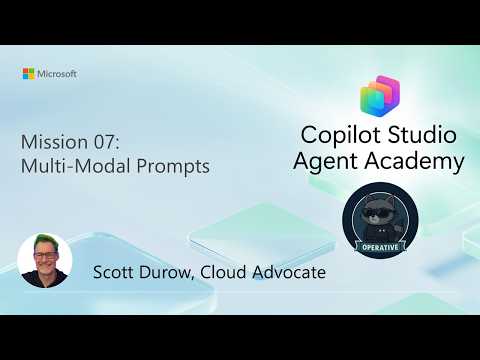
Agent Operative: Multi-Modal Resumes | Mission 7
Software Development Redmond, Washington
Build Copilot Studio agents with multimodal prompts to extract resumes from PDFs and images into JSON for Power Platform
Key insights
- Multimodal prompts
In a YouTube walkthrough, Scott Durow shows how Copilot Studio uses prompts that accept PDFs, images, and text together.
These prompts let an agent read varied resume formats and pull out candidate information reliably. - JSON output
Design the prompt to produce JSON-ready results so the data is machine readable and consistent.
The video explains mapping extracted fields to a predefined schema for downstream automation. - Power Platform
The demo connects Copilot Studio to Power Apps and Agent Flows to create a complete hiring workflow.
Uploaded resumes and JSON summaries are stored and linked to candidate records in the app. - Data extraction
The flow accepts resume and cover letter inputs, runs the multimodal prompt, then converts findings into structured fields.
It updates existing candidate records or creates new ones while preserving data integrity. - Automation
This approach removes manual resume entry, speeds processing, and handles PDFs and scanned images that text-only tools miss.
It scales hiring tasks like screening, job matching, and record creation. - Testing and validation
The video shows using the Flow Checker and live tests to verify outputs, error handling, and duplicate detection.
Always test end-to-end to confirm the agent returns both JSON data and a human-readable summary.
Microsoft released a YouTube video titled "Extracting Resume Contents with Multi-Modal Prompts | Mission 7 | Agent Operative," and the presentation walks viewers through building an automated resume processor using Copilot Studio. In clear steps, Scott Durow demonstrates how to configure multimodal prompts, produce JSON-ready outputs, and connect those outputs into agent workflows that run on the Power Platform. Consequently, the video frames a practical path from document upload to structured candidate records, and it serves as a hands-on tutorial for teams aiming to reduce manual resume handling. Moreover, the demonstration emphasizes enterprise readiness by showing validation steps, error checking, and testing within an end-to-end flow.
What the Video Demonstrates
The video begins by explaining the core concept of multimodal prompts, which enable models to process PDFs, images, and textual instructions together, and then it moves into a step‑by‑step build of a working flow. First, the presenter creates a multimodal prompt that identifies key resume fields, and next he configures the output schema so the agent returns structured JSON that downstream systems can consume. Then the clip shows how to add the prompt to an agent flow, create or update candidate records, and wire the flow into a hiring application built with Power Apps. Finally, the presenter runs tests, checks for errors with the Flow Checker, and wraps up by demonstrating the agent’s output in both a machine-readable format and a human-friendly summary.
How the Technology Works
At a technical level, the system accepts two main inputs: the resume file itself—often a PDF or scanned image—and any accompanying text such as a cover note or chat instruction, and the multimodal prompt interprets both together. Using a predefined schema, the model extracts fields such as name, contact information, skills, and employment history, then structures that information into JSON so it can be written to a database table or linked to an existing candidate record. The flow includes checks that prevent duplicate entries by comparing extracted data against existing records, and it updates resume metadata and stores the JSON summary for later retrieval. As a result, the design supports both automation and traceability by retaining the original document, the structured output, and a readable summary for human review.
Benefits for Hiring Workflows
This approach reduces tedious manual data entry and speeds up the intake of candidate information, which makes hiring teams more efficient while lowering the risk of human transcription errors. Moreover, because the model handles PDFs and images as well as plain text, it fits real-world hiring scenarios where resumes arrive in mixed formats from different sources. The structured output makes downstream tasks such as candidate matching, search indexing, and reporting much easier, and integration with the broader Agent Operative ecosystem enables multi-agent automation across sourcing, screening, and scheduling. Consequently, organizations can redirect human effort toward evaluation and decision-making while relying on agents to handle routine extraction and updates.
Trade-offs and Practical Challenges
Despite its advantages, the solution involves trade-offs that teams must weigh carefully: achieving high extraction accuracy may require schema refinement and iterative tuning, which consumes development time and domain expertise. Additionally, scanned or low-quality images reduce precision and force teams to balance automation with human verification; in other words, increasing throughput can sometimes reduce confidence unless validation steps are added. Integration complexity also rises when connecting agents to production databases, enforcing compliance controls, and managing role‑based access to sensitive candidate data. Therefore, organizations should plan for monitoring, fallback rules, and a staged rollout rather than assuming a one‑time setup will be sufficient.
Implementation Steps and Next Actions
Practically speaking, teams should begin with a pilot that includes a representative set of resume formats and a clear schema for expected outputs, and they should use the video’s examples to scaffold prompt design and JSON mapping. Next, the pilot should test the agent end to end—upload, extract, validate, and store—while exercising error paths and duplicate detection logic so the team can refine flows and implement logging. Meanwhile, governance requirements such as data retention, consent, and role-based access need to be addressed early, and teams should plan for regular audits of extraction accuracy and bias. Finally, once the pilot stabilizes, scaling requires monitoring, periodic retraining or prompt updates, and documented procedures for when the agent returns uncertain results.
Overall, the Microsoft video provides a practical guide to building resume extraction agents with Copilot Studio and the Power Platform, and it balances hands-on configuration with attention to validation and governance. While automation promises clear efficiency gains, the demonstration also highlights the need for careful schema design, quality controls, and phased deployment to manage trade-offs between speed and accuracy. Therefore, organizations considering this approach should pilot thoughtfully, monitor performance, and keep humans in the loop until confidence in production accuracy grows. In sum, the video offers a concrete starting point for turning unstructured resumes into structured, actionable data for hiring systems.
Keywords
resume extraction AI, multi-modal prompts, AI resume parser tutorial, extracting resume contents, multimodal resume parsing, prompt engineering for resumes, Agent Operative Mission 7, resume data extraction techniques