Copilot license tips for research agents
Daniel Rohregger’s short explains how the Research Agent and custom agents can shape Copilot work for research and workflows.
Key insights
- The short focuses on the Research Agent and custom agents in Copilot.
- The Research Agent can handle multi-step research and produce source-based reports.
- It can use web content and, depending on license and permissions, work data such as files, emails, meetings, and chats.
- Microsoft lists Premium, Pro, Business, and Enterprise users with a Copilot add-on as supported groups.
- Users can limit research to the web, internal sources, or both.
- Copilot access does not expand permissions to internal files.
Daniel Rohregger (365 Checkpoint) recently published a YouTube Short on Copilot license tips, focusing on the Research Agent and custom agents. The short’s takeaway is simple: Copilot is being used less as a single chat box and more as a platform for specialized AI agents that can work on research and tasks.
What's new
The short highlights two capabilities: the Research Agent for complex information work and custom agents for personal or business workflows. According to the research notes, the Research Agent is designed for multi-step research, not just a single prompt-and-answer exchange. It can gather information from the web and, depending on license, permissions, and environment, from work content such as files, emails, meetings, and chats.
Microsoft 365 Premium and Pro subscriptions are named, along with Microsoft 365 Business and Enterprise users who have a Microsoft 365 Copilot add-on license. The short also places the feature in the Copilot app under Agents.
Why it matters
For admins and power users, the main point is scope control. The Research Agent can be useful for market analysis, comparison work, decision support, and summaries across multiple documents, but only if the right sources are available. For business use, that makes permissions and source selection part of the workflow, not an afterthought.
It also matters because a Copilot license does not change access rights. If a user cannot open a file in Microsoft 365 already, Copilot should not make that content available just because the user can ask an agent about it. That keeps the permission model central to the design.
Microsoft 365 users who work across internal content and web research are the most likely to notice the difference in daily work.
How it works
The short and research notes describe a few practical steps:
- Open the Copilot app and go to Agents.
- Choose the Research Agent for multi-step research.
- Set the search scope to web, internal work resources, or both.
- Provide a clear prompt with the goal, timeframe, sources, output format, and audience.
- Review the report and check the sources and currentness of the information.
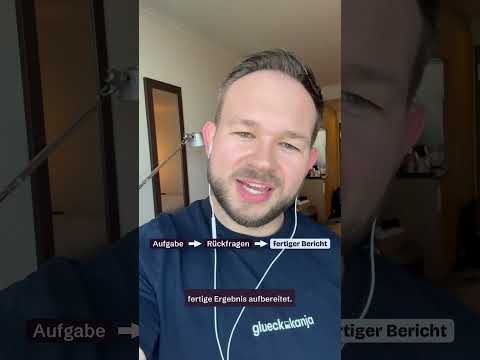
If the request is unclear, the agent can ask follow-up questions. Those questions are meant to improve the scope and quality of the report, so the user should answer them rather than skip them.
Limitations and open questions
The material does not show the full product UI or a live demonstration. It also does not confirm every licensing detail beyond the groups named in the research notes. Because the source material is a very short clip with little transcript, some practical behavior remains unverified.
The notes also warn that source checking is still necessary, especially for legal, financial, medical, or strategic topics. Internal access remains governed by Microsoft 365 permissions, and the notes do not claim that the Research Agent can bypass that model.
Sources
Frequently asked questions
What is the main point of the short?
It explains that Copilot is being used more as a platform for agents, especially the Research Agent and custom agents. The focus is on research tasks and workflow use.
What can the Research Agent do?
It can handle multi-step research, gather information from the web, and, depending on license and permissions, work with files, emails, meetings, and chats. It then produces a structured, source-based report.
Does Copilot change file permissions?
No. The notes say Copilot access does not expand a user’s rights to internal content. The agent should only access material the user is already allowed to use.
Where is the Research Agent found?
The notes place it in the Copilot app under Agents. The material does not show the full interface or every navigation step.