- All of Microsoft
- Windows
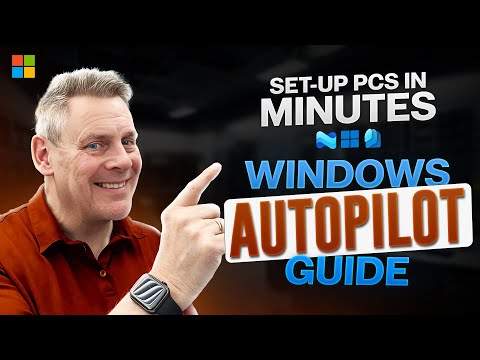
Windows Autopilot 2025: Quick Setup Tips
Microsoft 365 Expert, Author, YouTuber, Speaker & Senior Technology Instructor (MCT)
Windows Autopilot updates and differences explained with step by step setup, configure and deploy via Microsoft Intune
Key insights
- Windows Autopilot 2025: Cloud-driven device provisioning that removes imaging and cuts setup time. It prepares Windows 10 and 11 PCs so users can start work with minimal IT effort.
- Autopilot v2: Lets essential setup finish before the desktop appears while less critical apps install in the background. Users get a final completion screen so they know the device is ready.
- Integration with Microsoft Intune and Entra ID: Devices auto-enroll and receive policies, apps, and security settings. This creates consistent management and identity-based access control.
- Deployment options and profiles: Support for user-driven, self-deploying, and hybrid join scenarios. Administrators use deployment profiles to control OOBE, branding, and join behavior.
- Enrollment Status Page (ESP) and staged setup: ESP enforces critical tasks during enrollment and signals when sign-in can occur. Noncritical tasks continue silently after the user signs in.
- Requirements and compatibility: Requires network access to Microsoft services and proper Microsoft 365/Intune/Entra licensing. Supported on Windows 11, most Windows 10 editions, and Windows Holographic devices; some editions like LTSC are excluded.
Video Summary and Context
The YouTube video by Andy Malone [MVP] offers a practical walkthrough of Windows Autopilot 2025, comparing the original approach with the new Autopilot v2 enhancements. Andy frames the content for IT teams who want to reduce hands-on setup and get devices ready faster. He demonstrates step-by-step setup, configuration, deployment, and management using Microsoft Intune and Microsoft Entra ID. Consequently, the video aims to help administrators move from hours-long imaging tasks to quicker, cloud-driven provisioning.
Key Features Highlighted
First, Andy explains how Autopilot v2 shortens the time-to-productive state by letting essential setup finish before full desktop access, while less critical tasks continue in the background. He also covers device registration methods, from OEM delivery to hardware hash imports, and how profiles control the out-of-box experience. Moreover, the video shows updated support for cloud-based scenarios like Windows 365, with workflows tailored to Cloud PC deployment. As a result, viewers get a clear picture of which features matter for different deployment goals.
Deployment Workflow and Practical Steps
Next, Andy walks through the deployment flow, emphasizing the role of enrollment profiles and the Enrollment Status Page (ESP) in ensuring critical policies and apps install before sign-in. He demonstrates configuring user-driven, self-deploying, and hybrid join options, so organizations can match Autopilot behavior to their environment. Additionally, the video covers network and licensing prerequisites, reminding teams that Intune and proper Entra ID licensing are essential. Therefore, administrators learn not only which steps to follow but also what to check before they begin.
Tradeoffs and Decision Points
While the video praises the zero-touch promise, Andy also outlines important tradeoffs between speed and control. For instance, allowing apps to install in the background speeds user access, but it can push nonessential software into later stages where visibility is reduced. Similarly, choosing self-deploying or user-driven modes affects security posture, user experience, and the complexity of support processes. Consequently, organizations must balance rapid onboarding against visibility, compliance requirements, and app delivery guarantees.
Challenges and Troubleshooting
Andy dedicates time to common challenges, such as networking issues, license mismatches, and device registration errors that can block Autopilot enrollment. He suggests practical checks like confirming connectivity to Microsoft services, validating licensing assignments, and ensuring hardware hashes are correct. In addition, he notes that mixed environments—where legacy imaging coexists with Autopilot—require careful planning to avoid conflicts and to maintain consistent configurations. Thus, the video helps teams anticipate problems and plan mitigation steps.
Best Practices and Operational Tips
Throughout the video, Andy recommends policies that balance automation with control, such as staging critical apps via ESP and delaying nonessential installers to reduce initial boot time. He also advocates using clear naming and profile conventions to improve manageability at scale, and testing deployments in pilot groups before broad rollout. Furthermore, he advises documenting rollback and recovery steps to handle failed enrollments or misapplied profiles. These tips aim to help teams scale Autopilot while minimizing surprises.
Security and Compliance Considerations
Andy stresses that integrating Microsoft Entra ID and Intune delivers consistent policy enforcement, but administrators must still handle conditional access rules and compliance checks carefully. He explains how joining devices to Entra ID simplifies identity management, yet it places a premium on correct policy configuration to prevent inadvertent lockouts. In addition, he highlights the need to align Autopilot flows with organization-wide compliance needs, especially for regulated industries. Therefore, teams should treat Autopilot as one piece of a broader security strategy.
Who Benefits Most and When to Adopt
The video makes clear that organizations with high device turnover or distributed workforces gain the greatest advantage from Windows Autopilot 2025. Smaller IT teams benefit from the reduced manual work, while larger organizations appreciate the consistency at scale. However, environments that require heavy custom imaging or specialized line-of-business setups may need hybrid approaches and further customization. As a result, teams should evaluate their device estate, app dependencies, and support capacity before committing to full Autopilot adoption.
Conclusion and Practical Takeaway
In summary, Andy Malone’s video provides a concise yet actionable guide to adopting Windows Autopilot 2025, with clear demonstrations and honest discussion of limits. He balances excitement about faster provisioning with practical warnings about licensing, networking, and deployment choices. Ultimately, the video helps IT teams make informed decisions by showing real-world steps, potential pitfalls, and sensible best practices. Therefore, administrators can use this material to plan pilots, reduce setup time, and improve user experience while managing tradeoffs carefully.
Keywords
Windows Autopilot 2025, Windows Autopilot guide 2025, Autopilot deployment best practices, Autopilot Intune integration, Autopilot troubleshooting 2025, Windows Autopilot enrollment tips, Hybrid Azure AD Autopilot setup, Autopilot security and compliance 2025