- All of Microsoft
Microsoft 365 Message Center Updates
Microsoft update on Copilot and Copilot Studio, Teams Context IQ and trust indicators, OneDrive transfers, icon refresh
Key insights
- Microsoft 365 Message Center Episode 398 highlights updates across Copilot, Teams, OneDrive and app visuals.
It focuses on deeper AI integration, better admin controls, and smoother user workflows. - Copilot Chat gains a new tools button for faster access and admins can manage agent ownership reassignment to handle ownerless agents.
Copilot will also produce summarized emails that integrate into Outlook for quicker reading. - Trust Indicators in Teams show when users are outside your org, and Teams is testing emoji reactions that can trigger automated workflows.
Expect improved meeting search and a refreshed event scheduling experience for Teams and Outlook. - OneDrive introduces simplified file transfer for departing employees so files can be reassigned (for example, from Elmo to his manager Bert).
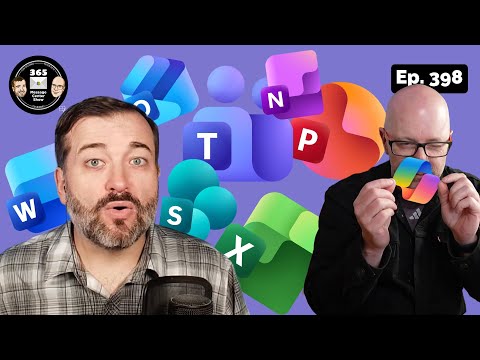
Copilot also supports richer file grounding with MP4, CAD and ZIP formats for more accurate answers. - A visual refresh of app icons delivers a brighter, more colorful look across Microsoft 365 apps.
Teams channels are a suggested place to discuss these icon updates during the rollout. - AI advances include integration of GPT-5 and wider availability of Gen AI features in Copilot Chat, plus Teams channels in Context IQ prompts.
Users see a redesigned memory settings page to manage chat history and personalization more easily.
Episode 398 in brief
The YouTube episode from 365 Message Center Show highlights new developments across the Microsoft 365 ecosystem, with a clear focus on enhancements to Copilot, collaboration in Teams, and administrative controls. In particular, the show walks viewers through feature notes such as agent ownership reassignment, a visual refresh of app icons, and simplified OneDrive transfers for departing employees. Moreover, the episode timestamps help viewers locate specific segments quickly, from Copilot agent updates to the inclusion of Teams channels in Context IQ prompts. Overall, the video frames these changes as part of Microsoft’s steady push to tie AI into everyday productivity tools.
Notably, the episode emphasizes practical outcomes rather than only technical detail. For example, the hosts explain how summarized Copilot emails will appear in Outlook and how new grounding file types let Copilot answer questions using richer sources. They also point out a user-facing update: a new tools button in Copilot chat to simplify access to helper tools during conversations. Consequently, the episode is useful for IT leaders and end users who want to understand near-term impacts.
Copilot and AI enhancements
First, the show covers multiple extensions to Copilot that expand capabilities across Microsoft 365. A prominent change is the addition of a tools button in Copilot chat and the integration of Copilot-generated summaries into Outlook, which aims to speed email triage and decision making. Meanwhile, Microsoft has integrated the latest large model developments, including support for GPT-5, which promises more contextual responses and fluid drafting across apps like Word and Outlook. These additions increase productivity, but they also raise questions about model behavior and consistent output quality.
Second, the episode explains new grounding capabilities that allow Copilot to reference non-traditional file types such as MP4, CAD files, and ZIP archives. As a result, Copilot can provide more precise answers when conversations rely on multimedia or specialized formats. Additionally, the Context IQ prompt support for Teams channels means the assistant can consider channel conversations when generating responses, improving relevance for team-focused queries. However, expanding grounding sources increases processing complexity and places higher demands on security scanning and indexing.
Updates to Teams collaboration
The hosts outline collaboration-focused changes in Teams, including a test that lets emoji reactions trigger automated workflows. This low-friction approach could streamline approvals and volunteers for tasks, and it may improve team responsiveness. Yet, the simplicity of emoji-triggered automation introduces governance challenges because accidental reactions could trigger workflows and because administrators must define safe defaults. Therefore, teams will need clear policies and testing before broad adoption.
Furthermore, Teams is getting visual and governance updates such as new trust indicators for external users, increased private channel limits, and a contextual link feature for forwarded messages. These features aim to improve clarity around user identity and message provenance, which helps with compliance and reduces confusion. At the same time, balancing usability and control remains delicate: adding indicators and limits can protect organizations, but overly strict settings may hinder fluid collaboration. Consequently, administrators must weigh security needs against the user experience.
OneDrive, admin controls, and lifecycle management
The episode covers changes to OneDrive that simplify transferring files when an employee leaves, including reassignment to managers. This capability reduces friction during offboarding and helps preserve business continuity by keeping important files accessible. Moreover, the video discusses improved lifecycle controls for ownerless Copilot agents, giving IT teams more options to reassign or retire agents created by departed users. These admin tools aim to reduce orphaned automation and maintain governance.
Nevertheless, these conveniences bring tradeoffs that organizations must consider. For instance, automatic reassignment of files could surface data that was meant to remain private or create ownership confusion if policies are unclear. Similarly, while agent reassignment protects automation investments, it may change agent behavior if new owners adjust settings or inputs. As a result, clear offboarding procedures and documented ownership rules become essential to balance automation benefits with privacy and compliance obligations.
UX, personalization, and governance tradeoffs
The video also highlights user experience improvements such as refreshed Microsoft 365 app icons, an updated meeting search and scheduling UX, and a redesigned memory settings page in Copilot. These updates aim to simplify common tasks and make personalization more transparent for users. In addition, the rollout of Gen AI features to all Copilot Chat users, including those without licenses, broadens access but complicates governance because organizations must monitor usage across more endpoints. Thus, expanded availability improves inclusivity but creates new demands on training and monitoring.
Finally, the hosts address the broader challenge of balancing rapid innovation with responsible governance. For example, adding new grounded file types or AI-driven automations offers clear productivity gains, yet it also raises risks around data leakage, model hallucination, and unintended workflow triggers. Consequently, organizations should adopt staged rollouts, clear policies, and user education so they can capture benefits while mitigating risk. In short, Episode 398 signals meaningful progress for Microsoft 365, but it also underscores the need for careful management as AI and automation become more deeply embedded in daily work.

Keywords
Microsoft 365 Message Center,Message Center updates,Microsoft 365 admin updates,Office 365 message center,M365 change notifications,Microsoft 365 roadmap,Message Center tips for admins,Microsoft 365 release notes