- All of Microsoft
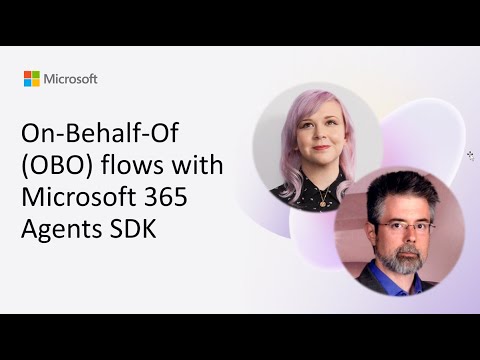
Microsoft 365 Agents SDK: OBO Flows
Software Development Redmond, Washington
Microsoft expert on OBO flows with Agents SDK and Microsoft identity to access Copilot Studio via secure token exchange
Key insights
- Microsoft 365 Agents SDK demo: A community-call demo (23 September 2025) shows how agents act as users to access Microsoft services.
Presenters Sarah Critchley and Matthew Barbour walk through a working example of OBO flows and Copilot Studio calls. - On-Behalf-Of (OBO) flow: OBO lets an agent obtain an access token that represents the signed-in user so actions run under the user’s identity, not the app.
This preserves permission boundaries and creates clear audit trails for user actions. - Token exchange and STS setup: The agent sends the user token to a Security Token Service (STS) to request a downstream API token (for Microsoft Graph, SharePoint, or Copilot Studio).
The SDK simplifies the exchange, token caching, and refresh steps to reduce implementation errors. - Delegated permissions: Agents use delegated permissions so they respect user licenses and data scope, which helps meet compliance and governance requirements.
Interactive admin-consent support now streamlines enterprise setups that require elevated delegated scopes. - Agent 365 Control Plane and SDK updates: New 2025 features include a central control plane for managing agents, built-in Entra agent identity support, and tighter Copilot Studio integration.
These updates make deploying, governing, and scaling OBO-based agents easier for organizations. - Implementation steps and best practices: Authenticate the user, exchange tokens via the Agents SDK, then call the downstream API using per-user or app-only connections as appropriate.
Follow least-privilege principles, enable audit logging, handle token refresh securely, and request admin consent only when required.
Overview of the YouTube demo
The video, published by Microsoft, presents a hands-on demo of On-Behalf-Of (OBO) flows using the Microsoft 365 Agents SDK. It was recorded for the Microsoft 365 & Power Platform community call on 23 September 2025 and features presenters Sarah Critchley and Matthew Barbour. In the session, the team demonstrates how agents can act as users by exchanging tokens, setting up a security token service, and calling Copilot Studio securely on a caller’s behalf. Overall, the demo focuses on practical steps and configuration patterns developers need to enable agent-driven, user-scoped automation.
What the demo shows step by step
First, the presenters walk through basic authentication where a user signs in and an initial token is issued to the agent. Then, they explain the token exchange process where that user token is sent to the Microsoft identity platform to request a downstream access token for Microsoft Graph or another API. Next, the demo covers STS setup and how the agent uses the new token to call Copilot Studio, demonstrating how actions are performed under the user’s identity rather than an app-only identity. This clear sequence helps developers visualize where each token is created, validated, and used in a real flow.
Key technical components and concepts
The session emphasizes the roles of the Microsoft 365 Agents SDK and the broader Microsoft Entra identity platform in simplifying OBO flows. For example, the SDK abstracts token exchange and refresh logic, reducing common errors and surface area for security issues. It also supports both per-user connections, where each user consents and signs in, and app-only scenarios for shared tasks, which is critical in mixed deployment models. Consequently, the demo gives teams a concrete template for integrating agents into existing identity and compliance processes.
What’s new in 2025 and why it matters
Microsoft introduced several updates that the presenters highlight as important for enterprise adoption in 2025, including interactive admin consent for delegated permissions and tighter SDK integration for agent identities. These changes aim to streamline deployment at scale, because admins can approve required scopes on behalf of users and reduce friction during rollouts. At the same time, the emergence of an Agent 365 control plane centralizes management and governance for agents across Microsoft 365 and connected apps, which improves visibility and lifecycle control. Together, these updates make OBO flows more practical for large organizations while preserving governance needs.
Tradeoffs and practical challenges
Despite clear benefits, the demo also highlights tradeoffs that teams must manage when adopting OBO patterns. For instance, granting broad delegated permissions through admin consent speeds deployment, yet it raises governance and least-privilege concerns that teams must mitigate with careful access reviews and monitoring. Furthermore, the complexity of token lifetimes, refresh flows, and cross-service debugging increases, so developers need robust logging and test suites to diagnose failures. Therefore, balancing ease of use with tight security controls becomes a central challenge for both developers and IT administrators.
Operational and security considerations
From an operational view, the presenters recommend establishing a separate test environment to validate OBO exchanges before production rollout and to instrument agents with telemetry that captures token usage patterns. Security teams should also review consented scopes regularly and enforce policies that prevent over-privileged agents, because that reduces attack surface and compliance risk. In addition, integrating agent activity into existing audit logs ensures actions remain attributable and traceable back to the user, which supports compliance and incident response. These steps help organizations reap automation benefits while maintaining control.
Implications for developers and IT teams
Developers can use the demo as a practical blueprint for implementing OBO flows with the Microsoft 365 Agents SDK and for calling Copilot Studio securely. Meanwhile, IT teams should prepare governance workflows that include admin consent review, permission scoping, and monitoring plans before wide deployment. The community call format also points to ongoing support channels where teams can learn from others’ implementations and request demos to explore edge cases. Ultimately, combining developer guidance with governance practices enables safer and more productive agent-driven automation.
Conclusion and next steps
The YouTube demo from Microsoft delivers a clear, actionable overview of OBO flows in the context of agents and Copilot integration, and it highlights both the new tools available in 2025 and the risks teams must manage. Consequently, organizations should evaluate the tradeoffs between deployment speed and security, test flows thoroughly, and adopt governance practices that limit privilege and improve visibility. For teams ready to experiment, the demo offers a practical starting point and a reminder that careful configuration and monitoring make agent-based automation both powerful and safe.

Keywords
On-Behalf-Of OBO Microsoft 365 Agents SDK, Microsoft 365 OBO flow, Azure AD OBO token exchange, Microsoft Graph OBO authentication, Agents SDK delegated auth, OBO token acquisition Microsoft 365, secure OBO flow Azure AD, implement OBO with Agents SDK