- All of Microsoft
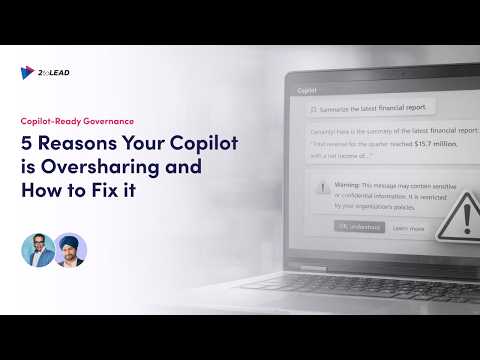
Copilot Oversharing? 5 Fixes That Work
Fix Copilot oversharing with SharePoint management and Microsoft Purview governance and classification labels
Key insights
- Oversharing
Copilot only returns content a user can access, so oversharing happens when existing permissions are too broad or outdated.
Fix this by treating Copilot as a visibility amplifier: secure permissions first, then enable Copilot. - Permission graph
Your tenant’s permission graph dictates what Copilot can see; years of accumulated shares and group settings create hidden access paths.
Map and review the graph to find and close unintended access routes. - Legacy site permissions
Old SharePoint sites often use “Everyone” or “People in your organization,” which grants wide access by default.
Run access reviews, break unsafe inheritance, and set new sites to “Specific people” by default. - Unrestricted sharing links
"Anyone" or organization-wide links in OneDrive and SharePoint let files surface broadly.
Audit and replace these with “Specific people” links, enforce expirations, and revoke unused links automatically. - Permission inheritance
Unique folder-level permissions and orphaned Teams/sites hide risky exposure.
Use permission reports to flatten unnecessary inheritance, reassign owners, archive or delete stale content, and apply sensitivity labels. - AI-powered audits and governance
Use tools like SharePoint Advanced Management and Microsoft Purview to scan, classify, and enforce policies before rolling out Copilot.
Implement access reviews, activity monitoring, least-privilege controls, and a staged Copilot rollout to reduce risk.
Intro
The newsroom reviewed a recent YouTube video from the consultancy 2toLead that explains why Microsoft 365 Copilot can sometimes expose more information than intended and how to fix those problems. The video, presented as a practical guide, links oversharing to long-standing permission issues across SharePoint, OneDrive, and Teams content. It stresses that the AI does not bypass controls but rather surfaces content based on existing Microsoft 365 permissions. Therefore, the solution begins with cleaning up the permission graph before expanding Copilot use.
Overview of the Video
In clear steps, 2toLead outlines five common reasons for oversharing and pairs each cause with remediation steps that IT teams can apply. The presenter emphasizes discovery tools and automated scans to find risky configurations quickly, while also highlighting governance platforms such as Microsoft Purview. Moreover, the video explains how Copilot queries the environment through the Microsoft Graph, so permissions determine what it can retrieve. As a result, the team recommends a staged Copilot rollout tied to a data hygiene project.
Root Causes of Oversharing
First, the video calls out legacy site permissions where many older SharePoint sites still grant broad access like “Everyone” or “People in your organization.” These defaults were useful for quick collaboration years ago, but they now create a wide attack surface and allow Copilot to reference unintended content. Second, persistent sharing links—particularly “Anyone with the link” or organization-wide links in OneDrive—produce easy paths to sensitive files that users may no longer expect to be open.
Third, the presenter highlights broken permission inheritance and many folder-level overrides that quietly expand access. Over time, these unique permissions accumulate and become hard to spot, which complicates automated enforcement. Fourth, orphaned sites and unmanaged Teams channels keep sensitive materials alive without proper owners or reviews. Consequently, Copilot can surface data from these stale areas and increase risk during a broad rollout.
Fixes and Tools Demonstrated
2toLead shows how scanning tools can identify risky sites and sharing links, and then recommends automated remediation where possible. For example, applying expiration on sharing links and converting broad links to “specific people” reduces exposure quickly, while lifecycle policies can remove unused shares. Additionally, the video highlights using SharePoint Advanced Management insights and Microsoft Purview audits to classify data and detect orphaned content.
The presenter also explains the role of sensitivity labels and classification in enforcing protection across services, and how labels can complement permission fixes by applying encryption or access restrictions. In parallel, it recommends running tenant-level reports to flatten unnecessary inheritance and to reassign ownership of orphaned sites. Finally, the video advises temporarily excluding high-risk sites from Copilot discovery until remediation completes to avoid accidental exposure.
Moreover, the team suggests continuous monitoring rather than one-off cleanups, since sharing behavior changes daily as users create new links and teams. Automated alerts and periodic access reviews balance the need for ongoing oversight with limited administrative resources. Thus, the approach blends tools, automation, and human review to manage scale effectively.
Tradeoffs and Operational Challenges
The video does not ignore tradeoffs: tightening sharing rules often reduces convenience and may slow collaboration, especially for teams used to ad-hoc links. Therefore, IT must weigh security gains against potential productivity losses and prepare to support users through change. In practice, that means implementing gradual policy changes, providing clear guidance, and keeping open channels for fast exception handling.
Another challenge is scale, because many tenants contain thousands of sites and millions of items, which makes full remediation costly and time consuming. Automated scans can surface risks quickly but they also generate false positives that require human validation. Finally, there is an operational balance between relying on labels and relying on permissions; each has limits and needs ongoing governance to remain effective.
Recommendations for Safer Copilot Rollouts
As a practical roadmap, 2toLead urges organizations to pilot Copilot with a controlled group after completing initial cleanup tasks and classification work. Next, teams should run targeted access reviews for high-risk content, apply sensitivity labels, and enforce short-lived sharing links to limit exposure. Moreover, the video recommends configuring Copilot discovery so that it excludes sensitive or unreviewed areas until those areas meet governance standards.
Finally, the consultancy emphasizes training and change management to reduce friction and improve compliance over time, while continuously measuring the impact on user productivity. By combining technical fixes, clear policies, and user education, organizations can unlock Copilot’s benefits while keeping sensitive data under control. In short, the video presents a measured, tool-assisted path that balances security needs with business value.

Keywords
Copilot oversharing causes,fix Copilot oversharing,stop Copilot sharing data,Copilot privacy settings,Copilot data leakage prevention,Microsoft Copilot oversharing fix,Copilot sensitive information protection,reduce Copilot information sharing