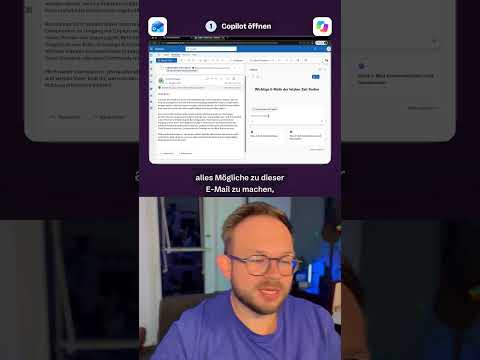
Outlook Copilot Chat can answer questions about email
Copilot Chat can answer some questions about Outlook email, calendar and meetings without a separate Copilot add-on license.
Key insights
- Without a Copilot add-on license, users may ask questions about selected Outlook data and perform some supported actions.
- The notes describe email, calendar and meeting queries, including summarizing supported messages.
- The feature is not unrestricted access to all company data or every Outlook mailbox.
- The mailbox must be hosted on Exchange Online; shared and other non-primary mailboxes have limitations.
- Admin settings, account type and Outlook version affect whether the feature is available.
Outlook Copilot Chat can answer some questions about selected email, calendar and meeting data without a separate Microsoft Copilot add-on license. This matters to employees who want basic AI assistance in Outlook and to administrators deciding which users can access it. Daniel Rohregger (365 Checkpoint) is the publisher associated with the Short covering this topic, but the supplied transcript contains no demonstration details.
What's new
The research notes describe a limited Copilot Chat experience in Outlook for people without a separate Microsoft Copilot add-on license. It may support questions about the inbox, calendar and meetings, email summaries, and some actions in Outlook. For example, a user might ask for a summary of messages from the past week about a project or customer.
That is narrower than saying Copilot can freely read every company email. The notes distinguish this limited access to supported Outlook data from the broader scenarios and integrations available with a Microsoft 365 Copilot license. A license therefore still matters when users need expanded Microsoft 365 capabilities.
Who it is for and what you need
This is relevant to business, school and university account users, as well as administrators managing Copilot access. The notes say availability depends on the account, Outlook version, administrator settings and applicable policies; they do not identify a specific license plan or rollout stage. Administrators may need to enable Copilot Chat for users.
The mailbox needs to be hosted on Exchange Online, and the scenarios are principally intended for a user's primary mailbox. The notes list limitations for archive, group, shared and delegated mailboxes. They also say some protected messages cannot be processed, including messages with S/MIME or Double Key Encryption, and certain signed, encrypted, IRM-protected or sensitivity-labeled messages.
How it works
Use Copilot Chat in Outlook to ask a supported question about relevant mail, calendar items or meetings, or request a supported action. The research notes mention the new Outlook for Windows and Outlook on the web for business, school and university accounts, while also describing differences among Outlook versions. They do not provide a verified menu path or a precise sequence for enabling the feature.
Before deployment, administrators should check the organization's Copilot settings and policies and consider which users and mailbox scenarios they intend to support. Existing permissions and supported scenarios still constrain what Copilot can access.
Limitations and open questions
The supplied material does not establish a rollout date, regional availability, exact plan requirements, or a complete list of supported prompts and actions. It also does not verify the Short's specific on-screen steps. Treat the no-add-on experience as limited Outlook assistance, not as a replacement for a Microsoft 365 Copilot license or a way to query all organizational data.
Sources
Frequently asked questions
Can I use Copilot in Outlook without a Copilot license?
The research notes say Copilot Chat can support some Outlook questions and actions without a separate Microsoft Copilot add-on license. The experience is limited and depends on account, settings and Outlook version.
What Outlook data can Copilot Chat use without an add-on license?
The notes describe selected inbox, calendar and meeting data, including supported email summaries. They do not provide a complete list of supported data or actions.
Does Outlook Copilot work with shared mailboxes?
The notes say shared, delegated, group and archive mailboxes are not fully supported; scenarios are principally for the primary mailbox. They also specify an Exchange Online mailbox requirement.
Which Outlook versions support Copilot Chat without a license?
The notes identify the new Outlook for Windows and Outlook on the web as relevant for work and school accounts, but say availability varies by Outlook version. Exact version and plan requirements are not established in the supplied material.