- All of Microsoft
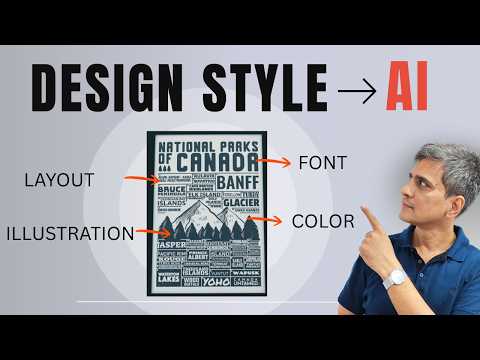
SER: AI Extracts Any Design Style
Microsoft reveals SER AI workflow to extract style and recreate infographics with ChatGPT and NotebookLM for PowerPoint
Key insights
- Core feature: Microsoft Copilot can build a brand kit by analyzing uploaded brand-guideline documents.
AI extracts the visual rules so you don’t have to set them up manually. - What it extracts: The system pulls key design elements like colors, fonts, and style motifs from your files.
Those elements become the default styling Copilot uses when generating content. - Platform change: Microsoft retired the standalone Microsoft Designer and folded its capabilities into Copilot, making Copilot the central design tool inside Microsoft 365.
The transition completed in late February 2026. - Primary benefit: Teams get consistent, on-brand output at scale without repeated manual checks.
This reduces errors and saves time across Word, PowerPoint, Excel, OneDrive, and Teams. - Who it helps: The feature democratizes design by letting non-designers produce professional, brand-aligned visuals.
Brand teams only upload guidelines once and Copilot applies them automatically. - Broader trend: This move follows a shift toward better design systems and smarter prompt design, where AI learns context from source documents and applies it consistently.
Adopt the workflow by keeping clear brand guides that the AI can read and reuse.
Video Snapshot and Source
The following article reviews a recent YouTube video from Presentation Process YouTube that demonstrates how to reproduce the style of any design using AI. The video walks viewers through a practical workflow called the SER method—Study, Extract, Recreate—while showing exact prompts and tools used to generate infographics. Consequently, this story summarizes the method, the tools highlighted, and the broader implications for design workflows in organizations.
Ramgopal, the presenter, narrates step-by-step instructions and compares the original design with the AI-generated result to show strengths and weaknesses. Moreover, the video explicitly uses ChatGPT to analyze style and NotebookLM to assemble the new infographic, making the process repeatable for presentation slides and visual briefs. As a result, the material serves both beginners and experienced presenters who want to apply AI to visual design.
The SER Method: Study, Extract, Recreate
The video opens by defining the SER workflow and explaining why it matters for designers and non-designers alike. First, users study a target design to identify shapes, spacing, colors, typography, and visual hierarchy; next, they extract those style cues in structured text prompts; finally, they recreate visuals using generative tools. In short, the process translates visual patterns into reproducible instructions that AI can follow.
Ramgopal emphasizes practical tips such as focusing on repeatable attributes rather than minute details that AI may not replicate reliably. For instance, consistent color palettes and spacing rules matter more than exact pixel nudges, which are often tool-dependent. Therefore, the method balances fidelity with practicality so users can generate usable results quickly.
From Prompts to Output: Tools and Workflow
In the demonstration, ChatGPT serves as the analysis engine that converts visual observation into a concise style description. The presenter shows a ready-made prompt to dissect a design’s elements, including color codes, font styles, layout rules, and iconography tendencies. Then, the video uses those outputs to generate infographic content and guidelines that feed into the next stage.
Next, NotebookLM becomes the composition and layout tool, where the extracted style and generated content come together to produce a new infographic. Ramgopal compares the original and recreated images to test how well the AI followed the extracted rules, highlighting successes and shortfalls. Thus, the workflow proves accessible: it links a text-based extraction step to a layout tool that can interpret those instructions for visual production.
Microsoft's Copilot: Brand Kit Extraction and Consolidation
Separately, the video’s supporting blog notes how Microsoft has moved toward automated brand extraction inside its Copilot ecosystem, allowing organizations to upload brand guidelines so the AI can pull colors, fonts, and style elements automatically. This approach removes manual setup friction and centralizes brand controls across tools like Excel, Word, PowerPoint, OneDrive, and Teams. Consequently, companies can scale consistent visual output without constant manual oversight.
Microsoft’s consolidation of standalone design tools into Copilot aims to provide a single entry point for AI-driven visuals, replacing tools such as Designer with integrated capabilities. While this simplifies discovery and creates a unified experience, it also concentrates control and raises questions about flexibility, exportability, and vendor lock-in. Therefore, organizations must weigh the convenience of centralized brand kits against the need for portable and granular design control.
Tradeoffs and Practical Challenges
Although AI-assisted style extraction speeds up design reproduction, it also introduces tradeoffs between automation and creative control. On one hand, automated extraction saves time and promotes consistency, yet on the other hand it may miss nuanced brand rules or misinterpret abstract visual cues. As a result, users should plan for iterative review cycles and human oversight to ensure outputs match brand intent.
Additionally, challenges include prompt quality, tool limitations, and data privacy concerns when uploading proprietary style guides to cloud services. While clear prompts improve fidelity, they require skill and time to craft well, which may offset some efficiency gains. Therefore, teams should balance faster output against the need for governance, secure workflows, and occasional manual adjustments.
Conclusions and Practical Recommendations
Overall, the Presentation Process YouTube video provides a pragmatic, repeatable route to extracting and recreating design styles using AI, with a clear emphasis on the SER method and text-based prompts. Moreover, the inclusion of enterprise features like Microsoft’s brand extraction shows how AI will increasingly operate within organizational systems to maintain visual consistency at scale. Consequently, professionals should test these methods on non-critical assets first and refine prompts before applying them to high-stakes materials.
Finally, as tools evolve, teams should focus on building guardrails: keep a human in the loop, document prompt recipes, and ensure brand files remain portable and secure. By doing so, organizations can leverage AI for faster design production while managing the risks and preserving their creative identity.

Keywords
AI design style extraction, extract design style with AI, AI style transfer for UI, SER method for design, simple SER method tutorial, AI-based design analysis, design style detection AI, automated UI style extraction