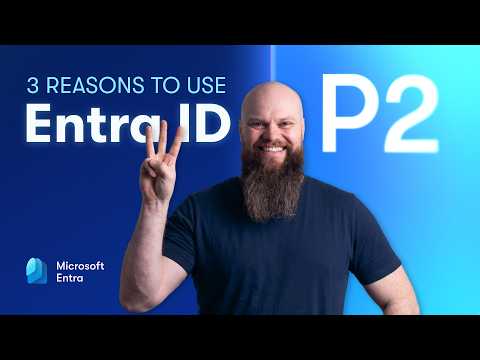
Video Overview: Jonathan Edwards on Entra ID P2
Jonathan Edwards published a clear walkthrough that asks a simple question: if your tenant has licenses for Entra ID P2, are you using them? In the video he highlights three core capabilities — Privileged Identity Management, Identity Protection, and risk-based Conditional Access — and shows each feature inside the portal. The presentation mixes conceptual explanation with on-screen demos, making it easy to see how the tools behave in real environments. Consequently, the video is useful for IT leaders who want to check whether their P2 investment is delivering expected security value.
What the Three Features Do
Edwards begins by framing each feature in business terms and then switches to the portal to demonstrate settings and results. First, Privileged Identity Management (PIM) is shown as a way to limit standing admin rights by using time-limited and approval-based elevation. Next, Identity Protection is presented as automated risk detection that flags risky sign-ins and compromised credentials, while risk-based Conditional Access uses those signals to trigger MFA or blocks. Together, these components enforce identity-based controls that align with zero trust principles and reduce the chances of account takeover.
Privileged Identity Management: Benefits and Tradeoffs
In his demo, Edwards walks through the PIM request flow and role activation screens, showing approval steps and expiration settings. PIM reduces the attack surface by removing permanent elevated access, and therefore limits the damage from compromised admin accounts or insider errors. However, he also notes tradeoffs: PIM adds operational overhead for approvals and requires staff training to avoid blocking legitimate work, and the organization must balance strictness with workflow continuity. As a result, teams should plan role definitions and approval policies before a full rollout to avoid friction.
Identity Protection: Detection vs. Noise
When demonstrating Identity Protection, Edwards highlights real alerts such as leaked credentials and impossible travel, and he shows the dashboard for investigating incidents. The feature automates remediation actions like forcing password resets or requiring additional verification, which speeds response and reduces manual work. Yet automated detection introduces tradeoffs because false positives can disrupt users, and overreactive policies can harm productivity if not tuned carefully. Therefore, organizations ought to phase in thresholds and monitor signal quality to find the right balance between security and user experience.
Risk-Based Conditional Access: Policy Complexity and User Impact
Edwards moves from detection to enforcement by showing how conditional access policies apply risk signals in real time, challenging or blocking sessions when needed. These policies let security teams specify conditions based on user risk, device state, location, and application, which improves protection without requiring constant manual intervention. On the other hand, policy complexity grows quickly as more scenarios are covered, and misconfiguration can lock users out or create security gaps. Consequently, his recommendation is to start with focused, high-impact policies and iterate while logging outcomes to minimize disruptions.
Implementation Challenges and Practical Guidance
Throughout the video Edwards repeatedly emphasizes that licensing alone does not guarantee protection; configuration and operations do the heavy lifting. Implementing P2 features needs collaboration across security, identity, and helpdesk teams, and hybrid environments add further complexity where on-premises systems must be coordinated. Cost is another consideration: while P2 can reduce breach risk, organizations must compare licensing expense against the expected risk reduction and operational effort. Therefore, the pragmatic path is a phased pilot that targets high-risk accounts first, measures outcomes, and then expands coverage.
Recommendations for IT Teams and MSPs
For teams and managed service providers, Edwards suggests auditing current P2 usage to find idle capacity, then prioritizing controls that close the biggest gaps. Start with elevating administrators to PIM workflows and protect privileged sign-ins with Identity Protection signals feeding into conditional access, because this sequence reduces risk quickly without overwhelming users. Moreover, monitor alert volume and policy impacts, and adjust thresholds and exception paths to preserve productivity while maintaining protection. In short, deliberate configuration, ongoing tuning, and clear operational ownership are essential to make a P2 investment effective.
Final Takeaway
Jonathan Edwards’s video is practical and demonstration-driven, and it makes a persuasive case that many tenants underuse the capabilities in their P2 licenses. By showing the portal views and typical policy flows, he helps IT teams visualize both benefits and real-world tradeoffs, which supports better decision-making. Ultimately, organizations that combine careful planning, phased rollout, and continuous tuning can leverage Entra ID P2 to raise their identity security substantially without needlessly disrupting users. As a result, the video is a useful resource for anyone evaluating or operating P2 features in production.