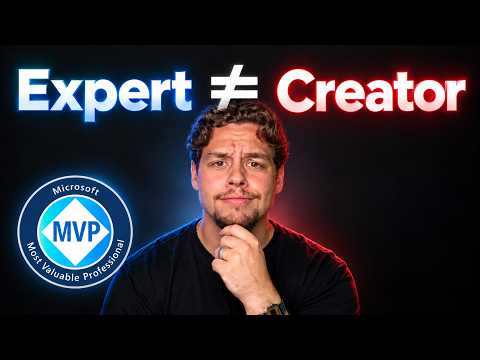
Developer Tools YouTube packaging advice for MVPs
Certified Power Apps Consultant & Host of CitizenDeveloper365
Griffin Lickfeldt explains a 5-step YouTube roadmap for Microsoft creators focused on packaging, search, and audience quality.
Key insights
- Griffin Lickfeldt says YouTube is a packaging platform, not just a video platform.
- He outlines a 5-step roadmap he uses to reach 100K+ views a month.
- The video focuses on thumbnails, titles, searchable concepts, and hooks.
- It recommends videos about problems, not only solutions.
- The guidance is aimed at Microsoft MVPs, Power Platform creators, and tech educators.
Griffin Lickfeldt (Citizen Developer) recently published a video titled Microsoft MVP's: You're Doing YouTube Wrong. In it, he says he uses a five-step roadmap to reach 100K+ views a month on YouTube and frames the platform as a packaging system rather than just a place to upload videos. The takeaway is simple: if you teach Microsoft topics online, how you present the video matters as much as what is inside it.
The video is aimed at Microsoft MVPs, Power Platform creators, and tech educators who want to grow on YouTube. It also points to Microsoft expertise such as Copilot Studio, Power Apps, Power Automate, Dataverse, and Microsoft 365 topics as examples of the kind of content that can benefit from better packaging. Griffin also says that more views are not always better if the audience is not the right one.
What's new
The core message is that many creators think about YouTube as a video hosting site, while Griffin treats it as a packaging platform. That means the thumbnail, title, hook, and video concept are treated as the main levers for discoverability. He also says the road map he uses has five steps, though the source material does not list all five in full detail.
Another clear point is the shift from solution-led content to problem-led content. The description says the episode covers why videos should focus on problems instead of solutions, how to use evergreen content strategy, and why casting a wider net can matter more than staying too niche. It also calls out click validation and curiosity loops as ways to keep viewers watching longer.
Why it matters
For Microsoft MVPs and creators, this is about reaching the right audience with technical content that people can actually find. If your videos cover Copilot Studio tutorials, Power Automate walkthroughs, or Dataverse overviews, the advice is meant to help those videos surface in search and hold attention once viewers arrive.
The message also matters for people who build a professional reputation through community content. Griffin says the quality of the audience matters, not just the number of views. That is useful context for educators, consultants, and makers who want their content to support credibility, not just vanity metrics.
The source material does not mention licensing, rollout, or a Microsoft product change, because this is not a feature announcement. Instead, it is a creator strategy discussion, so the value is in communication and channel growth rather than product configuration.
How it works
The published chapters show the structure of the video: Intro, My Experience, YouTube Packaging, Thumbnails, Titles, Video Concepts, Hooks, Call To Actions, and Subscribe. Based on the description, the practical process is about shaping each part of the video so that viewers understand quickly why they should click and keep watching.
- Choose a topic that solves a real problem.
- Write a title and thumbnail that make the idea searchable and clear.
- Build a hook that creates curiosity early in the video.
- Use click validation so the promise matches the content.
- Use curiosity loops to keep viewers engaged longer.
Griffin also says creators should prove credibility fast and communicate complex Microsoft 365 topics clearly. That suggests the format matters as much as the subject matter: a good explanation still needs a clear entry point, a readable title, and a strong opening.
Limitations and open questions
The source material is brief and promotional in nature, so it does not provide a full transcript of the five-step roadmap. We can see the themes Griffin discusses, but not the exact order or detailed instructions for each step.
It also does not verify performance claims beyond the creator’s statement that he uses the roadmap to reach 100K+ views a month. We cannot confirm those results from the material alone, and the video does not give a benchmark for what would count as success for another channel.
Finally, the content is aimed at Microsoft-focused creators, but it does not specify whether the advice changes for admins, consultants, or end users. The strongest reading is that it is guidance for people who publish technical education content, not for product users looking for a feature walkthrough.
Sources
- YouTube video by Griffin Lickfeldt: Microsoft MVP's You're Doing YouTube Wrong
- Griffin Lickfeldt (Citizen Developer) website
Frequently asked questions
Who is this video for?
The description says it is for Microsoft MVPs, Power Platform creators, and tech educators who want to grow on YouTube.
What is the main idea of the video?
Griffin says YouTube should be treated as a packaging platform, with thumbnails, titles, hooks, and concepts driving discoverability.
Does the video give a full step-by-step guide?
It says the roadmap has five steps, but the source material only names the themes and chapter headings, not the full detailed process.
What Microsoft topics does it mention?
The description mentions Copilot Studio, Power Apps, Power Automate, Dataverse, and Microsoft 365 topics as examples.