- All of Microsoft
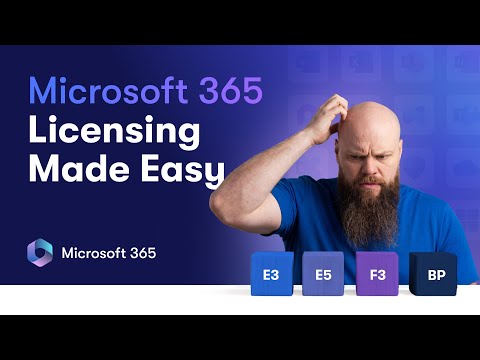
Microsoft 365: Business Premium, E3, E5
No-Faffing Managed IT Support & Cyber Security Support. Made in Yorkshire, built for the UK.
Microsoft licensing simplified: Business Premium, E tier or F frontline, save costs and secure with Defender and Teams
Key insights
- Microsoft 365 licensing decides which apps, security, and compliance tools each user gets.
Choose plans based on company size, security needs, and budget. - Business Premium suits small and medium businesses and generally supports up to 300 users.
It includes Office apps, cloud storage, device management, and built-in endpoint protection for SMBs. - E3 is the enterprise baseline for larger organisations.
E3 does not include Defender for Business, so add Defender components (Endpoint and Office 365) if you need advanced threat protection. - E5 makes sense when you need advanced security, compliance, analytics, or phone system features.
Use E5 for strong XDR, advanced eDiscovery, Power BI Pro, and regulatory or legal requirements. - F3 targets frontline workers and saves cost by offering essential apps and basic security for shift-based or mobile staff.
Use F3 for high-volume, task-focused teams where full desktop apps aren’t needed. - Mix-and-match licences and add-ons let you optimise costs: keep Business Premium where it fits, upgrade key users to E3/E5, and add Defender or compliance packs only where required.
Watch the 300-user limit, evaluate real needs, and avoid paying for features you won’t use.
In a clear and practical YouTube video, Jonathan Edwards walks viewers through choosing between Microsoft 365 Business Premium, E3, E5 and the frontline-focused F3 plan. He uses real client scenarios and plain English to remove jargon and explain licensing in a way most IT admins, MSPs and business leaders can follow. As a result, the video aims to stop organizations from overspending and to clarify when additional security add-ons are required. This article summarizes those points objectively and highlights the tradeoffs and practical challenges Jonathan raises.
Video Overview and Purpose
Jonathan frames the video as a practical guide rather than a deep technical lecture, and he organizes content into short, focused chapters that make comparison straightforward. He contrasts the three main enterprise tiers and the frontline option, explains the 300-user breakpoint, and shows where common misconceptions create waste. Moreover, he demonstrates how some features move between plans, such as why Defender for Business does not appear in E3 and how defenders can be bolted on. Consequently, viewers leave with scenarios they can map to their own organizations.
Core Differences: Business Premium, E3 and E5
Jonathan emphasizes that Business Premium is often the best fit for small and medium businesses because it bundles strong endpoint protection, identity controls and productivity apps for up to 300 users. By contrast, E3 targets larger enterprises and focuses on broad compliance and management capabilities, but it typically requires separate security add-ons to reach the same threat protection level provided natively in Business Premium. Finally, E5 brings advanced detection, response, analytics and compliance capabilities out of the box, which is why it suits highly regulated industries.
Importantly, he points out that moving past the 300-user limit triggers a licensing rethink; mixing plans becomes common but requires governance. He also explains that while Defender for Endpoint and Defender for Office 365 can be added to E3, doing so raises costs and creates management complexity. Therefore, organizations must weigh built-in protection versus modular add-ons and the operational burden of maintaining mixed environments. Jonathan uses cost examples to show how perceived savings can evaporate once add-ons and management overhead appear.
Security and Compliance Tradeoffs
The video highlights the tradeoff between adopting a single comprehensive plan and assembling capabilities via add-ons. On one hand, selecting E5 simplifies procurement and centralizes advanced security and compliance tools, which reduces integration risk and eases audits. On the other hand, paying for E5 across an entire user base can be expensive when only a subset of users need advanced features, making selective add-ons attractive but administratively heavier.
Jonathan also cautions that licensing choices affect incident response and detection coverage. For example, relying on modular security can lead to inconsistent telemetry across devices and users, which complicates threat hunting and XDR workflows. Conversely, standardizing on a higher-tier plan creates more uniform data but increases licensing spend. Thus, teams must balance coverage, cost, and operational simplicity when designing their security posture.
Cost Scenarios and Practical Examples
Throughout the video, Jonathan presents real-world scenarios to show when each license makes sense, and he avoids one-size-fits-all advice. He explains that F3 often delivers significant savings for frontline workers who need basic productivity and Teams access without full desktop apps, while Business Premium fits most SMBs with integrated security needs. Meanwhile, medium and large enterprises may choose E3 for management features and then add specific security licenses where needed.
For compliance-heavy organizations, he argues that investing in E5 can reduce third-party tool costs and improve legal defensibility through advanced eDiscovery and extended audit logs. However, he stresses that the cost advantage depends on whether the organization actually uses those features. As a result, decision-makers should map actual use cases and projected incident scenarios to expected license benefits before upgrading broadly.
Recommendations, Challenges and Next Steps
Jonathan recommends starting with a clear inventory of user roles, risk profiles and compliance obligations, and then matching plans to those groups instead of applying a single plan to everyone. He also advises running a pilot when mixing licenses, so IT can validate telemetry, alerting and management across the chosen combinations. In addition, he stresses the importance of regular license reviews to avoid paying for unused features after organizational changes.
Finally, he acknowledges operational challenges such as billing complexity, change management, and potential audit exposure when licensing is inconsistent. Therefore, teams should build governance around license assignments and maintain clear documentation of why each user type receives a given plan. Overall, Jonathan’s video provides a practical roadmap and balanced tradeoffs that help organizations choose the right Microsoft 365 license with fewer surprises.

Keywords
Microsoft 365 licensing guide, Microsoft 365 Business Premium vs E3, Microsoft 365 E5 features, M365 licensing comparison, Business Premium vs E3 vs E5 differences, Microsoft 365 plans explained, M365 security and compliance E5, Microsoft 365 pricing comparison