- All of Microsoft
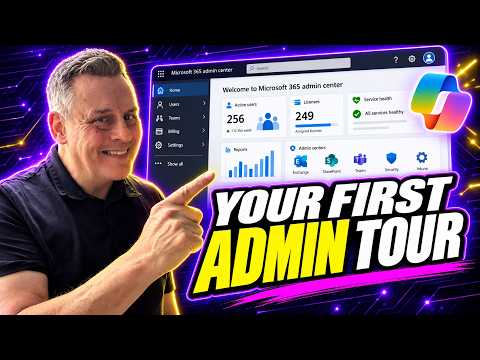
Microsoft 365 Admin Center Quick Start
Microsoft 365 Expert, Author, YouTuber, Speaker & Senior Technology Instructor (MCT)
Microsoft Three Sixty Five Admin Center guide for admins covering navigation, RBAC, licensing, security and support
Key insights
- Video overview: This 2026 YouTube tutorial explains the new Microsoft 365 Admin Center for beginners and shows a practical, step-by-step admin workflow.
It focuses on real tasks you will do every day rather than only menu clicks. - Navigation: Learn to search the portal, use the top menu, and customize the Side Navigation and theme (light/dark).
These small changes speed up daily work and help you find tools fast. - Users and licenses: The guide covers how to add users, assign or remove Licenses, reset passwords, and manage Microsoft 365 groups.
Start here to get accounts ready and keep access current. - Roles and security: It explains RBAC and administrator roles, how to enable MFA, and where to check basic security settings.
Knowing roles and MFA helps protect your organization with simple steps. - Portal integration: The Admin Center is the launch point to specialized admin centers (Exchange, Teams, SharePoint, Intune, Defender, Entra, Purview).
Use the Admin Center to jump into these tools when you need deeper controls. - Core workflow and support: Key first moves are sign in at admin.microsoft.com, manage users and licenses, monitor service health, and use the portal to access product admin centers.
If you need help, the video shows where to find Microsoft support from the Admin Center.
Overview of the video
Andy Malone [MVP] published a practical YouTube tutorial that aims to bring beginners up to speed with the Microsoft 365 Admin Center in 2026. In clear, step-by-step segments, Malone walks viewers through the portal’s interface, showing where common tasks live and how to move between specialized admin areas. Consequently, the video frames the admin center as the practical starting point for day-to-day tenant management and for launching deeper tools like Exchange, Teams, and Intune.
Moreover, Malone balances basic navigation with strategic guidance, which helps new administrators prioritize what to learn first. He uses timestamps and short chapters to separate topics, making it easier to revisit specific features. Therefore, viewers can choose to follow the full walkthrough or jump directly to sections that match their immediate needs.
Main features explained
The video highlights several core areas that administrators encounter most often, including user management, licensing, and service health. Malone explains how to add users, assign licenses, and reset passwords, while also showing the menus that link to specialized admin centers for Exchange, SharePoint, and other services. As a result, beginners get a practical map of where routine operations live and when they should switch tools.
In addition, Malone covers interface options such as customizing the side navigation and switching between dark and light modes, which can improve efficiency for frequent users. He also explains role-based access control, or RBAC, and the differences among common admin roles, helping teams decide who needs what level of permission. Thus, the video addresses both UI convenience and governance, which together shape an administrator’s daily workflow.
Practical workflow and demos
Rather than presenting only conceptual ideas, Malone demonstrates concrete workflows that beginners can replicate, such as searching the portal, managing groups, and reviewing billing. He emphasizes the admin center’s role as a gateway: complete common tasks there, but use product-specific admin centers for deeper configuration. Consequently, the video helps viewers form a mental model that separates routine operations from advanced tasks.
Furthermore, Malone guides users through settings that matter for security and continuity, including multi-factor authentication and service health monitoring. He shows how to check the Message Center and to locate support when issues arise, which is vital for operational resilience. Therefore, the practical focus reduces the learning curve by prioritizing actions that prevent common user-impacting problems.
Tradeoffs and administrative challenges
Malone does not shy away from tradeoffs that administrators face. For instance, simplifying the admin center for smaller organizations lowers complexity but can hide advanced controls that larger teams may need, so teams must balance ease of use with access to granular settings. In addition, centralizing tasks in one portal improves speed, yet it can obscure specialized configurations that require visiting specific product admin centers.
Another challenge he highlights is managing roles and licenses under budget constraints: giving broader permissions speeds troubleshooting but increases security risk, while tighter controls reduce risk yet slow support. Similarly, choosing the right license mix requires weighing cost against needed features, which means administrators must forecast growth and compliance needs. Therefore, Malone’s guidance notes that sensible defaults and staged changes often work better than sweeping reconfigurations.
Who benefits and final takeaway
The video targets new administrators, small-business IT leads, and certification students who need a hands-on introduction to the Microsoft 365 Admin Center. Because Malone focuses on core workflows and common pitfalls, viewers gain immediate, practical skills they can apply on the job. Moreover, his chaptered format and clear demonstrations make the content useful as both a learning path and a quick reference.
In summary, the tutorial offers a balanced mix of navigation, role and license guidance, and practical demos that reduce the initial friction of administering Microsoft 365. While tradeoffs exist between simplicity and control, Malone’s approach helps teams adopt a staged learning path: start with essentials, then expand into specialized centers as needs evolve. Overall, the video serves as a solid launch point for administrators who need confidence and clarity when managing a Microsoft 365 tenant.
.jpeg?w=700&output=webp)
Keywords
Microsoft 365 Admin Center guide, M365 admin center tutorial, Microsoft 365 admin center for beginners, M365 admin center setup 2026, Microsoft 365 admin portal tips, M365 admin center best practices, Microsoft 365 admin center walkthrough, M365 admin center security settings