Power Platform: build a request solution with AI
SharePoint & PowerApps MVP - SharePoint, O365, Flow, Power Apps consulting & Training
Power Platform makers can use GitHub Copilot with installed plugins to generate a request solution spanning apps, Dataverse and flows.
Key insights
- The demonstrated request solution used three Dataverse tables, three cloud flows, a Canvas app and a model-driven app.
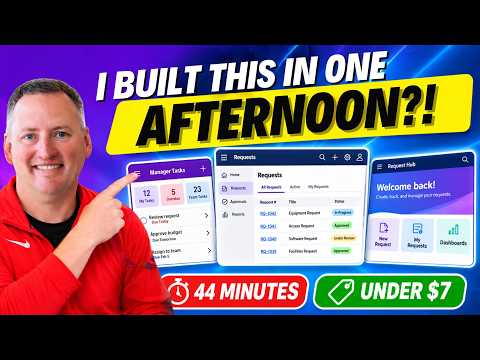
- A 480-word main prompt took 44 minutes to run and used 661 credits, according to Shane Young.
- The builder used separate plugins for Canvas apps, model-driven apps, Power Automate and Copilot Studio agents.
- The transcript describes the Canvas authoring agent as newly announced and not yet rolled out broadly at the time of the demonstration.
Power Platform makers can use GitHub Copilot with product plugins to generate a request-management solution spanning apps, Dataverse tables and Power Automate flows. This approach is relevant to makers and consultants who want to turn a defined business process into a working solution, while still reviewing and testing what the tools generate. Shane Young [MVP] demonstrates the process using a request-routing example in a YouTube video.
What it does
The example follows a work request from submission through assignment and completion. A requester creates a record, a flow routes it to a manager, the manager breaks the work into tasks, and assigned people update those tasks. When the work is complete, another flow emails the requester; a scheduled reminder flow notifies people about overdue tasks.
The demonstrated solution combines a model-driven app for submitting requests with a Canvas app for managers and task assignees. It uses three Dataverse tables—Request Types, Work Request and Work Tasks—and three flows for routing, completion notification and overdue reminders. The shared Dataverse records let the process run from different interfaces: Young also added a generative page and a Copilot Studio agent that could work with the same solution.
The central technique is to describe the process and desired components, then use GitHub Copilot with the relevant plugins to generate them. The demonstration is a specific build, not evidence that every business solution can be generated in the same time or with the same effort. The reported timing and credit use are Young’s results for this project.
Who it is for and what you need
The workflow is relevant to Power Platform makers building internal request or task-management processes, and to consultants exploring AI-assisted development. The example includes both model-driven and Canvas apps, Dataverse, Power Automate and Copilot Studio. It does not identify a required Power Platform license, GitHub Copilot plan, tenant setting or environment configuration.
For the initial build, Young says he installed plugins for Canvas apps, model-driven apps, Power Automate and Copilot Studio agents in the GitHub Copilot app. He first wrote down the business process: request types and routing, manager task assignment, task completion, document uploads, requester email and overdue reminders. He then discussed the requirements with Copilot and used that exchange to prepare the main prompt.
Young reports that the main prompt was 480 words and that the first solution took 44 minutes and used 661 credits, which he described as less than $7. He later added features and did further testing, so those figures are not the total effort or cost of every version shown. The transcript does not specify the relevant plans, credit rates or general availability of the tools.
How it works
- Describe the process before prompting. Specify who submits a request, how it is routed, what the manager and assignee need to do, and how the process ends. The example included task due dates, document attachments, completion email and overdue reminders.
- Prepare the project prompt. Young says he used Copilot to turn his notes and workshop goals into a more detailed prompt. It covered the requested apps, Dataverse and Power Automate, and included a design direction. He placed the generated solution in an environment and asked for the model-driven app to be in a solution.
- Generate and inspect the core solution. With the product plugins installed, GitHub Copilot generated the tables, security, apps and flows described in the prompt. In the example, a new Dataverse request triggered routing, and a manager used the Canvas app to create tasks and attach a file.
- Extend the same process where useful. Young prompted for a generative page for the request experience and a Copilot Studio agent that could retrieve and create request information. He also demonstrated a separate Copilot managed runtime app that combined request and task experiences.
- Test and iterate. Young says he asked the tool to harden and test the Canvas app and spent about $20 in credits on that work. Treat generated output as something to validate; the demonstration does not establish that the same result will work unchanged in another environment.
Limitations and open questions
The headline result needs context: the first pass followed a prepared business description, included a 10-minute discussion to shape the prompt, and was a conference demo. Young characterized the solution as production grade, but that is his assessment, not an independent verification. The transcript does not provide deployment records, security review details or results from a separate production rollout.
Availability also varies by component in the account given. Young showed an Authoring agent in a Canvas app creation experience, but said it had only recently been announced and did not appear to have rolled out broadly yet. The transcript does not provide a release date or confirm current access. It also leaves licensing, tenant prerequisites and whether the credit figures apply to other users unanswered.
These tools can generate a starting solution, but the example still depends on clear process knowledge, suitable data design and testing. The demonstration does not compare this method with a manually built solution or establish how it performs with more complex requirements. Check the current product experience and your organization’s governance requirements before using generated components with business data.
Sources
Frequently asked questions
What did the demonstrated Power Platform solution include?
It included a Canvas app, a model-driven app, three Dataverse tables and three Power Automate flows. Young also demonstrated a generative page, a Copilot Studio agent and a Copilot managed runtime app.
What plugins did the GitHub Copilot build use?
Young says he installed plugins for Canvas apps, model-driven apps, Power Automate and Copilot Studio agents. The transcript does not specify required licenses or tenant settings.
How long did the initial build take?
Young reports that the main 480-word prompt took 44 minutes and used 661 credits. These are results from his demonstration, not a general estimate.
Is the Canvas app Authoring agent broadly available?
The transcript describes it as newly announced and not yet rolled out broadly at the time of the demonstration. It gives no release date or confirmation of current availability.