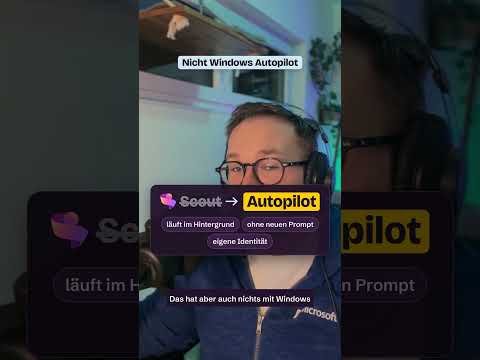
Microsoft Copilot Autopilot tracks work over time
Copilot Autopilot is designed to follow goals, coordinate work, and take permitted next steps for users and teams.
Key insights
- Autopilot is described as an always-on agent, rather than an assistant limited to one prompt and response.
- The agent is intended to track goals, deadlines, follow-ups, and ongoing workflows over time.
- Its access to Microsoft 365 data and ability to act depend on permissions granted by the organization.
- Autopilot is described as being in an early preview or testing phase with access limited to selected customers and programs.
Microsoft Copilot Autopilot is an always-on agent designed to track a goal over time and coordinate permitted follow-up work, rather than only answer a single prompt. It is aimed at people and organizations managing ongoing projects, deadlines, meetings, and handoffs. Daniel Rohregger (365 Checkpoint) demonstrates the agent in a YouTube Short.
What it does
Autopilot is presented as a shift from reactive assistance to proactive task follow-through. A user gives the agent a goal, role, and responsibilities; the agent is then meant to keep relevant context and identify next steps as work progresses.
Examples described for the agent include coordinating meetings across time zones, assembling preparation materials, tracking upcoming tasks, and following up on open decisions. For a larger process such as a supplier review, it could plan a schedule, prepare meetings, request missing information, and follow the process as it advances.
The agent is described as working with Microsoft 365 information such as Teams, Outlook, OneDrive, SharePoint, calendars, messages, and contacts, subject to the permissions it receives. This is a proposed work pattern, not a guarantee that every action will be available in every organization.
Who it is for and what you need
Autopilot is relevant to users who coordinate work across people, communications, documents, and deadlines, as well as IT teams responsible for governing agent access. Its intended advantage is continuity: work can be followed up while the user is not actively chatting with the agent.
Autopilot is described as being in an early preview or testing phase, with access initially limited to selected customers and specific Microsoft programs. Additional configuration, policy, and licensing requirements may apply, so organizations should check their own eligibility and controls before planning a deployment.
How it works
- Give the agent an outcome to pursue, together with its role and responsibilities.
- Allow it to use relevant organizational information within the permissions set for it.
- Have it retain context, track outstanding work, and identify follow-up actions.
- Review its proposed or completed actions, especially where communications or sensitive information are involved.
The described experience includes interaction through Teams. A companion desktop application is also described as a way to work with local files, websites, and services connected through the Model Context Protocol.
Limitations and alternatives
Autopilot’s ability to act depends on organizational permissions and configuration. The always-on approach makes access controls, oversight, and review of actions practical considerations, particularly for external messages or sensitive work.
Because access is described as limited during an early preview or testing phase, it may not be available to every organization. A conventional Copilot interaction remains a different approach for one-off questions or tasks; Autopilot is intended for work that needs continued tracking.
Sources
- Daniel Rohregger (365 Checkpoint) YouTube Short
- Original article by Daniel Rohregger (365 Checkpoint)
- 365 Checkpoint website
Frequently asked questions
What is Microsoft Copilot Autopilot?
Autopilot is described as an always-on agent that follows goals and work over time. It is intended to coordinate tasks and take follow-up steps within the permissions it receives.
What can Copilot Autopilot do?
Examples include coordinating meetings, preparing materials, tracking deadlines, following up on open decisions, and requesting missing information during a process.
Who can use Copilot Autopilot?
It is described as being in an early preview or testing phase, initially limited to selected customers and specific Microsoft programs. Additional configuration, policy, and licensing requirements may apply.
How is Autopilot different from regular Copilot?
A regular Copilot interaction typically handles a prompt or task in the moment. Autopilot is intended to retain context and track follow-up work over a longer period.